What is on-page SEO?
On-page SEO means improving pages and their content for readers and search engines. Typical work includes matching the page to search intent, clarifying headings, improving links between pages and making the information easier to find and understand. The following practices address different parts of that work.
On-page and off-page SEO: the difference
On-page SEO concerns the content and elements you manage on the website. Off-page work takes place elsewhere, including backlinks. Public relations and relevant external visibility can also support discovery, without making every social interaction a direct ranking signal. These areas can contribute to SEO strategy. Starting with the pages you control helps ensure that external attention leads to useful, accessible content.
Why does on-page SEO matter?
On-page work matters because search engines evaluate the page’s information and context when deciding whether it is relevant to a query. A useful, clearly explained page gives the search engine better information to assess. It does not guarantee a position, but it serves the reader more directly than keyword repetition or technical tricks alone.
13 on-page SEO practices for your website
The main practices to consider are:
- Create original, useful content
- Use relevant terminology naturally
- Write descriptive title tags
- Write useful meta descriptions
- Structure the page with headings
- Use clear URL addresses
- Add relevant internal links
- Reference suitable external sources
- Use and optimise meaningful images
- Demonstrate genuine expertise
- Make important answers clear
- Use appropriate structured data
- Improve loading and mobile usability
1. Create original, useful content
Start with the audience’s need and relevant topic research. A keyword tool can suggest related terms; for example, a search for the Lithuanian word “žaislai” (toys) can lead to more specific product and information queries.
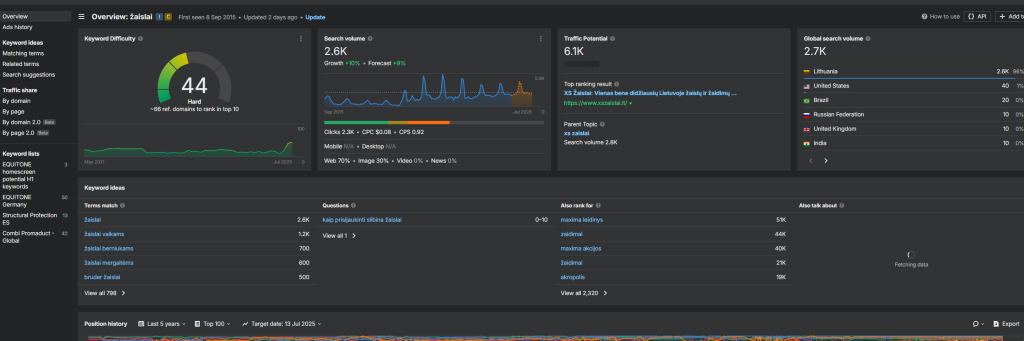
Assess intent, relevance and competition alongside volume. A keyword-difficulty score is a tool’s estimate, not a Google metric or a reliable prediction by itself. More specific queries may suit a page better, but they are not automatically easy to rank for. Create content that is:
- Complete enough for the task – answer the important question and provide the detail needed to act;
- Aligned with search intent – match the type of help the reader expects;
- Distinctive – add useful evidence, examples or explanation rather than repeat competitors;
- Supported by suitable visuals – use diagrams, tables or images where they make the subject clearer;
- Written naturally – use relevant terminology without forcing repeated keywords into the text.
The aim is to meet a real need, not to produce an arbitrary amount of text for search engines.
2. Use relevant terminology in descriptive places
Once the subject is clear, use accurate wording where it helps readers recognise it. Relevant places include:
- the main page heading (H1), distinct from the HTML title tag;
- the opening explanation;
- section headings (H2, H3 and so on).
An on-page analysis tool can flag wording or metadata to review. Treat suggestions as prompts for editorial judgement rather than a requirement to place every suggested keyword in a fixed location.
3. Write clear title tags
The HTML title tagnames the document. It appears in browser tabs and can influence the title shown in search, although Google may generate a different title link. Social platforms may use separate Open Graph metadata. Useful title practices include:
- Use roughly 50–60 characters as a drafting guide, not a fixed limit or a guarantee against truncation;
- include the main topicso the purpose is clear;
- avoid unnecessary repetition – give each page an accurate, distinct title.
4. Write accurate meta descriptions
A meta description summarises the page in HTML. Google may use it in the search snippet or choose a passage from the page instead. 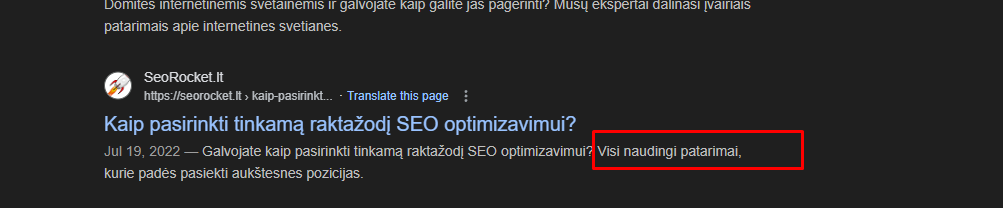 A meta description is not a direct ranking factor, but an accurate summary can help people assess a result. Keep the following in mind:
- Clarity and relevance – display length varies by query, device and layout, so put the important information first;
- Natural topic wording – describe what the page actually answers rather than list keyword variations;
- Direct language – make the summary easy to understand;
- An appropriate next step – a phrase such as “compare the options” can help when the page genuinely offers that comparison.
5. Use headings to explain the structure
<h1>SEO services for growing businesses</h1>
  <h2>How the service works</h2>
    <h3>Audit and keyword research</h3>
    <h3>Technical and on-page improvements</h3>
  <h2>Plans and scope</h2>
  <h2>Project examples</h2>
<h2>Frequently asked questions</h2>- Help readers find relevant informationwithout reading every paragraph;
- Describe the topics and their relationshipsfor both people and systems interpreting the page.
A practical hierarchy is:
- H1 – the main page heading; one clear H1 is a useful editorial convention, not a universal ranking prerequisite;
- H2 – the main sections;
- H3 and lower levels – subsections within the appropriate parent section.
Use relevant wording naturally. Do not repeat the same keyword in every heading when a more precise description would help.
6. Use understandable URLs
Descriptive URL paths help people recognise the topic. Avoid unnecessary complexity when planning new URLs, but do not change established addresses solely to remove a date or add a keyword without assessing migration costs. An understandable URL can:
- give a visitor useful context about the page;
- make links easier to interpret and maintain.
A less readable example
:www.example.com/page?id=78293&date=20230714
A descriptive example:
www.example.com/childrens-toys/
Choose stable paths that reflect the page’s purpose. A keyword in a URL is not a substitute for useful content or a reason to disrupt a working address.
7. Add relevant internal links
Internal links lead to other pages on the same website. For example, a brief reference to accommodation can link to the page describing that particular option.
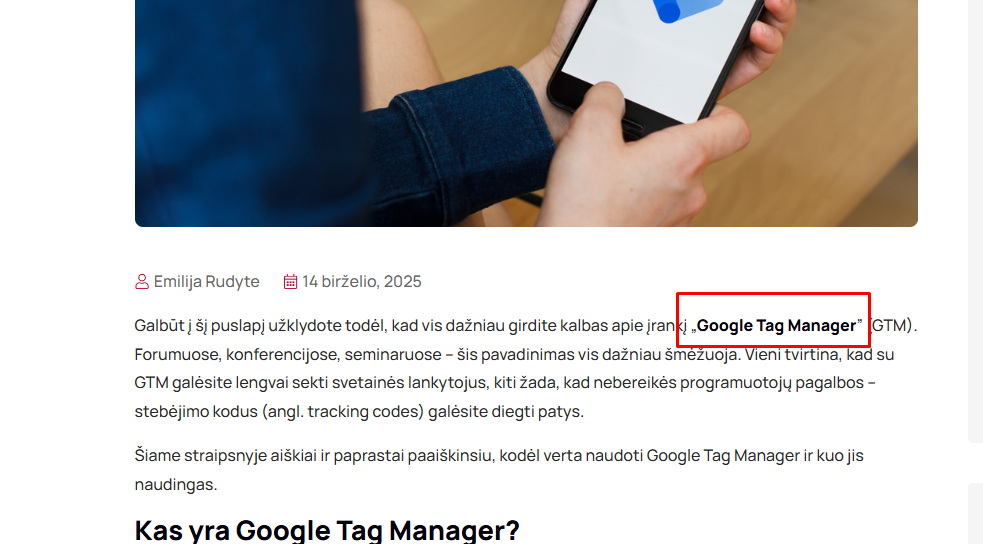
Internal links support SEObecause they:
- Help explain the site structure by connecting related pages;
- Help crawlers discover important URLs through accessible navigation and contextual links;
- Show editorial priorities when relevant pages consistently direct readers to an important resource;
- Help visitors continue their task by pointing to the next useful explanation or action.
Use concise, descriptive anchor text that fits the sentence, and link to genuinely relevant destinations. Avoid adding links or repeating an exact-match phrase simply to increase their count.
8. Reference reliable external sources
External links can support an important claim or let readers investigate further. Select sources for their relevance and reliability rather than adding links as decoration.
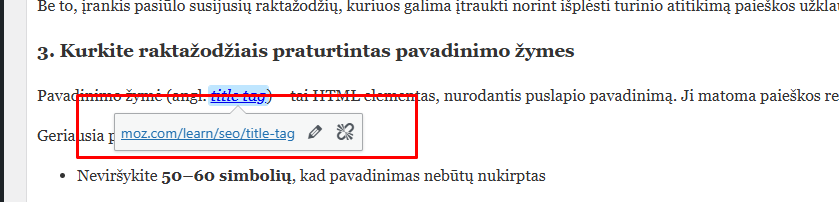
Useful practices include:
- linking to reliable sources that directly support the point;
- Use clear, natural anchor text that explains the destination.
9. Use and optimise images
Relevant images can explain the subject and be discovered through image search. Meaningful alt text communicates the image’s purpose where it cannot be seen, including for screen-reader users. Example:Alt text: “Diagram showing the main on-page SEO checks”
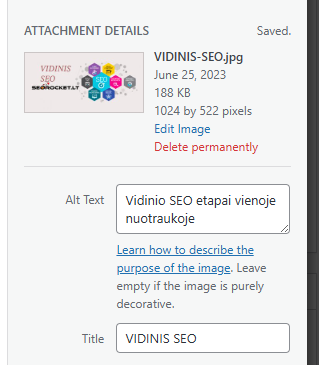
Alt-text principles:
- Keep it concise and long enough to convey the relevant meaning
- Use topiconly when it accurately describes the image in context;
- Avoid unnecessary phrases such as “image of” when they add no useful meaning;
- Use an empty alt attribute for purely decorative images.
An audit tool can flag missing alt attributes, but a person needs to decide whether an image is meaningful or decorative. Further image work includes:
- Descriptive filenames such as “listening-to-an-audiobook.jpg”;
- Appropriate compression to reduce transfer size without losing necessary detail;
- Lazy loading for suitable off-screen images to defer unnecessary initial work. Do not lazy-load an important first-screen image when it would delay its display.
Also supply suitable dimensions and responsive sources where needed. Verify the result on the actual page.
10. Show genuine experience and expertise
Google’s quality-evaluation guidance discusses E-E-A-T: experience, expertise, authoritativeness and trustworthiness.
These concepts help assess the quality of information; they are not a single score that you can raise by adding a biography or badge.
Useful ways to support credibility include:
- Describe the author’s real qualifications where they matter to the topic. Medical, legal and financial guidance needs appropriately qualified input and review, not an invented credential or a generic claim of expertise.
- Use relevant expert input and attribute it accurately. Confirm quotations and the person’s actual competence in the subject.
- Test products or processes where the article claims first-hand experience and explain what was tested, how and with what limitations. A review should distinguish direct observation from information supplied by the vendor.
- Provide evidence such as genuine screenshots, photographs, methods or source references. Do not fabricate experience or results to make the page look authoritative.
11. Make concise answers easy to identify
Featured snippets highlight selected information in search results. Their appearance and position depend on the query and result layout.
Google selects the passage it considers suitable; publishers cannot guarantee selection through a particular paragraph format.
To investigate relevant opportunities:
- use a keyword or SERP analysis tool;
- review the queries relevant to your page;
- filter for featured-snippet results where the tool supports it, then inspect the live result.
A site analysis can also help identify queries where an existing page appears but is not the source of the snippet. Confirm the intent and current layout before editing.
Improve the answer for the reader:
- Choose the format the explanation needs such as a paragraph, list or table, without copying the competitor’s wording;
- Define the subject clearly with enough context to avoid misleading simplification;
- Separate evidence from opinion and make important claims verifiable;
- Use a coherent structure so the answer sits in a relevant section of the page.
12. Add eligible structured data
Rich results can display additional information, such as product details, recipe information or event dates, where Google supports that feature.
Eligibility depends on the content type and applicable policies. Correct markup does not guarantee display or more clicks.
For supported features, use appropriate structured data that matches the visible information and meets the specific requirements.
A CMS or development component can generate markup, but validate the output and avoid duplicate or contradictory entities.
13. Check performance and mobile usability
Review technical usability alongside the content. Relevant considerations include the overall page experience:
- Core Web Vitals – loading performance, responsiveness and visual stability;
- Secure transport through a correctly configured HTTPS connection;
- Mobile content and usability because Google primarily uses mobile content for indexing;
- Avoiding intrusive overlays that unnecessarily obstruct the information people came to read.
Some issues affect the whole site; others are specific to a template or page. Use PageSpeed Insights, Search Console and appropriate crawling tools to investigate the actual cause.
A faster, usable page helps visitors, but good performance cannot compensate for content that fails to answer the query.