
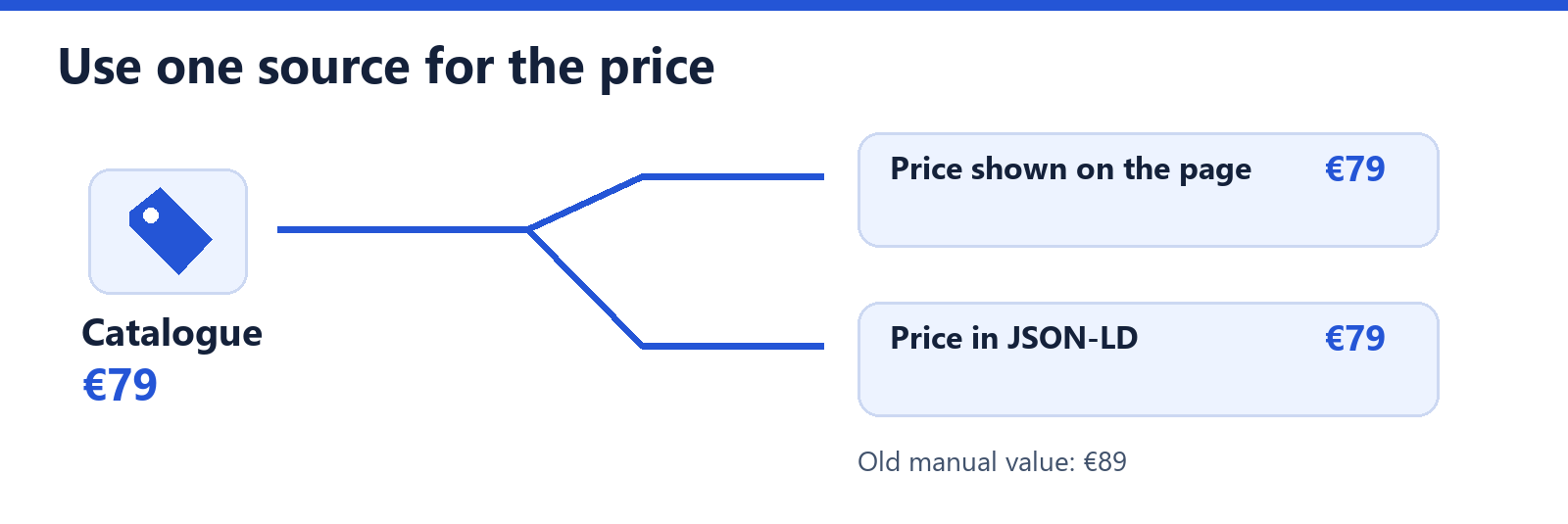
Shoppers can see a product's price and whether it is in stock. Google can also read these facts from structured data, where the product, price, currency and availability have their own fields. If the page shows €79 and the markup still says €89, start by fixing where the price comes from.
Schema.org is a vocabulary for describing the things on a page and how they relate. JSON-LD is one way to put this description in the page's code. Google has separate eligibility rules for rich results that can show facts such as price and availability. Google decides when to display them. AI Overviews and AI Mode require no special markup. Google's guidance on AI search features
Start with what the page describes
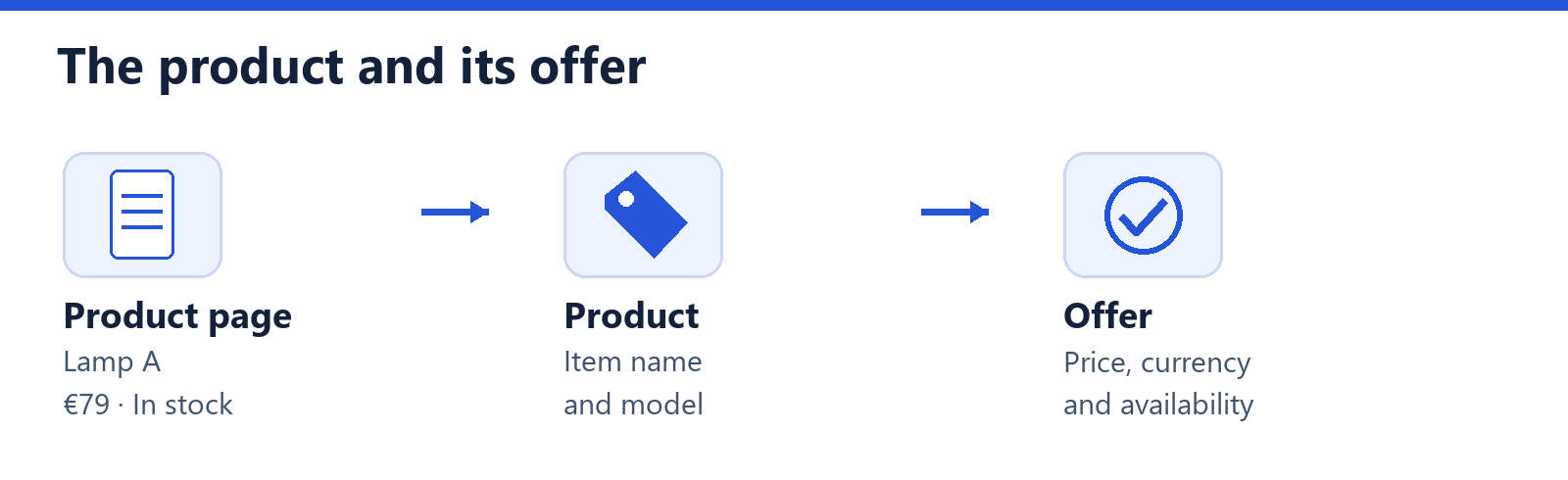
On a product page, separate the item from the terms under which it is sold. In Schema.org, Product describes the item and Offer describes the sale terms. The model may stay the same while price or availability changes during the day. Check that the sale data in the markup updates along with the page. Schema.org's definition of Offer
Use Article or a more specific subtype when it fits the content. Check the author's name and profile link, the publisher and the publication date. If a post credits an editor and the markup still names the site administrator, fix the field mapping in the template. That fix can reach every article using it. Google's Article structured data guidance
Where the values start to disagree
Suppose a sale price comes from the product catalogue, while the markup holds a price entered by hand. Shoppers see the new price, but the markup shows the old one. If the price, currency and availability all come from the same catalogue record, you only need to update that record.
A similar problem can arise when a theme and an SEO plugin both generate markup. Product can describe the item while BreadcrumbList shows where the page sits on the site. Look for blocks that give different values for the same item. Before removing either, identify the theme or plugin that adds it.
Check the markup and the values separately
Schema Markup Validator shows which Schema.org types and properties it found. Rich Results Test checks whether the markup meets the requirements for supported Google rich results. These tools may differ because Schema.org covers more types than Google uses for rich results.
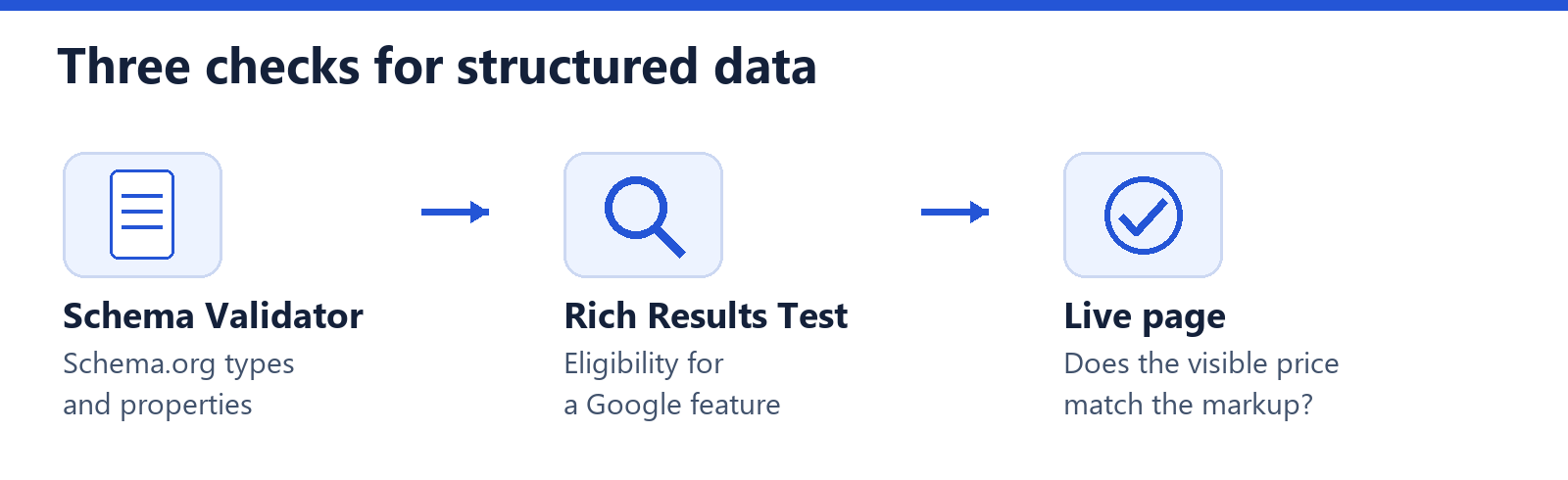
Compare the detected values with what a shopper sees. If both tests read €89, you still need to check the visible price. Before deployment, change one product price in staging and see whether the markup updates with it. After deployment, check the live pages. An ordinary product, a discounted product and an out-of-stock product make a practical sample for an online shop. Google's structured data policies
Decide which templates to fix first
If an error occurs across hundreds of URLs, fix the template or its data source. Start where a wrong fact affects a decision, such as a wrong price in a shop or the wrong author on an article. Record who owns the fact, where the template gets it and who will check the live result. Judith Lewis discussed template priorities and recurring markup errors in her brightonSEO talk.
What you can measure
Decide what counts as a successful fix before you deploy. For example, select 20 product pages and check that visible prices and availability match their JSON-LD, including discounted and out-of-stock items. This tells you whether the template fix worked. Assess search performance separately.
If the goal is a particular Google rich result, check whether reported errors fell and whether the relevant search appearance shows up for the same eligible pages, if Search Console provides that report. Record the deployment date and track the same URLs. Demand, search positions and other content changes can affect clicks.
For AI search, record the claim itself and the source cited for it. This works for facts such as a price, product feature or author. Repeat the same questions after the fix. One changed answer gives you too little evidence to isolate the effect of markup.
If you are starting from scratch, use SeoRocket's JSON-LD generator to draft markup for a product or organisation page. If you already have markup, start with one important template. Compare its fields with the live page and assign someone to check them after the next price, content or template change.