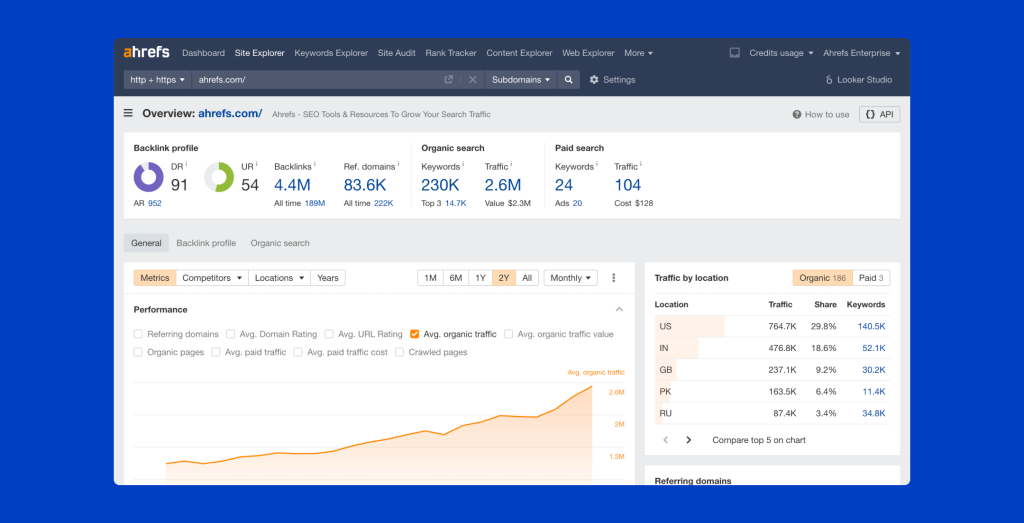
A sound SEO strategy needs reliable evidence. Ahrefs is one option for research and monitoring, but the practical question is what the required subscription includes and what the workload will cost.
How much does Ahrefs cost?
Do not treat the earlier EUR figures on this page as a current quotation. At the time of this review, Ahrefs publishes different subscription tiers, billing options and optional products. Check the official pricing page and the currency, taxes and terms shown at checkout before making a purchase.
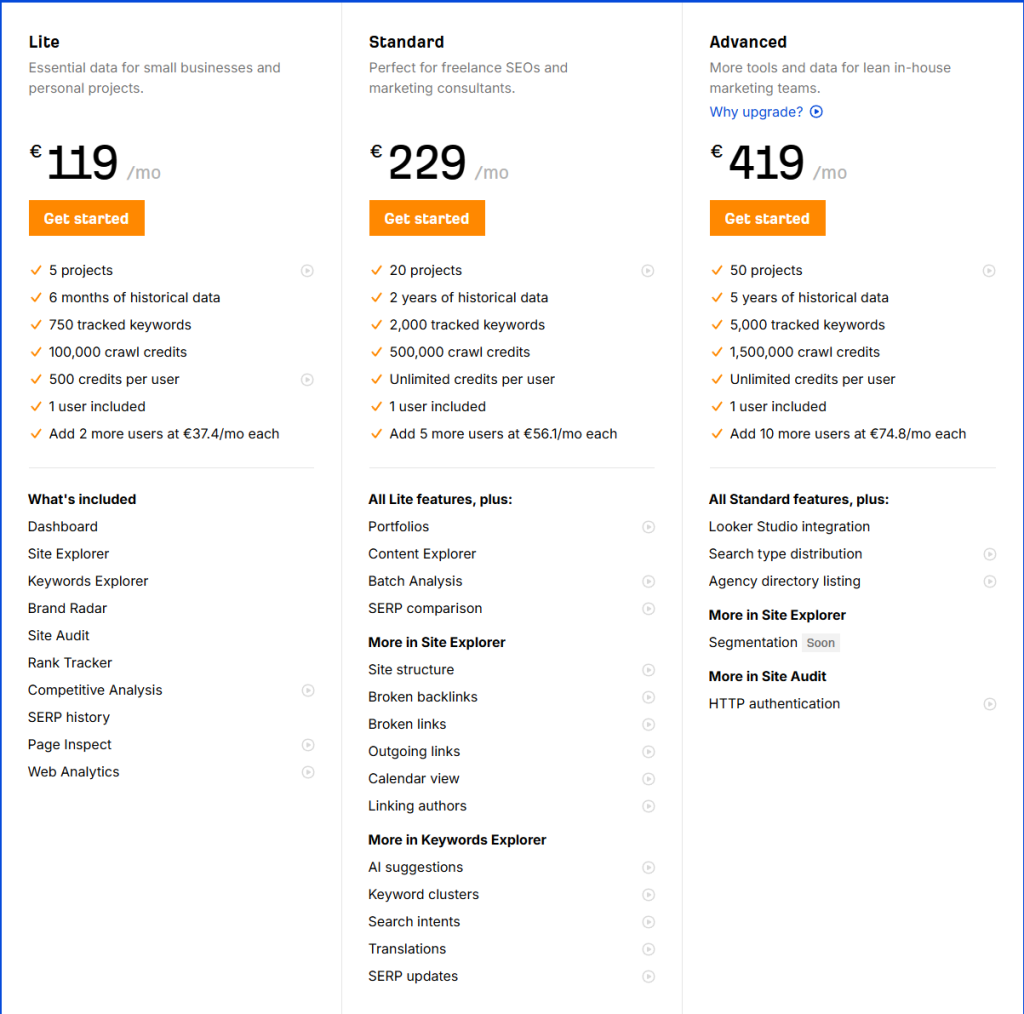
Plan structure and intended use
The main paid tiers discussed below are Lite, Standard, Advanced and Enterprise. Limited free access and a separate Starter option are also available. Features and allowances are not identical across them; the names alone do not establish which plan covers your tasks.
Lite
- Dashboard: an overview of projects and available SEO data.
- Site Explorer: investigate competitors' backlinks and keyword visibility estimates, within the plan's limits.
- Keyword research: research ideas and related queries with the data available to your subscription.
- SERP research: inspect available search results and history; comparison features and access vary by plan.
- Page inspection: examine available page information and changes, subject to the tool's coverage.
- Competitive research: compare selected sites using the reports included in the subscription.
- Site Audit: investigate technical SEO issues . A warning needs checking before it becomes a development task.
- Rank Tracker: monitor selected keywords for the supported markets and devices, within the included allowance.
Standard
- Portfolios: group selected targets for a combined view, subject to the plan's target limits.
- Additional Site Explorer reports can support broken-link investigation and site-structure research. Check the current feature matrix for the report required.
- Content Explorer: research content and publications using the available database, rather than assuming the most visible example is suitable to copy.
- Batch Analysis: compare selected URL metrics together. The permitted number of targets depends on the current plan.
- Historical views: examine available changes in a page's estimated search visibility over time.
- SERP updates and comparisons: access depends on the subscription and applicable allowances.
Advanced
- Reporting integrations: check whether your required integration is included and what data it can access.
- Broader research access and higher allowances may support larger workloads. Verify the current feature matrix rather than assuming every report is unlimited.
Enterprise
Enterprise is aimed at larger organisations with greater data, access-management and customisation needs. Review the actual proposal, commitment and allowances rather than treating it as a simple extension of a monthly individual plan.
Allowances and additional costs
Projects and portfolios
Projects and portfolios serve different purposes and have different limits. Count the sites or targets you need to monitor and check how verified ownership affects allowances before comparing subscriptions.
Historical data
Available history matters when comparing longer trends. Check which report, metric and date range a plan includes; a headline historical-data allowance should not be assumed to cover every product identically.
Reports, exports and data use
Report rows, exports and API or integration access can have separate allowances. Estimate the actual research and reporting workload, including repeated requests, rather than considering only the number of projects.
Search position tracking
Rank tracking follows a chosen set of queries, not every search involving a business. Check the included keywords, market and device options, and update frequency. Do not assume that a higher plan automatically provides daily updates.
Website audits
Site auditing can identify issues for investigation, but crawl credits and maximum pages per project are separate constraints. Scheduling and optional always-on features also need checking against the current plan and add-ons.
Choosing a suitable plan
- People and access: how many users need the account, what access should they have and what does each additional user cost?
- Projects and targets: how many websites, directories or client properties need regular monitoring?
- Required tools: which competitor, content, link or reporting features are necessary for the work?
- History and freshness: which date ranges and update intervals are required for each report?
- Total budget: compare monthly and annual commitments, taxes, additional users and optional or usage-based charges. Do not enable paid overages without an agreed spending limit.