Content and keyword research receive considerable attention in SEO, but website structure also matters. Useful material is harder to discover when important pages are isolated, navigation is confusing or related topics are poorly connected.
A clear and consistent structure is a foundation of SEO. It affects how search engines crawl the site, how visitors find information and how relationships between pages can be understood.
This guide explains how to organise a website so that its architecture serves both people and search engines.
What does website structure mean for SEO?
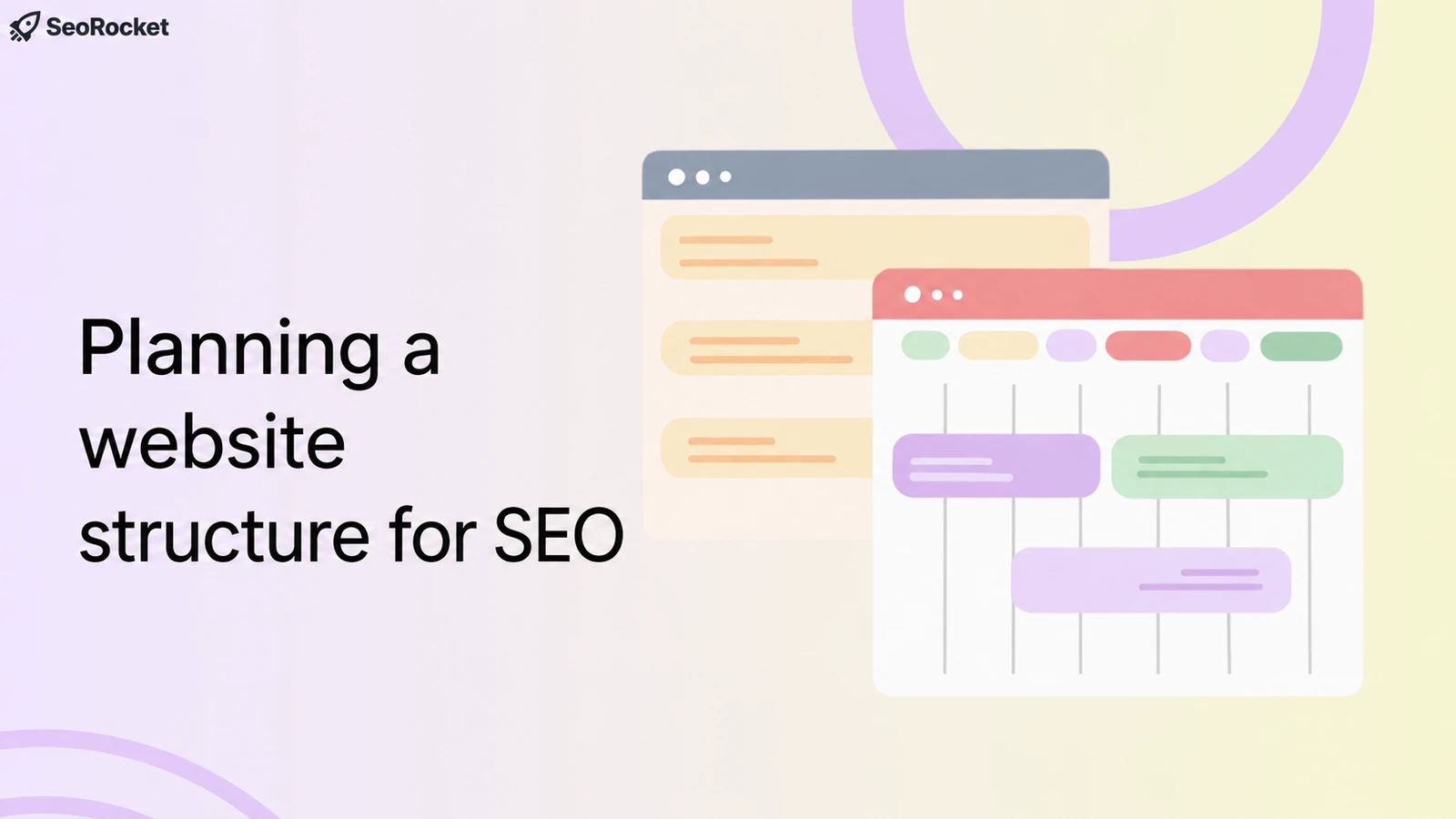
Website structure describes how pages are organised and connected. It includes navigation, the URL hierarchy, internal links and the clarity of the overall arrangement for visitors and search engines.
Search engines discover pages through crawling and then decide what to index. Confusing menus, missing internal links and unclear content groups can make discovery and navigation more difficult.
A well-planned structure helps:
- Explain the subjects covered by the website
- Provide useful paths between pages
- Connect important pages with relevant sections through internal links
- Accommodate new content as the website grows
Structure supports the rest of an SEO programme. Good content and relevant external references are less useful if important pages remain difficult to reach or understand.
Why does website structure matter?
Search systems have become more sophisticated, but clear page relationships remain useful. Mobile-first indexing, semantic understanding and accurate structured data do not remove the need for a coherent information architecture.
Plan around clear organisation, room to grow, user needs and crawlable connections.
Start with a clear hierarchy
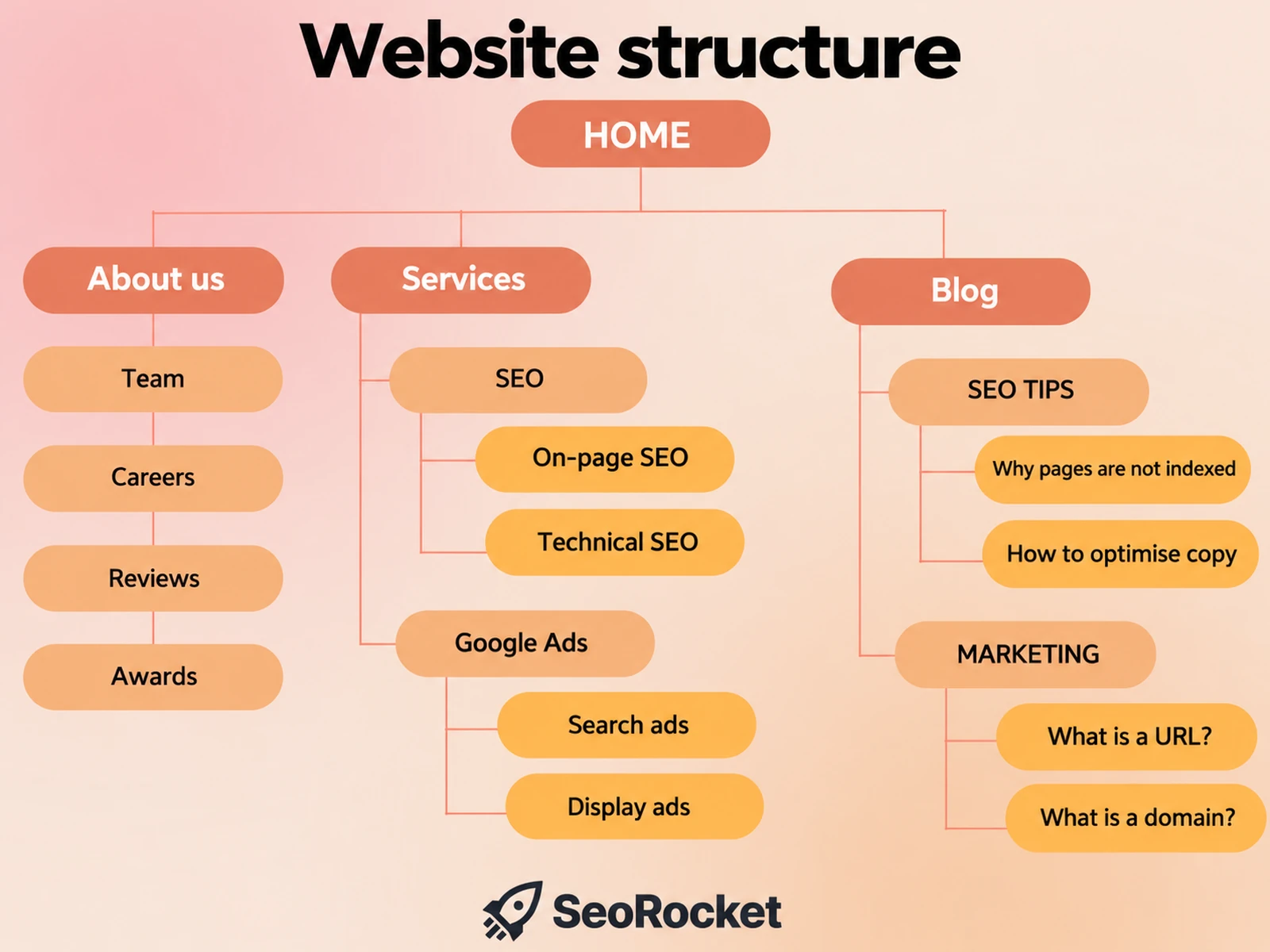
Start with a hierarchy that moves from the homepage to useful categories, subcategories and individual pages. The depth should reflect the site's size and the tasks people need to complete.
For example:
Homepage
└── Services
└── SEO
├── Local SEO
├── Technical SEO
└── Programmatic SEO
└── Insights
└── SEO advice
├── How to plan an SEO-friendly website structure
├── Website architecture practices for SEO
This arrangement shows how topics relate and which pages act as the main entry points to a subject.
Group related content by topic
Grouping related pages around a clear topic can make a website easier to navigate. Supporting pages should answer distinct needs and connect with the main topic where those links are useful.
For a digital marketing business, illustrative sections might include:
/services/seo/
/services/ppc/
/services/email-marketing/
Each topic can contain relevant service pages and supporting articles. The aim is coherent coverage and clear relationships, not creating near-identical pages or treating a “topic cluster” as a ranking guarantee.
This organisation also helps visitors find related information in a predictable place.
Keep navigation straightforward
Navigation turns the structure into something people can use. An overloaded menu, vague labels or important links hidden several levels down can make simple tasks difficult.
Practical considerations include:
- Keep the main menu focused on the most useful destinations; five to seven items may be a starting point, not a fixed rule.
- Use descriptive labels such as “SEO services” rather than vague wording.
- Use the footer for relevant supporting destinations in a logical order.
- Make important pages easy to reach. A short path is useful, but “three clicks” is not a universal search engine requirement.
A clear menu helps people move towards the pages they need without guessing where information is stored.
Use internal links deliberately
Internal links help explain relationships between pages and provide routes to related information. They are particularly useful when placed in a context that makes the destination relevant.
Consider the following:
- Link from relevant main pages, including service or category pages, to useful supporting content.
- Use descriptive anchor text without forcing keywords into every link.
- Connect articles that answer related questions.
- Offer appropriate next steps that lead to useful service or action pages.
Review links as content changes. Useful internal connections can improve discovery and navigation, while outdated or broken links can interrupt the reader's task.
Plan a sensible URL structure
Clear URLs complement an organised website. Make new URLs meaningful and consistent, but do not change established addresses solely to add folders or keywords without assessing migration risks.
Illustrative examples:
/services/seo/technical-seo/
/insights/seo-friendly-website-structure/
Less descriptive example:
/page.php?id=5729
Descriptive URLs can make the destination easier to recognise. Query-string URLs are not automatically unindexable or unsuitable; clarity and consistency matter more than adopting a particular pattern everywhere.
Consider HTML and XML sitemaps
An HTML sitemap is a visitor-facing page that lists useful destinations in an organised way. An XML sitemap provides search engines with URLs you want them to discover. Submission does not guarantee crawling or indexing.
Use each where it serves a real need; an HTML sitemap is not mandatory for every site.
Check that:
- The XML sitemap is available and submitted in Google Search Console where appropriate.
- It reflects relevant new or removed canonical pages.
- Important orphan pages are given useful internal links rather than relying on a sitemap alone.
A sitemap supports discovery but does not repair confusing navigation or an inconsistent page hierarchy.
Check the mobile experience
Google primarily uses the mobile version of a page for indexing.
The mobile experience should therefore retain important content and make relevant pages easy to reach. Check for:
- Menus that are manageable and controls that are easy to select
- Good loading performance
- Clear navigation adapted to a small screen
- Pop-ups that do not obstruct essential content
A useful structure needs to work on the devices people actually use, not only on a wide desktop layout.
Common website structure problems
Even well-intentioned website development projects can encounter recurring structural problems, including:
- An unclear arrangement with no meaningful grouping, regardless of whether the URLs themselves are shallow or nested
- Important pages with no internal links pointing to them
- Overlapping pages that duplicate a task without a clear purpose
- Unnecessary redirect chains or broken links
- Unclear menu labels and inconsistent URLs
Fixing these issues can improve how people find and use the site. Review the effect on engagement and conversion outcomes rather than assuming every structural change will improve a particular metric.
When to review the structure
Review the structure when:
- You plan a substantial new section or product range.
- You have moved to a new content management system;
- The website has grown without a consistent organising plan.
- Important search needs remain poorly served despite ongoing content and promotional work.
A content audit can help identify where pages should remain separate, be grouped more clearly or be consolidated. Assess redirects and existing search performance before changing established URLs.
Final thoughts
An SEO-friendly structure is primarily about giving people and search engines clear routes through useful content. It does not require elaborate naming tricks or a particular paid tool.
Whether planning a new website or improving an existing one, make the architecture an explicit part of the work.
A considered structure helps you:
- Support page discovery and crawling
- Build useful internal connections
- Improve the visitor's path through the site
- Expand content in an organised way
SeoRocket helps businesses plan website structures around search demand and real user tasks. We consider how sections, pages and internal links can support the business as it grows. To review your current site and discuss priorities, book a free initial strategy consultation.