Want your WordPress website to be easier to find in search? SEO addresses technical accessibility, useful content and relevant external signals. A correct setup supports eligibility and relevance; it does not guarantee that the site will appear among the first results.
Prominent results can attract attention, but click-through rates depend on the query, device and result layout. Do not apply a historical aggregate percentage to every current search.
The following 13 checks explain how to assess a WordPress website and improve the parts that need attention.
 Discuss an SEO audit
Need SEO support?
Contact us →13 ways to review WordPress SEO
Audit the content and technical setup
SEO audit can identify technical barriers and content weaknesses that affect discovery or usefulness. Combine search performance evidence with an inspection of the actual website.
A comprehensive review needs suitable tools and judgement to assess the content and technical site structure.
Tools for crawling and keyword research
Crawling tools such as Screaming Frog, Sitebulb and Botify can identify URL, linking and technical patterns. Their findings need to be interpreted for the website rather than treated as equally important errors.
- Semrush and Ahrefs provide research and analysis features for keywords, competitor visibility, content opportunities, backlinks and positions. Check the source and limits of estimates.
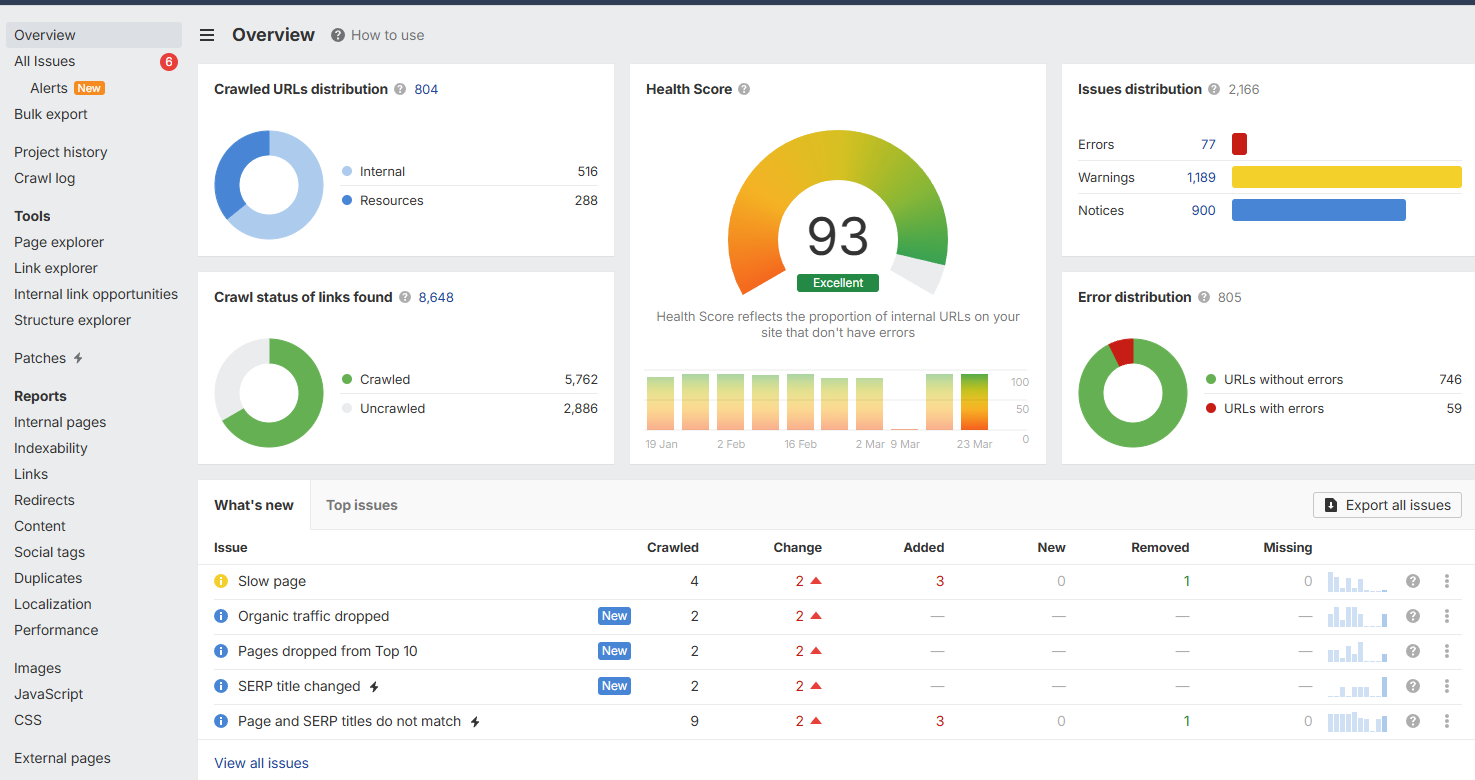
- Google Search Console provides indexing, query and crawl information for a verified site. Its reports help investigate specific URLs and search performance, including available Core Web Vitals field data.
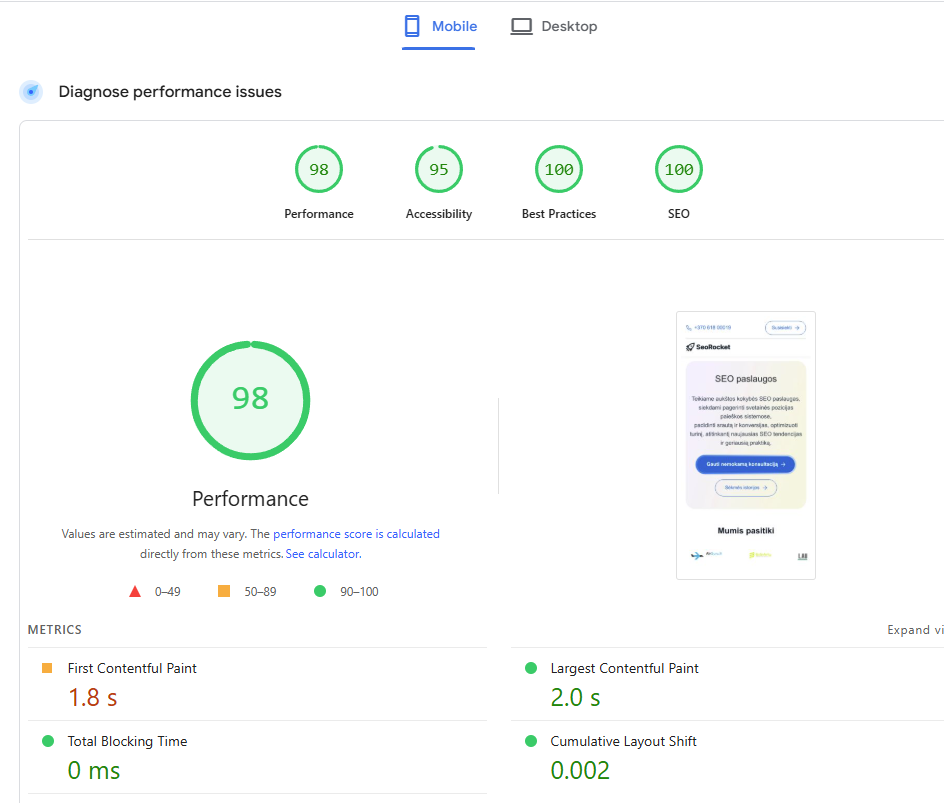
- Core Web Vitals measure aspects of loading, responsiveness and stability. They are worth improving for users, but a good result does not guarantee high rankings or replace useful content.
- Examples of WordPress SEO pluginsinclude Rank Math, Yoast and All in One SEO. Depending on the product and plan, they can help content optimisation and other search-related settings. Automated analysis is a prompt for review, not a complete audit.
Use the audit to prioritise specific work by impact and evidence. Then verify the implementation rather than assuming a completed checklist guarantees progress.
Check which pages are indexed
Crawling and indexing are different stages. Googlebot may retrieve a page without Google selecting it for the index. An indexed page is eligible to appear, but its presence does not guarantee a particular ranking.
Identify the pages you want discoverable in search and those that should remain excluded. A thank-you page may not need indexing; a useful forum discussion or campaign page should be judged on its own purpose rather than excluded automatically.
Checking indexing status
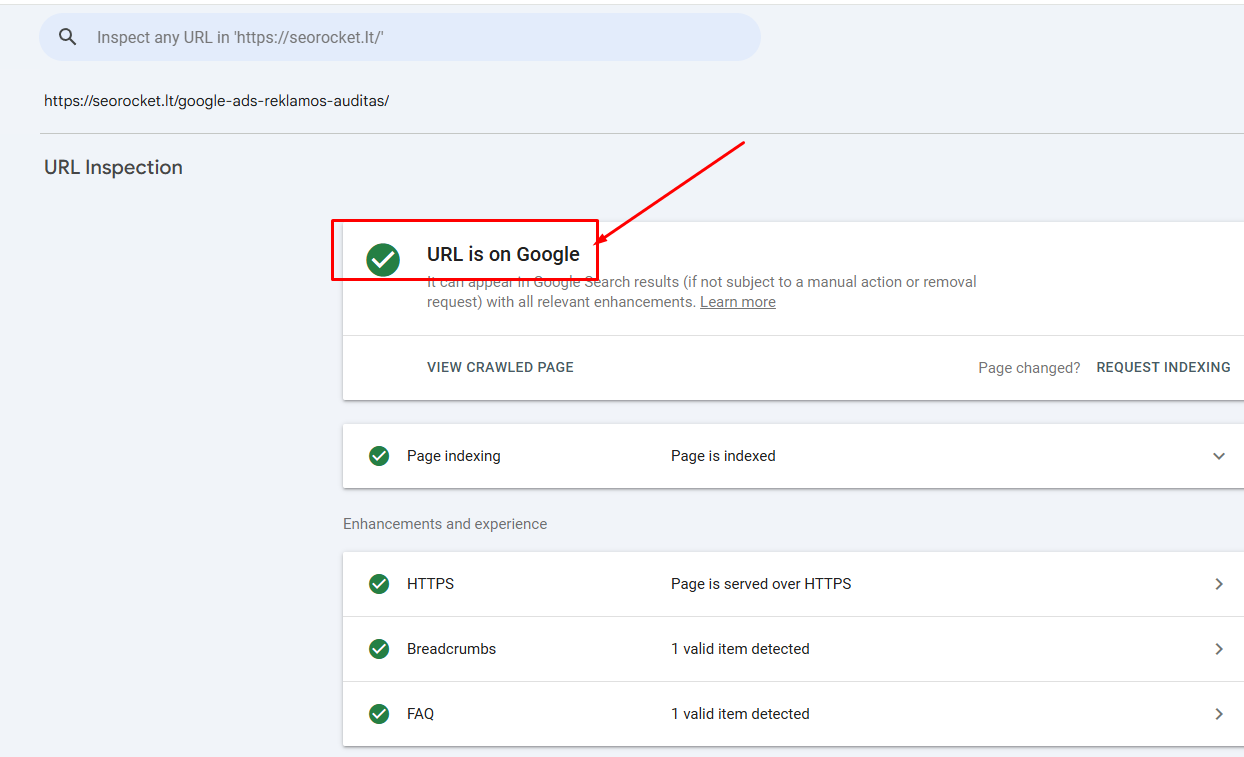
Use Search Console reports and the URL tool to inspect a specific URL’s indexed status and the live page’s accessibility. A successful live test is not proof of indexing.
Applying noindex in WordPress
Use an appropriate noindex directive in HTML or an HTTP response header when a public page should not appear in search. Google needs access to process that directive; do not confuse it with a robots.txt crawl block.
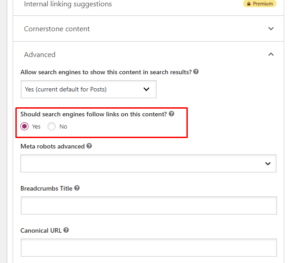
Many SEO plugins expose indexing controls for individual pages or content types. Verify the generated directive and ensure it is applied only where intended.
Handle missing pages and redirects correctly
A 404 response means the requested resource was not found. It can result from a mistyped address or removed content and is not automatically an SEO error.
Check whether a missing URL should exist, has a genuinely equivalent replacement or was intentionally removed. Fix internal links that point to unavailable content.
Use a permanent redirect when content has moved to a suitable equivalent. If no appropriate replacement exists, a genuine 404 or 410 is often correct. Do not send every missing URL to the homepage.
Managing redirects in WordPress
A controlled manual approach
Create an explicit old-to-new URL mapping rather than a blanket rule for every 404.
- Keep a useful missing-page template that returns the correct 404 status. It can help visitors navigate without pretending that the missing content moved to an unrelated page.
- Implement approved redirects at the appropriate application or server layer, using the mapping and a backup of the previous configuration.
- Test each old URL, the final destination and the response chain after deployment.
Using a redirect plugin
A maintained plugin may provide an interface for specific redirect rules.
- Avoid blanket “all 404s to homepage” behaviour. It can create misleading destinations and soft-404 handling.
- Redirection is an example to assess for managing individual mappings. Review compatibility and test the actual output.
Maintain an XML sitemap
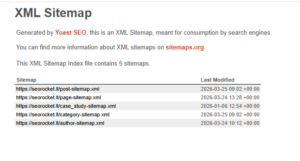
An XML sitemap helps Google discover the important URLs you want indexed. Accurate modification dates can provide additional information, but a sitemap does not guarantee indexing.
List suitable canonical pages returning successful responses, and exclude intentional noindex pages, redirects and missing URLs. The sitemap should reflect the intended indexable set.
WordPress core can generate sitemaps, and SEO plugins may provide alternative controls. Use one coherent implementation and check the actual XML rather than assuming a plugin is required.
Improve performance and image delivery
Loading, responsiveness and visual stability contribute to the page experience. Improve measured problems without treating a performance score as the sole explanation for search rankings.
PageSpeed Insights includes Lighthouse laboratory analysis and field data where available. Investigate blocking scripts, slow responses, oversized images and other measured causes. Hosting and caching can matter, but the right fix depends on the bottleneck.
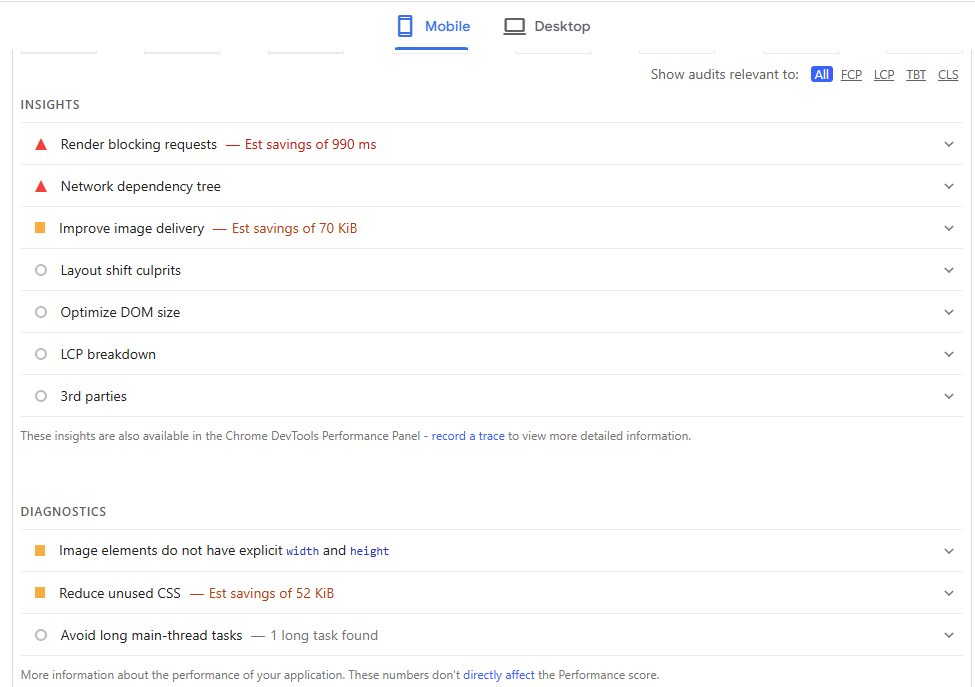
Performance plugins can assist with selected tasks. Review compatibility and behaviour instead of enabling every optimisation at once.
Examples of performance tools
- WP Rocket is one product to assess for caching and frontend delivery controls. Available settings depend on the version and environment. Verify that changes do not break forms, scripts or important first-screen content.
- A CDN can distribute eligible static resources. Review RocketCDN or another provider against location, integration and pricing requirements rather than assuming a free plugin makes the delivery service free.
- Imagify is an example of an image-optimisation service. Check dimensions, format and the visual result as well as transfer size; compression cannot promise zero visible change in every image.
Test the mobile layout
A responsive layout should keep the content and controls usable on different screens. Responsive design does not automatically make a site fast or guarantee improved rankings.
Many WordPress page-building tools provide mobile editing controls. Evaluate the rendered output from Elementor, Divi, WPBakery or another tool rather than assuming theme compatibility establishes quality.
Test representative pages on phones and at relevant viewport widths, including navigation, long text, forms and images.
Use categories and tags deliberately
Categories and tags organise WordPress content. Their value depends on whether the resulting navigation and archive pages help readers.
Categories
Categories usually describe broader themes and can provide a useful way to browse the publication.
Keep their hierarchy clear and avoid creating several categories with nearly identical purposes.
Tags
Tags can connect more specific recurring subjects across posts. They are optional, not a requirement to add every keyword as a label.
For example, a travel publication might group accommodation broadly and use recurring features such as a pool or sea view as narrower labels, if those archive pages are useful.
Practical use
Review archive purpose, internal links and indexing deliberately. A large number of thin tag archives can add clutter without helping the audience.
Choose stable, descriptive permalinks
Use understandable paths when planning new content. Keep established URLs stable unless there is a justified reason and a migration plan.
Descriptive example: www.example.com/wordpress-seo/
Less descriptive example: www.example.com/?p=175
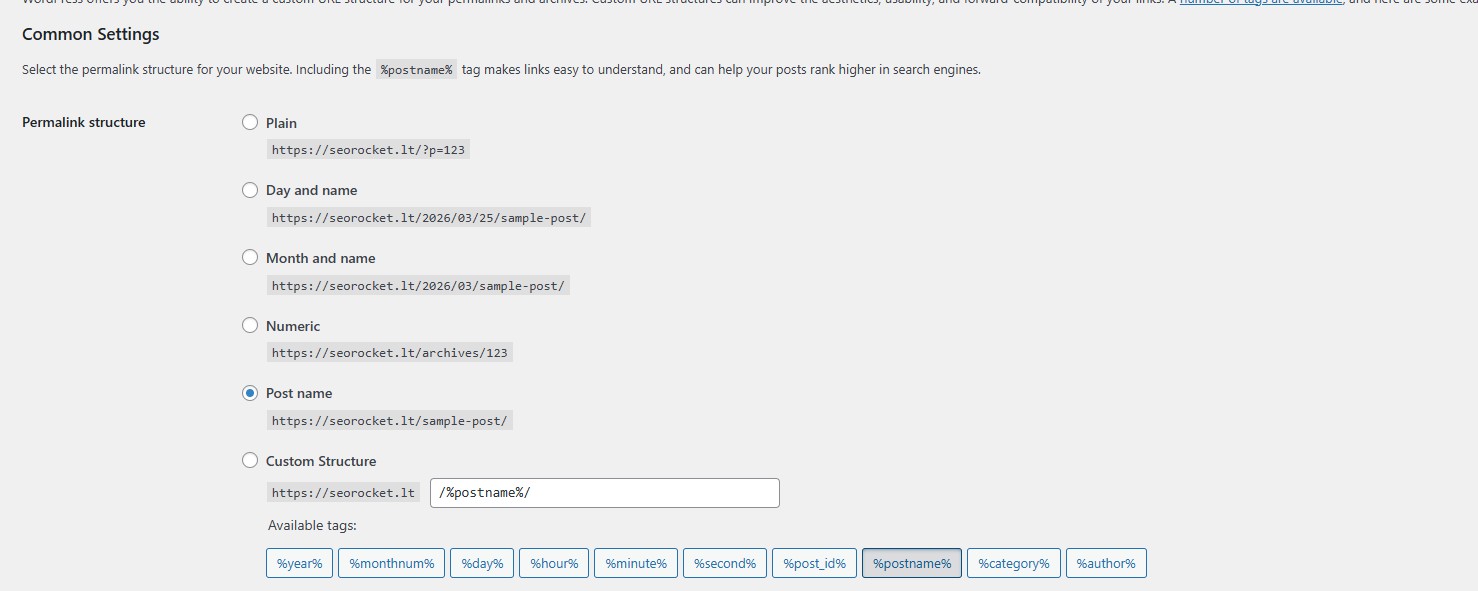
A common structure for a new publication is:
Settings > Permalinks > Post name
This uses the post slug in the address. Do not apply a site-wide permalink change to an established publication without mapping old URLs and testing redirects.
Moderate useful comments
Genuine comments can add questions and useful discussion. Their presence alone does not guarantee more traffic, links or better rankings.
Moderate spam and assess the performance of long discussions. If pagination is needed, plan its accessibility and URL behaviour rather than enabling it solely for an assumed SEO benefit.
Provide appropriate breadcrumbs
Breadcrumbs help visitors understand a page’s place in the structure and provide links to useful parent sections.
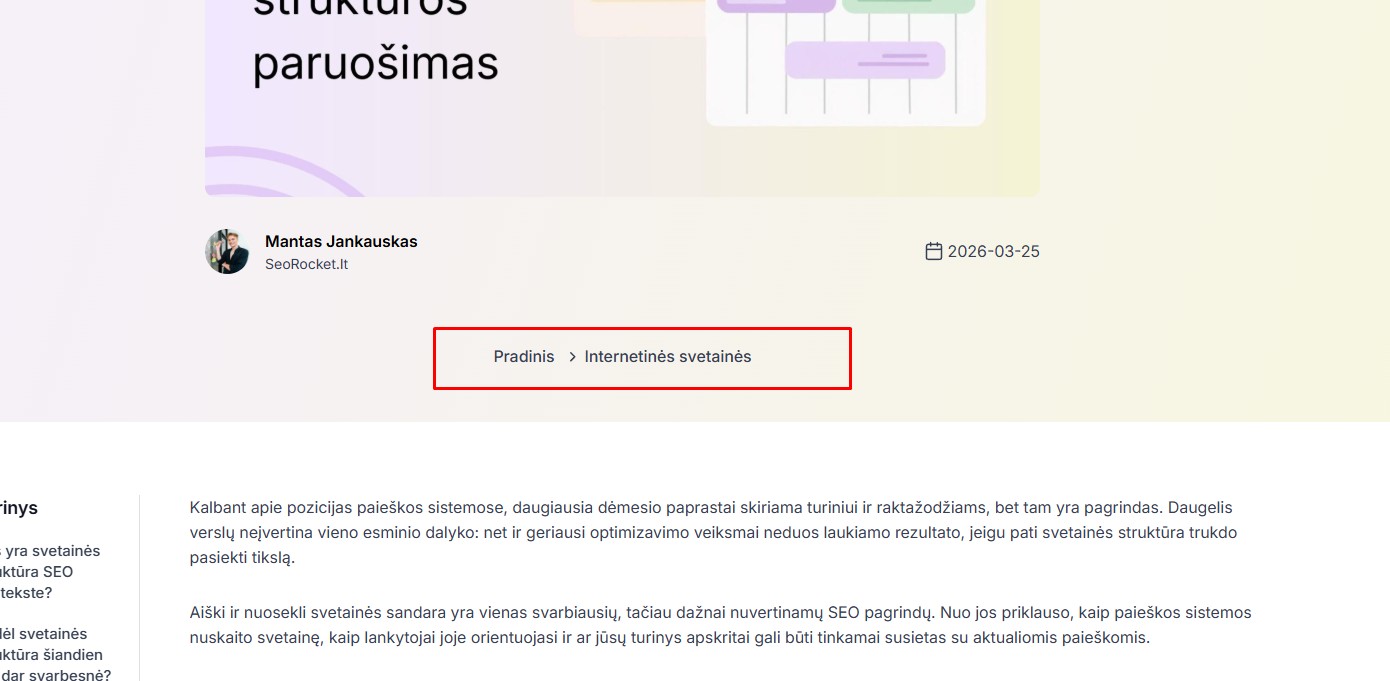
A theme or SEO plugin can generate breadcrumbs. Check the current product instructions, integrate one implementation and ensure any associated structured data matches the visible path.
Improve internal links
Internal links connect pages within the website and help people and crawlers discover related content.
Use natural, descriptive anchors and avoid mechanically repeating the same exact-match phrase.
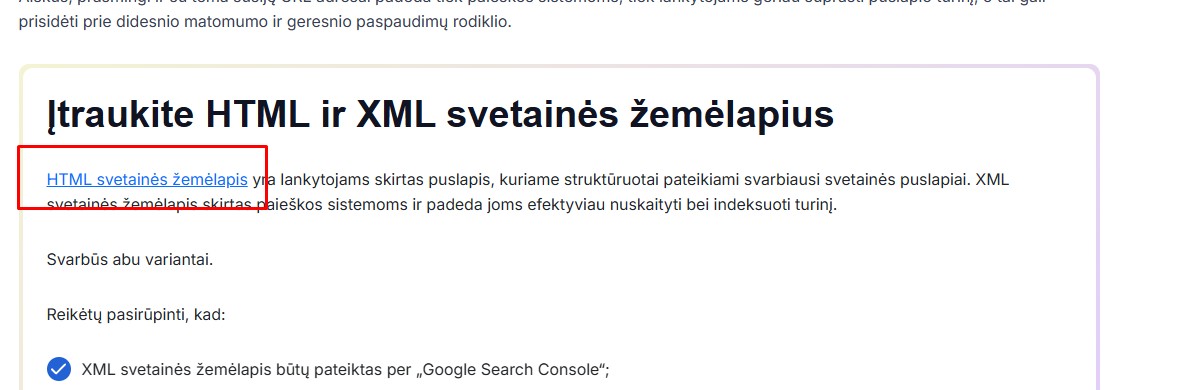
Search Console provides some internal-link information. Tools such as Internal Link Juicercan automate configured linking rules, but the destinations and context still need editorial review.
A crawler can provide a broader view of navigation, orphan pages and links to redirected or unavailable URLs.
After publishing, review relevant existing pages for a useful contextual link. Do not add a link from a high-traffic page when the connection makes no sense.
Plan useful search-focused content
A search-focused content plan identifies the audience’s needs and decides which existing or new pages should address them.
Three useful elements are:
Information architecture
Organise pages into a coherent hierarchy with usable navigation and meaningful categories.
Keyword research
Research the terms and questions that reflect relevant intent, then assign them to suitable pages. A keyword list without a purpose for each page is not a complete plan.
Research tools to assess include:
Semrush for available keyword and competitor research in the relevant market;
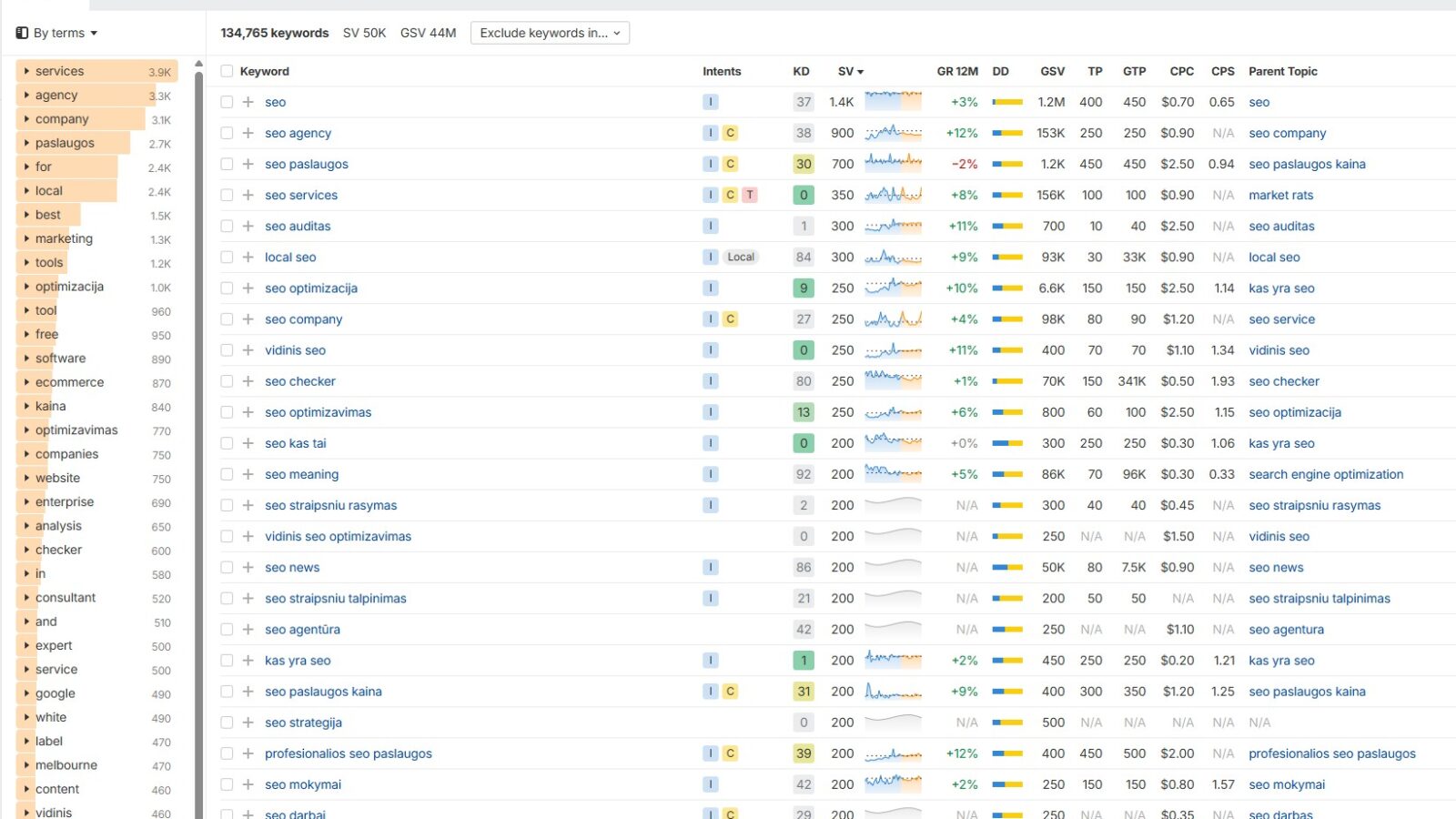
Ahrefs for estimated domain's visibility, backlinks, organic keywords and content research. Interpret estimates alongside first-party data.
Good query selection helps define relevant content; it does not guarantee a high position.
Configure an appropriate SEO plugin
On-page work improves the information and elements of individual pages, including titles, descriptions, headings and internal links.
An SEO plugin can expose controls for selected changes and provide automated checks. It does not implement every recommendation or replace specialist judgement.
Rank Math, Yoast and All in One SEO are examples. Choose a suitable configuration and avoid overlapping plugins that generate conflicting output.
Review readability and content suggestions against the actual audience and language. A green plugin indicator is not proof that the article is accurate or useful.
For an individual post, edit the title and other supported fields through the selected plugin, then inspect the generated page and metadata.