WordPress is a widely used platform for building and managing websites. It is an open-source content management systemlicensed under GPLv2 or later. The software can be used and modified under that licence. A CMS provides tools for managing pages and other content without editing all of the code directly, although development knowledge may still be needed for custom functionality and technical maintenance.
What types of website can WordPress support?
WordPress began with a focus on blogging and has developed into a platform that supports many website types through its core features, themes and plugins. Depending on the project's requirements, it can be used for:
- Business websites
- Online shops
- Blogs
- Portfolios
- Personal CV websites
- Forums
- Community websites
- Membership websites
- The appropriate approach depends on the scope and ongoing support available.
WordPress.org and WordPress.com
WordPress.org distributes the open-source software, which you can install with a suitable hosting provider. WordPress.com is a commercial hosted service built around WordPress, with capabilities and restrictions depending on the current plan. They are related but not the same product arrangement. 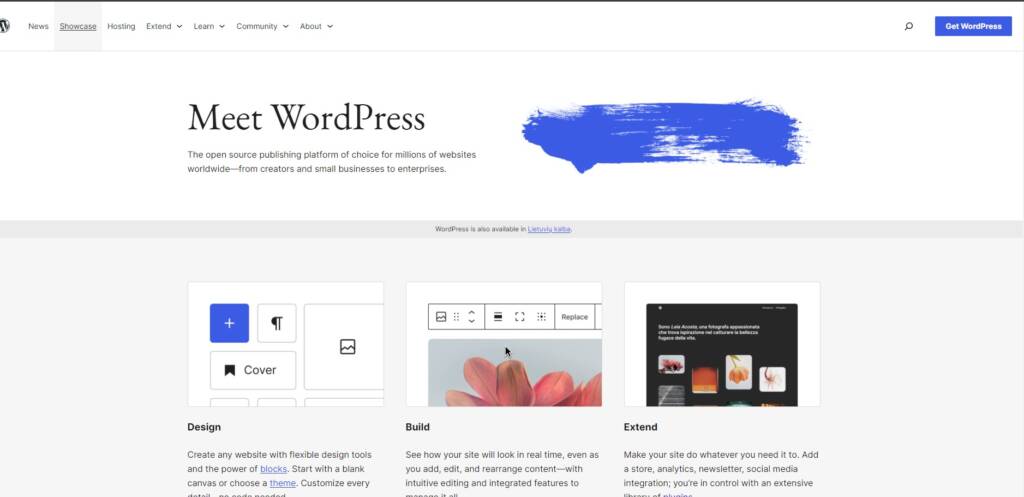
When people discuss self-hosted WordPress, they usually mean the software available through WordPress.org. It offers substantial control, alongside responsibility for hosting, maintenance and configuration. To start, you need suitable hosting and a domain name.
How long has WordPress existed?
WordPress began in 2003 as a fork of b2/cafelog, with Matt Mullenweg and Mike Little among its founders. It is developed through an open-source contributor community. Automattic, founded by Mullenweg, operates WordPress.com and other commercial services; the company and the open-source project are distinct.
Who uses WordPress?
Individuals, businesses and larger organisations have used WordPress for different types of site. This does not mean every current page owned by those organisations uses the same technology. The following screenshots are examples from the original article, not a current technical audit:
Microsoft
Microsoft's blogs have been cited as examples of WordPress use. Treat the accompanying screenshot as an illustration rather than confirmation of every current Microsoft website's platform.

The New York Times
The New York Times Company's content management system corporate website appears as another example in the source material. This is distinct from claiming that all of its publication or content systems use WordPress.

Why consider WordPress?
WordPress's broad use is one reason businesses consider it, but popularity alone does not determine the best platform for a project. Assess the publishing workflow, integrations, skills and ongoing support you need.
Free, open-source software
The core software has no licence purchase fee. Hosting, a domain, development, maintenance and some themes or plugins can still cost money. Compare the full operating requirements with hosted alternatives rather than describing the entire website as free.
An extensible platform
Themes influence presentation and plugins add or alter functionality. Options range from forms to e-commerce systems, with both free and paid products available. Assess compatibility, support and security rather than installing many components simply because they are available.
Installation options
Many hosting providers simplify installation. Depending on the service, they may:
- Supply a WordPress installation as part of account setup.
- Provide an installer that guides the initial configuration.
The screenshot illustrates a hosting control panel. Interfaces differ by provider, so follow your host's current instructions for creating a new installation or arranging a website migration.
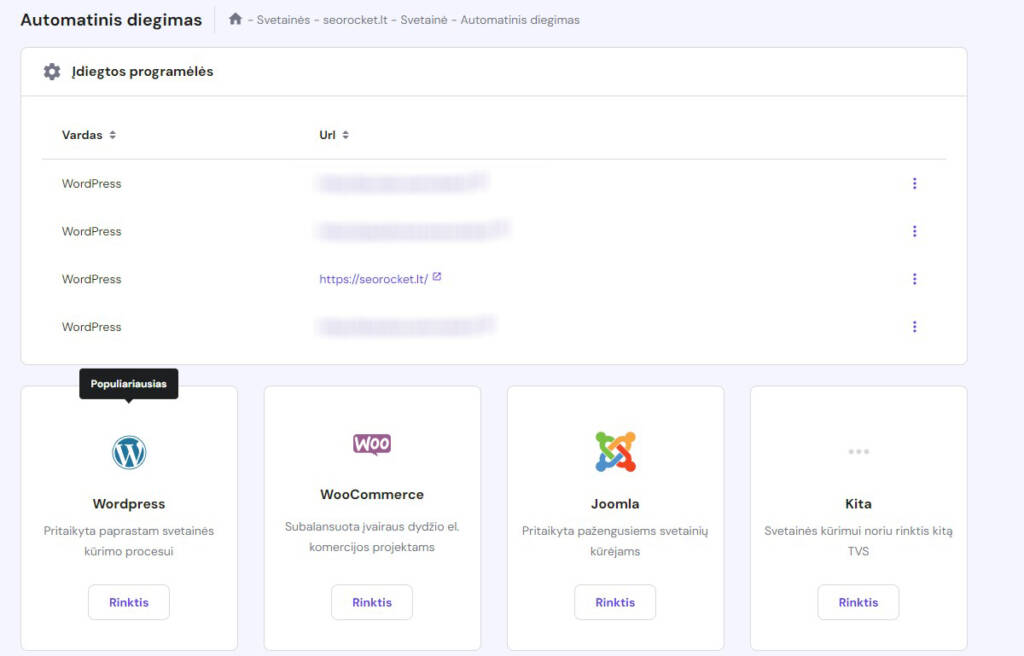
A local installation can provide a separate place to test a theme, plugin or development change before it reaches the public website. Choose a maintained local environment suitable for your operating system and project, and keep a recovery copy of important data.
Flexibility
A WordPress site can evolve through additional development or suitable plugins. For example, bbPress supports forum functionality and BuddyPress supports community features. Adding them still requires compatibility checks, configuration and appropriate maintenance.
Finding support
The WordPress ecosystem includes many sources of help, including:
- Blogs
- Tutorials
- Forums
- Community groups
Check that advice is current, trustworthy and suitable for your setup. Professional support may be appropriate where the risks or complexity exceed your team's skills.
WordPress in brief
WordPress is one option for projects ranging from blogs to shops and business websites. Distinguish self-hosted software from a hosted service, and compare control, costs and maintenance responsibilities. A suitable choice depends on the project's requirements, not a blanket claim that one platform is best for every site.