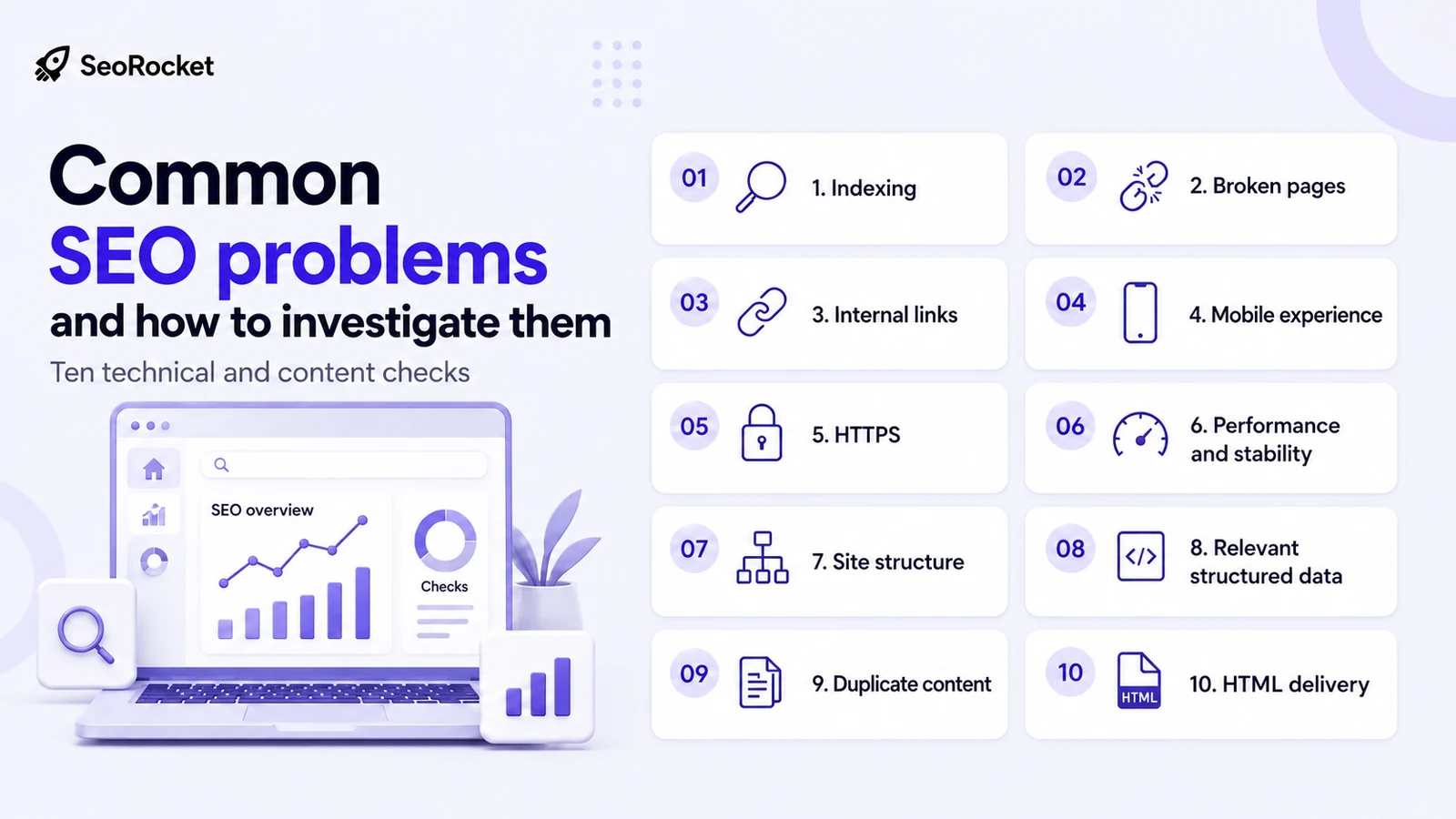
Technical investigations often need to consider several connected issues. When reviewing a website and its SEO setup, these ten areas provide a practical starting point for identifying technical SEO problems affecting access, indexing or the visitor's experience. Prioritise each finding by its actual impact rather than treating the list as a ranking by frequency.
The most frequent warning is not necessarily the most serious one. Some findings have little practical effect, while a single access restriction can prevent an important page from being considered for search.
During an SEO audit , assess impact as well as occurrence. Prioritise confirmed obstacles to important content and user tasks rather than treating every exported warning as equally urgent.
The following sections explain ten checks and ways to verify suitable fixes. Their priority depends on the actual site and evidence.
Google's February 2026 documentation explains the file-size limits used by Googlebot, including a 2 MB limit for supported files when crawling for Search, with a separate 64 MB limit for PDFs. The cutoff applies to uncompressed data; referenced resources are fetched separately. Review unusually large HTML documents rather than applying the HTML cutoff to the total page-transfer weight.
1. Indexability problems
Indexability concerns whether a URL can be considered for inclusion. Access, directives, content and canonical selection all matter. Meeting basic technical conditions does not guarantee that Google will index or serve a page.
Issues to investigate include:
- A canonical target that returns a 4xx response. The preferred URL should be a suitable working URL. If search engines cannot access it, conflicting or ineffective signals may leave a different version selected.
- A canonical target that redirects. Prefer a direct reference to the intended final version when the pages are genuinely equivalent, and check how the destination responds.
Basic checks for a page intended for indexing include:
- The crawler can access the page. An absence of a block in
robots.txtdoes not prove access: firewall, DNS, server and rendering problems can affect a website of any size. - The page is not intentionally excluded by a
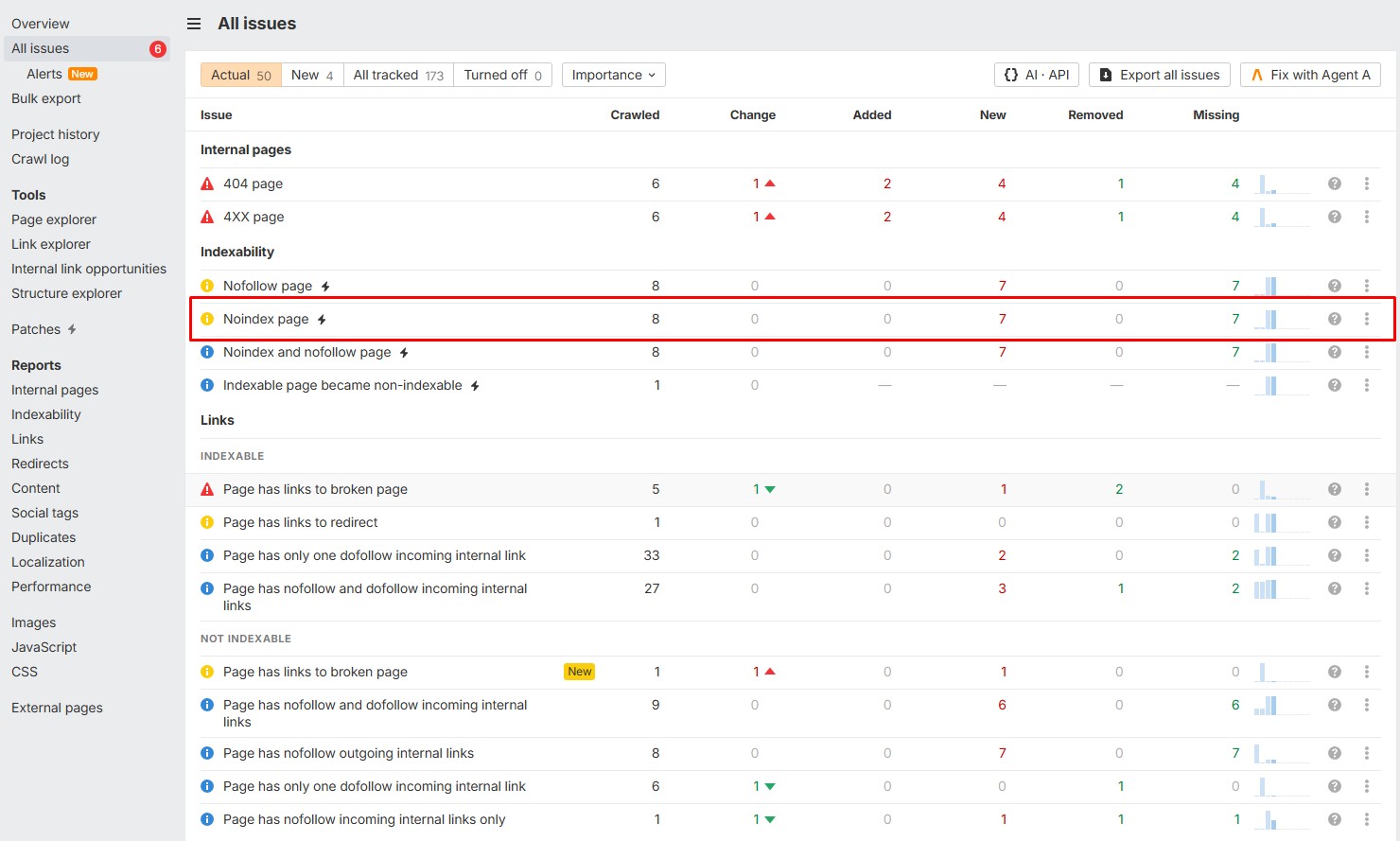
noindexdirective in its HTML or HTTP response. - Canonical and other signals consistently identify the intended version. Google may still select another canonical, so inspect the actual result.
How to investigate indexability
First test whether the crawler can retrieve the page. Check relevant rules in robots.txt, response codes, login restrictions and any network or security controls.
Inspect the page's canonical declaration. The link rel="canonical" should refer to the appropriate final URL, normally returning HTTP 200 OK. Replace an unintended missing or redirecting target with the correct equivalent version rather than changing canonicals indiscriminately.
Check both HTML and HTTP headers for noindex . If exclusion is unintended and the page should be eligible, remove the relevant <meta name="robots" content="noindex"> or X-Robots-Tag: noindex. Keep a deliberate exclusion when it serves the site's intended policy.
Use consistent preferred URLs in internal links, sitemaps and canonical declarations. Investigate duplicate versions and conflicting signals, while remembering that a canonical is a signal rather than an unconditional instruction.
After a fix, test important URLs in Search Console where available. A recrawl or indexing request does not guarantee immediate inclusion; monitor the actual status and output.
2. Broken or unavailable pages
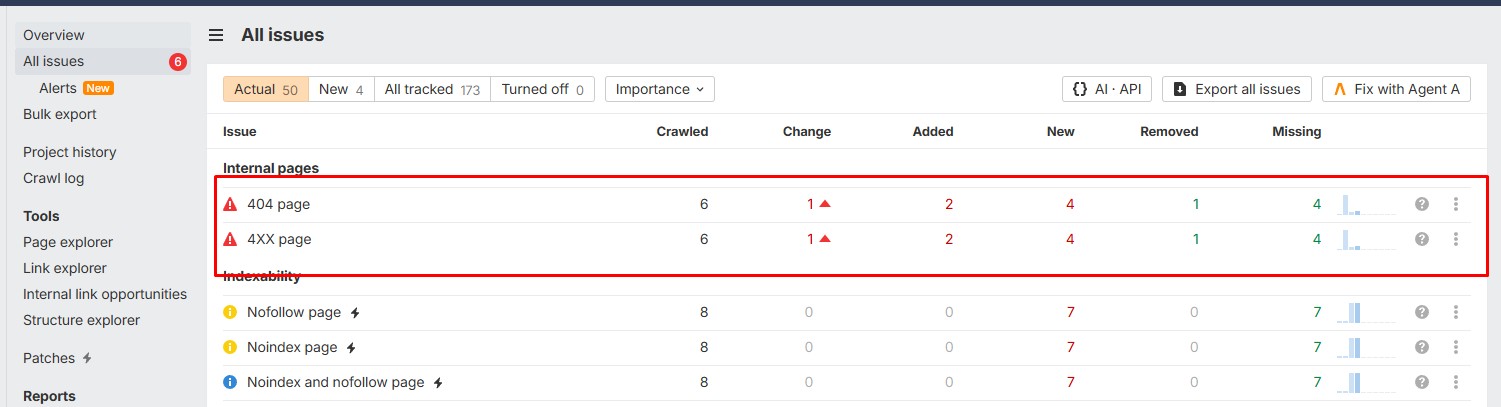
4xx responses generally describe a client-side access or availability condition, while 5xx responses indicate a server-side failure. Not every 404 is a mistake: it can be the correct response for content that is permanently gone.
Errors on pages that should work can prevent access and create a poor experience. Their effect on search depends on the response, duration and importance of the URL.
Check external backlinksto unavailable destinations as well. A useful reference should lead to the resource the reader expects, where that resource can be restored or appropriately replaced.
At scale, repeated unnecessary URL discovery can also consume crawling resources. Do not treat a few legitimate 404s on a small site as proof of a crawl-budget crisis.
How to handle unavailable pages
Identify the failing URLs and decide whether the content should still exist. Restore an accidentally removed resource and verify a correct HTTP 200 OK.
If a page moved to a genuinely equivalent destination, use an appropriate permanent 301 redirect. Do not send every broken URL to the homepage or an unrelated page merely to remove an audit warning.
If the content is permanently gone with no suitable replacement, a 404 Not Found or 410 Gone response can be appropriate. Remove obsolete internal references and the URL from the XML sitemap.
For 5xx failures, inspect logs, resource limits, application errors and recent changes. The responsible developer or hosting provider may need to investigate the underlying cause.
Review important inbound links before retiring a resource. Restore it or redirect only where there is a suitable equivalent; a backlink does not justify an irrelevant redirect or an invented replacement page.
Retest response codes, links and sitemaps after changes. Keep the correct status for intentionally removed content while ensuring important live pages work.
3. Missing or weak internal links
An internal link points to another page, file or resource within the same website.
Internal links have several roles:
- They help readers and crawlers discover pages.
- They contribute to the site's link graph and the distribution of link signals.
- They give context about related information and site structure.
A useful page with no incoming internal links is often called an orphan page. It may be difficult to find through normal navigation even if the URL is accessible directly.
A crawler might discover an orphan through a sitemap or external link, but that does not replace a sensible path for people using the website.
Some pages have links but lack relevant contextual routes. Review whether a reader can find them naturally; more links alone do not guarantee improved rankings or additional query coverage.
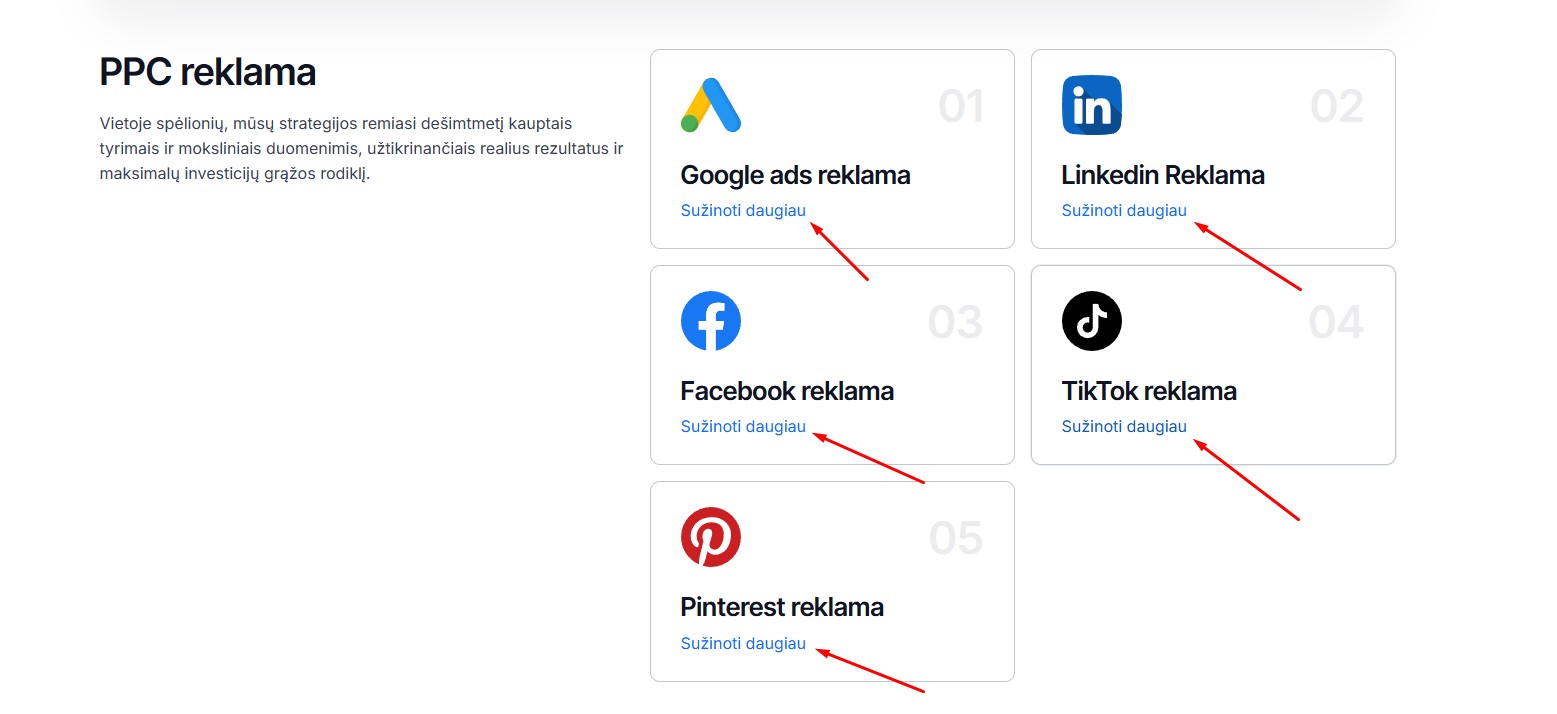
How to improve internal linking
Identify important service, category, product and information pages with no or few relevant incoming routes.
Link useful orphan pages from appropriate related material, categories or navigation, according to their purpose.
Use descriptive anchor text that fits the sentence and makes the destination understandable. Avoid vague labels when a more specific description would help.
Give important pages appropriate routes from relevant, useful pages. Do not insert links into unrelated material solely to increase counts.
Review the broader hierarchy and navigation. Important pages should not require a confusing chain of intermediate screens; there is no universal mandatory number of clicks.
Verify destinations and indexing intentions. Periodically review the site structureso useful new pages are connected and outdated references are corrected.
4. Mobile usability problems
Mobile use matters for both information access and practical tasks:
- Google generally uses the mobile version of content for indexing. Ensure important information and signals are available there, rather than serving a substantially incomplete version.
- A usable mobile experience also matters to visitors. Do not treat a mobile screenshot or a technical label as proof that forms, navigation and content work well.
Common issues include:
- A missing or inappropriate viewport declaration. Check the
<meta name="viewport">and whether its settings support the intended responsive layout. - Controls that are too small, too close together or difficult to operate with touch or keyboard input.
- Content that relies on obsolete browser-plugin technologies rather than interfaces supported by current browsers.
How to improve mobile usability
Set an appropriate viewport declaration in the <head> using <meta name="viewport" content="width=device-width, initial-scale=1">as suitable for the design. Do not prevent users from zooming merely to keep the layout fixed.
Use responsive text, images and controls. Avoid page-wide horizontal overflow while allowing genuinely wide data tables to have a usable local scroll area.
Provide usable buttons, links and menu targets with enough spacing to reduce accidental activation.
Use readable text and line spacing, and support zoom and larger text settings.
Replace obsolete Flash or Java applets with supported, accessible web functionality where that content is still needed.
Test different screen sizes and actual tasks: menus, forms, filters and purchase steps. Include loading behaviour and keyboard use, not just the initial layout.
5. HTTPS problems
HTTPS helps protect communication in transit and should be part of a properly maintained website. It is not a certificate of business trustworthiness or a guarantee of higher rankings.
A valid certificate alone does not ensure that every page and resource uses HTTPS correctly. Check the live requests and redirect behaviour.
How to investigate HTTPS issues
Install and maintain a valid SSL certificate that covers the intended domain and is correctly configured at the server or edge service.
Use an appropriate permanent 301 redirect from an HTTP URL to its HTTPS equivalent. Also choose a consistent preferred hostname, with www or without it, according to the intended setup.
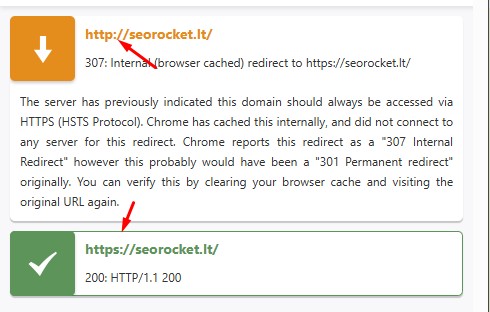
Check mixed content. Images, scripts, styles and fonts used on HTTPS pages should be delivered securely; verify that each replacement URL works rather than blindly changing a string.
Update internal links, canonicals, sitemaps and language annotations to the intended HTTPS URLs. Review integrations and any relevant external references you control.
Retest certificate coverage, redirects and resource delivery. Monitor expiry and the renewal process rather than assuming automation can never fail.
6. Performance and stability: Core Web Vitals
Core Web Vitals describe loading, responsiveness and visual stability. They contribute to Google's page-experience assessment and provide useful user-experience diagnostics, but do not replace relevance or guarantee a search position.
Aim to improve meaningful real-user problems rather than chasing a perfect laboratory score. A good result for all three measures is useful, while other aspects of the experience still need attention.
- Largest Contentful Paint (LCP) measures when the largest eligible visible content element is rendered. It helps describe the perceived arrival of the main content, rather than completion of every resource on the page.
- Interaction to Next Paint (INP) measures responsiveness across qualifying interactions over a page visit, including input delay, processing and presentation. Its selection method accounts for the number of interactions and outliers; it is not simply every page's longest isolated delay. It replaced FID as a Core Web Vital in March 2024.
- Cumulative Layout Shift (CLS) measures the largest burst of unexpected layout-shift scores over the page's lifetime. It is not a sum of all movement only during initial load. Unexpected shifts can cause people to lose their reading position or activate the wrong control.
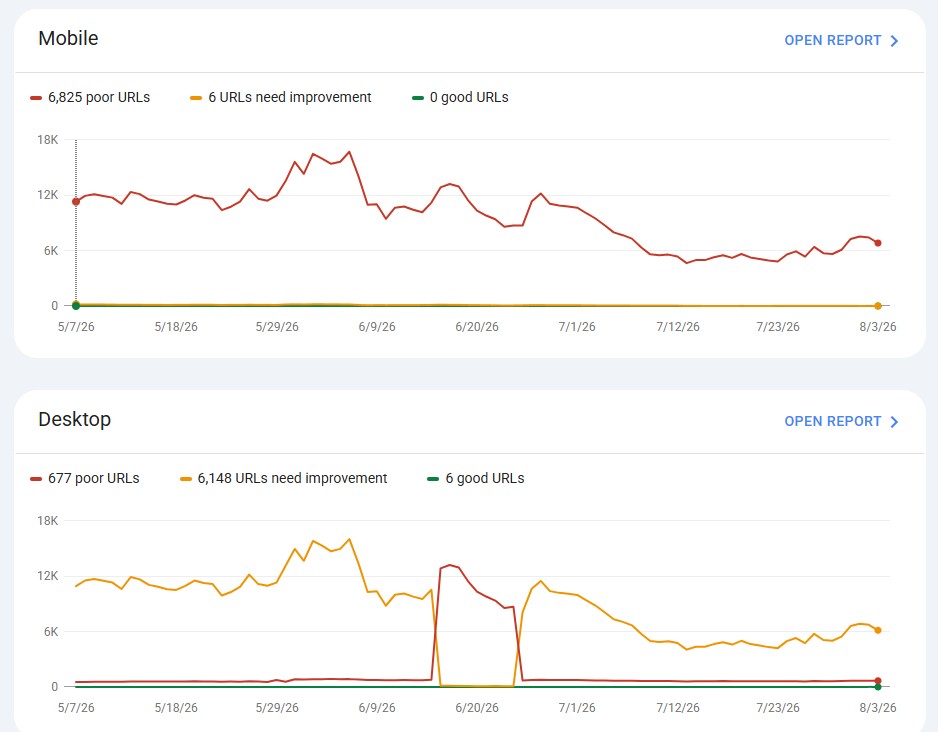
How to investigate performance problems
Identify the actual LCP element and the time spent waiting, loading and rendering it. Use suitable image sizes and delivery, and prioritise critical resources without indiscriminately preloading everything.
Investigate server response, application and database work where they contribute to delay. Use caching or a CDN when the evidence supports the change.
For slow interaction, profile the main-thread work. Reduce unnecessary JavaScript and break long tasks where appropriate.
Test how buttons, menus and forms respond under realistic conditions. Third-party scripts or complex rendering may need investigation alongside application handlers.
Reserve suitable space for images, ads and embeds. Avoid unexpected insertion above existing content and test the behaviour of components that load later.
Review font delivery and fallback metrics as well as delayed banners or widgets. Retest key pages and distinguish laboratory diagnostics from real-user trends.
7. Confusing site structure
A confusing site structure can leave important content difficult to discover or reach through relevant paths.
Deep click paths may warrant review, but six clicks is not a universal ranking threshold and the homepage does not always have the most backlinks. Consider the complete link graph and user journey rather than applying a fixed depth rule.
A clear structure helps people find information and provides crawlers with relevant routes and context.
How to improve site structure
Give important pages appropriate routes from navigation, categories or related resources. Avoid changing established URLs solely to shorten a visual hierarchy.
Use understandable categories and group pages around their purpose. The structure should fit the actual catalogue or service offering.
Add relevant internal routes from important pages where they help discovery. Keep the anchor and destination consistent with the reader's task.
Remove genuinely redundant intermediate steps, but do not assume that several navigation routes to the same URL are a duplicate-content error.
Use breadcrumbs where they help explain the hierarchy and provide a useful route to a parent section.
Test key journeys and confirm important pages have relevant links. Include suitable canonical, indexable URLs in the sitemap, rather than every utility page indiscriminately.
8. Missing or incorrect relevant structured data
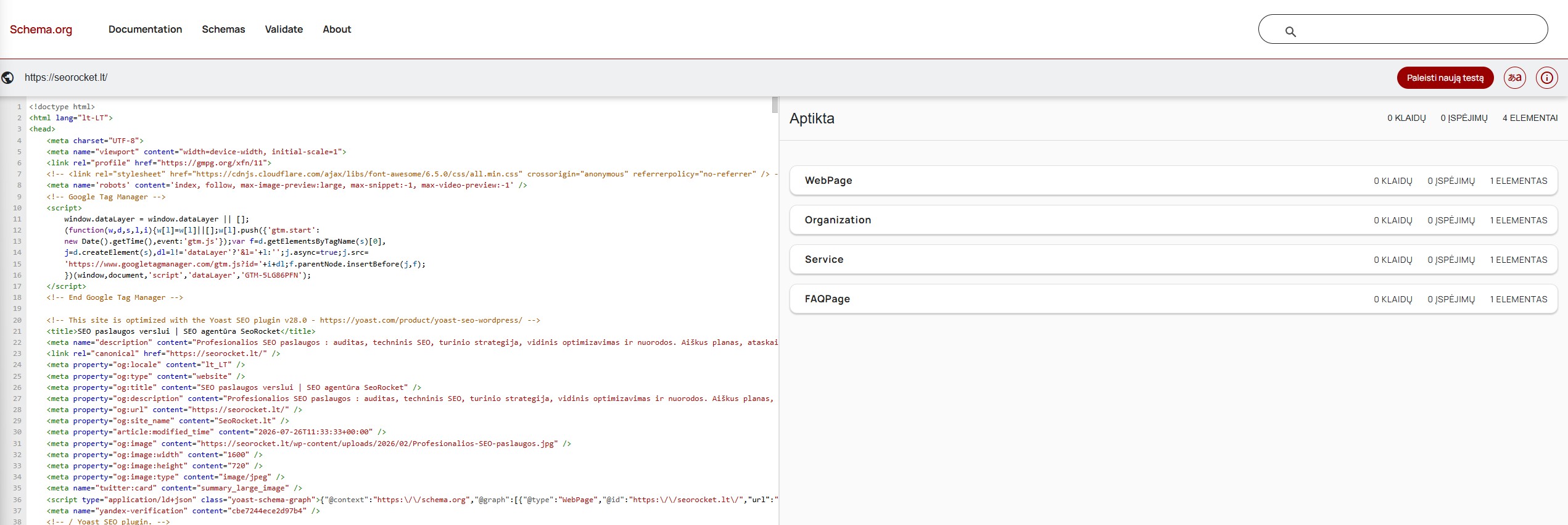
Structured data describes information in a machine-readable format. Relevant, valid markup may support eligibility for particular search features, depending on their requirements.
Adding markup is not a general ranking boost. Valid code alone does not guarantee a rich result.
Choose types that fit the visible content and check the current supported feature. Search appearance and eligibility can change over time.
Examples of content to assess against relevant guidance include:
- Recipes.
- Job listings.
- Videos.
- Articles and news.
- Services, while recognising that a generic Service type does not create a dedicated Google rich result.
- Products.
- Eligible events with accurate event information.
- Film information where a current supported feature applies.
9. Duplicate URL versions
Duplicate content can occur when identical or substantially similar material is available at multiple URLs.
Google may select a canonical version that differs from the owner's preference. Investigate the actual selection and signals rather than assuming that adding a tag forces the intended outcome.
Equivalent versions may be consolidated in search instead of all being shown separately. This is different from a universal duplicate-content penalty.
Common technical sources of duplicate URLs include:
- Facets that generate near-equivalent page versions.
- Tracking parameters added to addresses.
- Trailing-slash variants that serve equivalent content at separate URLs.
How to address duplicate versions
Identify genuinely equivalent pages and choose the appropriate preferred version. Distinct useful filter or category pages may need a different approach.
Where appropriate, point the canonical signal to the preferred working URL, normally returning HTTP 200 OK and not excluded by noindex.
If an equivalent version is no longer needed, consider an appropriate permanent 301 redirect. If both pages serve distinct needs, make those purposes clear rather than rewriting solely to manufacture artificial uniqueness.
Use consistent trailing-slash and hostname conventions, including www where applicable. Redirect genuinely alternative versions, while preserving separate pages that have a valid purpose.
Review filtering, sorting and tracking parameters. Canonicalisation, crawl control and noindex solve different problems; choose a tested approach instead of applying them interchangeably to every parameter.
Align internal links, sitemaps and language annotations with intended canonical URLs and the relevant language relationships.
10. Excessively large HTML documents
For supported files crawled for Search, Googlebot's documented cutoff is 2 MB of uncompressed data, with different treatment for PDFs. An oversized HTML response can leave later content outside that fetch, even if the browser loads the whole page.
Measure the HTML document separately from images and other external resources. A heavy total page transfer does not necessarily mean the HTML itself exceeds the cutoff.
If important text, links or markup sit beyond a fetch limit, they may not be available from that response for indexing consideration. Confirm the actual document and rendered evidence rather than assuming a missing search result has this cause.
How to reduce oversized HTML
Inspect the uncompressed response and identify large embedded scripts, styles, data blocks or repeated markup.
Remove unused and duplicated material. Move suitable assets to separate files where that improves delivery, while preserving necessary content and functionality.
Use sensible pagination for long lists where appropriate, and ensure each relevant page can be discovered. Do not hide essential content behind an interaction that crawlers cannot access.
Avoid unnecessary large embedded datasets or base64 assets. Deliver suitable external resources efficiently.
Retest the response size and verify that important content, links and relevant markup remain available after the change.