If important online store categories disappear from search or Google takes a long time to notice product updates, start with a few specific URLs. The server access log can show when Googlebot requested those URLs and what response it received. If the crawler regularly receives HTTP 503 responses, first investigate why the pages are unavailable. If the log shows an HTTP 200 response, use Search Console to check indexing.
Where to get logs without missing requests
Ask your administrator for the server log ( access log) for the domain and period you are investigating. A few hours around a deployment may be enough to study one error. Comparing categories or measuring a change in crawl activity takes a longer history. Check the retention period and whether older archives are available. Missing days cannot be reconstructed from logs you no longer have.
Useful fields include the timestamp and time zone, hostname, full path with query parameters, client IP address, User-Agent and HTTP status. Where available, collect response time and cache status as well. Share aggregated findings and keep IP addresses or parameters containing sensitive information out of shared reports.
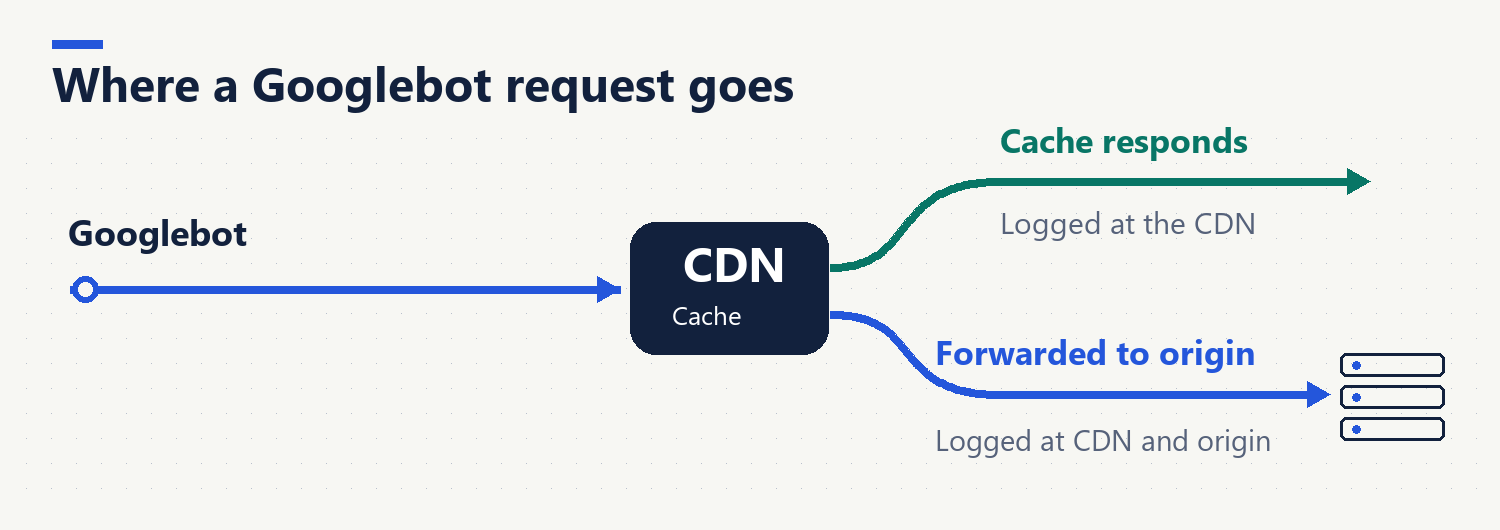
If you use a CDN such as Cloudflare, find out which layer recorded the response the crawler received. A request served from the CDN cache may never reach the origin server. The same can happen if the CDN blocks the request. Cloudflare’s HTTP logs documentation describes separate edge and origin response fields. Compare both layers to identify where the error occurred.
How to verify a Googlebot request
The User-Agent helps narrow down the records to inspect, but the sender supplies that value. If the field says Googlebot, verify the client IP. For a large sample, match addresses against the official IP ranges for Google’s common crawlers. For individual addresses, Google also documents a manual DNS check. For Googlebot, the reverse lookup hostname must belong to googlebot.com and a forward lookup on that hostname must return the original IP address.
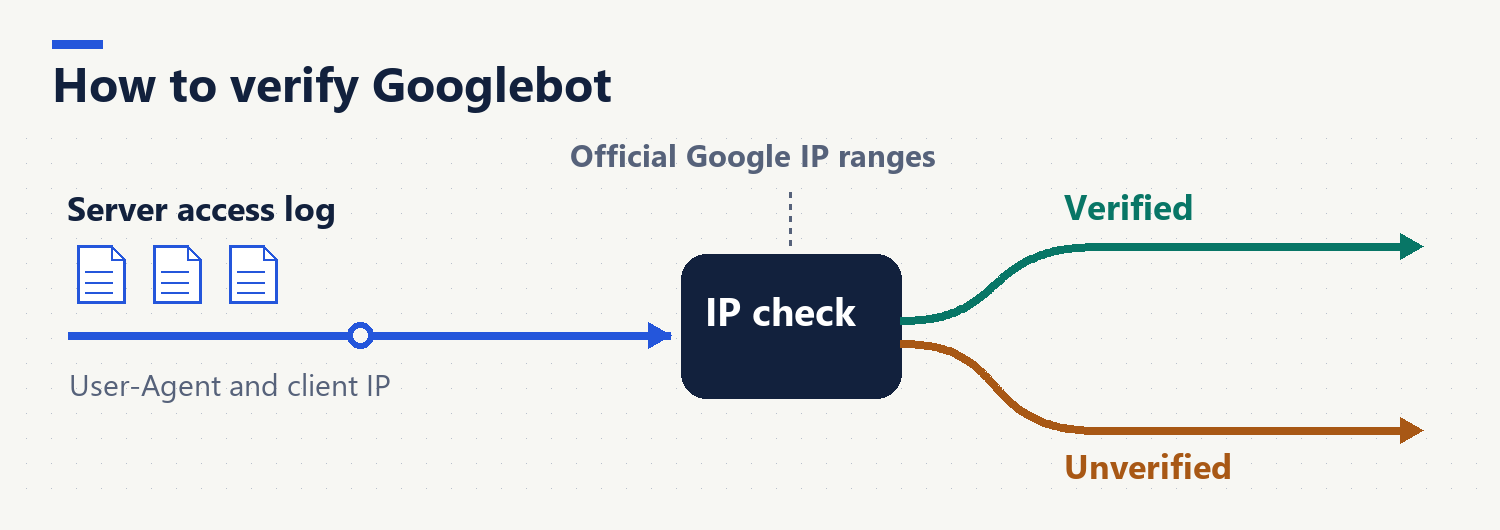
Before filtering, make sure the column contains the client IP. If the site runs behind a proxy, the log might contain only the proxy address. Ask the administrator which trusted field records the client address. Count requests for HTML pages and assets such as images separately. Total activity can rise while requests to priority pages fall.
If you are also investigating ChatGPT search visibility, count each OpenAI crawler separately. OpenAI’s crawler documentation describes OAI-SearchBot as the search crawler, GPTBot as a crawler for model training and ChatGPT-User as an agent that can access a page at a user’s request. Keep the counts separate so you can tell which activity you are measuring. An OAI-SearchBot request alone does not tell you whether the page was shown or cited.
Compare logs with the pages you want to appear in search
List priority URLs from the sitemap and the categories or products your business wants people to find. For each URL or group, record verified requests, the most recent visit and the HTTP responses. Count unique URLs as well. A thousand requests to one address describe a different situation from a thousand requests to a thousand different addresses.
Keep query parameters during the initial analysis. First identify which filters, sort orders or pagination settings produce distinct URLs. Compare them with your priority list. Winter boots may have their own category, while sorting its products by price may simply reorder the same list. Removing all parameters before analysis hides that distinction.
Which issue should you fix first?
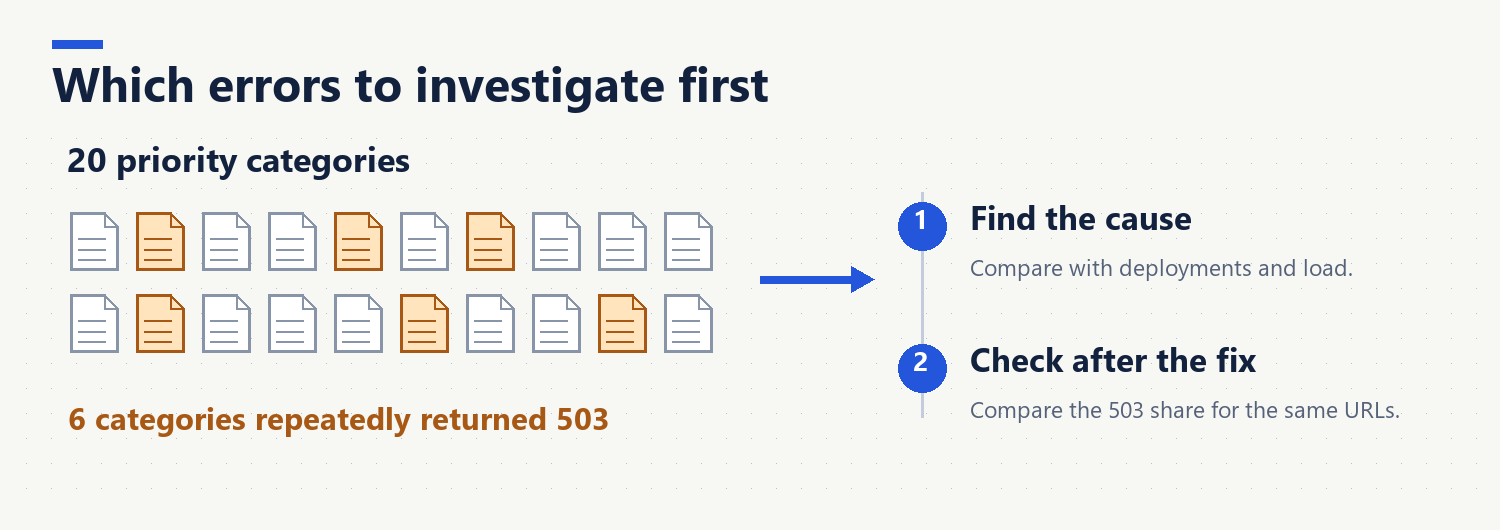
Suppose a verified Googlebot requested sorting URLs 600 times in two weeks and 6 of 20 priority categories returned HTTP 503 several times. In this example, investigate the 503 responses first. Compare their timestamps with deployments, traffic spikes and CDN logs. Review sorting URLs once you know how Google finds them and which parameters the business needs.
A 404 calls for a different decision. If a discontinued product has no equivalent, 404 may be appropriate. If a menu or category still links to it, repair the link. If the page moved and has a clear replacement, update internal links and check the redirect. Google’s HTTP status documentationexplains how crawlers handle these responses.
What repeated 499 entries tell you
A 499 entryin Cloudflare logs means the client closed the connection before the request completed. The code is recorded in the log and is not sent to the client. The code alone does not tell you why the connection closed. First calculate the share of interrupted requests in the same URL group. Compare their duration with successful requests to those pages. If most interruptions affect one template, inspect origin response times and CDN cache status. If important pages deeper in the site have no verified requests across the entire period, check their sitemap entries and internal HTML links separately. If a link appears only after JavaScript runs, ask the development team to make important destinations available through links in the initial HTML. Cache changes may improve response times. Check link rendering as a separate issue.
How to tell whether the fix worked
Before deployment, record what you will measure afterward. For a 503 fix, save the affected category list and compare the share of verified Googlebot requests to those URLs that returned 503 before and after deployment. Record the number of requests as well. Percentages can be misleading when the sample is small. Use periods of equal length, the same log source and the same filters. If the crawler has not returned, test the URL directly and wait for the next verified crawl before drawing a conclusion from the logs.
Search Console’s Crawl Stats report shows broader trends in server responses and requests. Logs let you focus on individual URLs. If a priority URL returns 200 in your logs and is absent from search, check its indexing status and Google-selected canonical. The HTTP status describes the response the server gave. Search Console can help you establish whether Google indexed the page.
If your technical SEO review produces a long list of issues, start with a recurring problem that affects a priority group of pages. Give the developer sample URLs, status codes, exact timestamps and a measurable condition for deciding whether the fix worked.