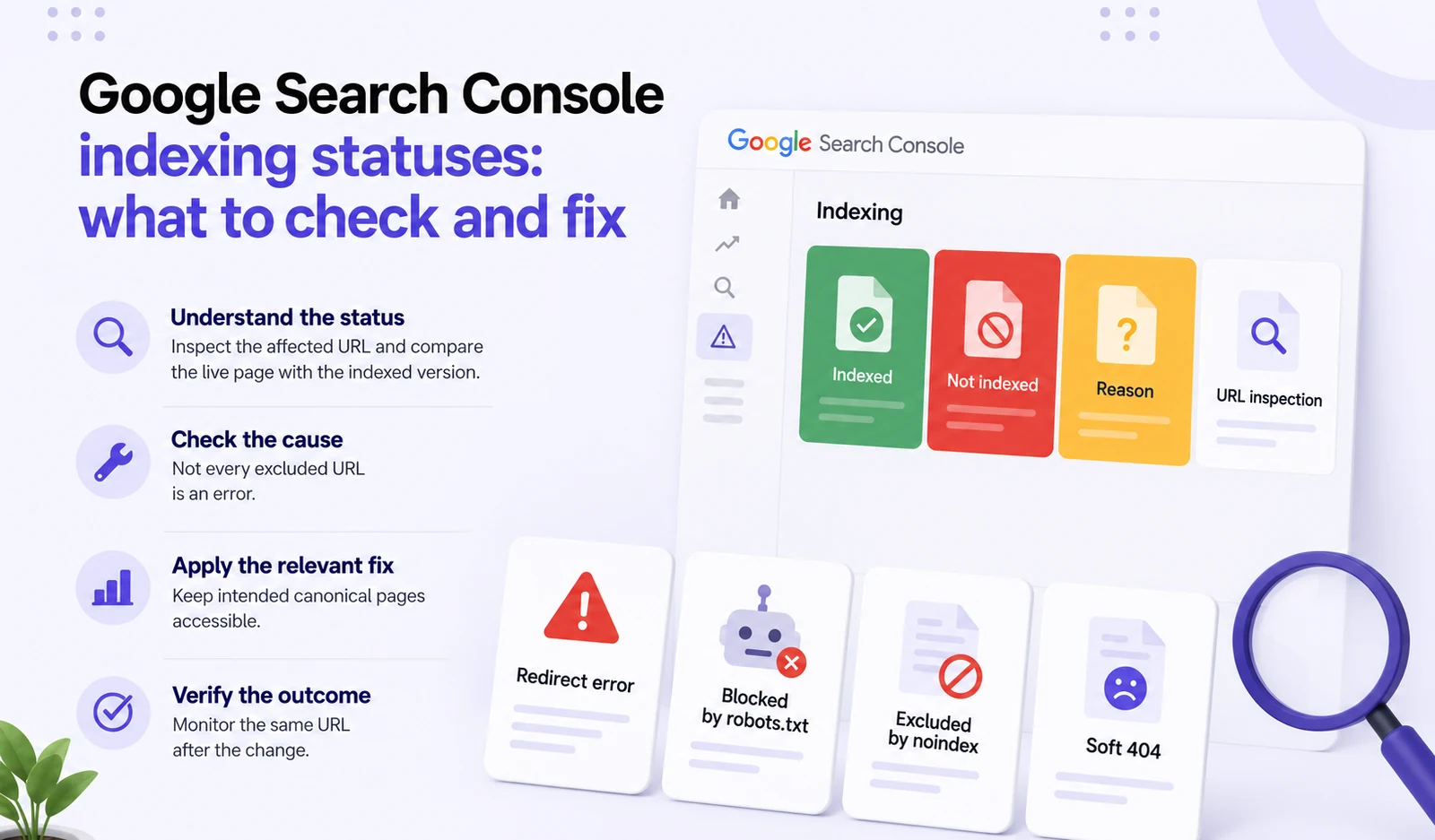
Search Console helps you understand whether Google can access a URL and whether it has been indexed. A non-indexed page is not automatically a problem. Redirects, intentional noindex pages and duplicate alternatives can be excluded correctly. Start with what the page is supposed to do before deciding that a status needs fixing.
Crawling, indexing and appearing for a query are different stages. This guide focuses on the first two. An indexed page is eligible for search; that does not guarantee impressions or a high position for a particular phrase.
Start with the intended URL behaviour
Use the Page indexing report to identify patterns and URL Inspection to examine an important example. Check the reported crawl date, selected canonical and current live response. The indexed record and a live test describe different moments, so a successful test does not necessarily mean the indexed status has already changed.
- Should this URL exist as a public, indexable page?
- Is it a duplicate, redirect, private resource or intentionally removed page?
- Does the current response match that intention?
- Are internal links, sitemap entries and canonical signals consistent?
Prioritise important pages affected by unintended faults. Trying to make every known URL appear in the index can create duplicate and low-value pages instead of improving the site.
Server error (5xx)
A 5xx response indicates a server-side failure. Inspect the exact code, timestamps and affected URL groups. Compare application, proxy, CDN and origin logs to locate the failing layer. A timeout or network problem may also prevent retrieval, but should not be assumed to be the same as a returned HTTP code.
- 500 Internal Server Error: the server encountered an unexpected condition. Investigate application errors and recent deployments.
- 502 Bad Gateway: a gateway or proxy received an invalid response from an upstream server. It is not simply another name for every timeout.
- 503 Service Unavailable: the service is temporarily unable to handle the request, for example during overload or maintenance.
For a public page that should work, restore a reliable response and test from outside the server. Repeatedly requesting indexing will not fix an unavailable application. If maintenance is intentional, use an appropriate temporary response and monitor how long it lasts.
Redirect error
A redirect status is different from a redirect error. A valid moved URL can be excluded because Google is expected to process its destination. Errors can involve loops, excessive chains, malformed locations or a destination that cannot be reached.
Trace the full response chain from the reported URL. Confirm the intended destination, then test protocol, hostname, trailing slash and parameter variants where relevant. A crawler such as Screaming Frog or Sitebulb can help reveal patterns, while direct HTTP checks confirm individual responses.
Replace unnecessary chains with a direct redirect where possible. Update internal links and sitemap entries to the final URL. Do not redirect unrelated removed pages to the homepage merely to reduce the error count.
Blocked by robots.txt
This status concerns crawl access. Inspect the robots.txt file on the correct hostname and find the rule that applies to the URL and crawler. A broad path pattern can affect the page even when its full address does not appear in the file.
If the restriction is accidental, change only the relevant rule and test representative URLs. If it is intentional, exclusion may be correct. Robots.txt is not a dependable method for keeping an HTML URL out of search: Google may know the address from links without crawling its contents.
Excluded by noindex
Google found a noindex directive in a supported robots meta tag or HTTP X-Robots-Tag header. This can be intentional for pages that should remain available to visitors without appearing in search.
If the page should be indexed, inspect both HTML and response headers and remove the unintended directive at its source. Also check templates and platform-level settings. Google must be able to crawl the URL to see the change; blocking it in robots.txt can prevent that.
Where appropriate, request inspection after correcting the underlying issue. A request does not guarantee immediate indexing, and repeatedly submitting the same URL does not accelerate processing.
Soft 404
A soft 404 occurs when a response appears successful but the page is assessed as missing or lacking meaningful content. An error message served with a 200 response is a common example. Rendering failures can also leave an apparently valid page without its main content.
Compare the HTTP response, rendered content and intended purpose. If the resource is gone, return an appropriate 404 or 410. If it should exist, restore the useful content and remove misleading missing-page output. Do not add filler solely to evade a status.
Empty category or tag pages deserve an explicit decision. Keep them useful if they serve a real purpose; otherwise remove or manage them appropriately. Not every short archive is automatically a soft 404.
Blocked due to an unauthorised request (401)
A 401 response normally means authentication is required. For private content, that may be exactly right. Googlebot does not log in as an ordinary customer to access a private account.
If a page intended for public discovery returns 401, inspect authentication middleware, reverse-proxy rules and security settings. Compare the public route with the protected application. Do not remove authentication from confidential content simply to clear a Search Console status.
Blocked due to access forbidden (403)
A 403 means the server refuses the request. It does not prove a single cause such as malware or an incorrect password. Access rules, file permissions, a firewall, application logic or host configuration may be involved.
Investigate the layer returning the response. Where access should be public, correct the specific rule after checking logs and reproducing the issue. Verify legitimate Googlebot traffic rather than trusting a user-agent string alone.
Avoid disabling a production firewall, deleting .htaccess or switching off every plugin without a controlled plan. Back up the configuration, test safely and preserve intentional protections. Paywalled content also needs its own deliberate search implementation; a blanket instruction to remove payment controls is inappropriate.
Not found (404)
A real 404 response says the requested resource was not found. It can result from a deleted page, a changed URL without a redirect, an incorrect link or a request for an address that never existed.
If the page moved, redirect to its relevant replacement. If the page should still exist, restore it or correct the route. If it was intentionally removed without a replacement, a 404 or 410 is valid. Remove outdated internal links and sitemap entries while allowing the response to communicate the removal.
Do not recreate every random address discovered in logs. Prioritise real public URLs, useful links and the content users are trying to reach.
Blocked due to another 4xx issue
Inspect the actual response rather than assuming that Google cannot recognise the status. A general report category can cover client-error responses outside the separately listed types.
For example, a 400 indicates that the server cannot or will not process a request it considers invalid; it is not the standard response for planned maintenance. A 429 indicates rate limiting and needs a different investigation. Check request patterns, server rules and whether the response is appropriate for a normal public visit.
Correct unintended errors at the layer producing them. Keep legitimate access restrictions in place for private resources and assess public crawl access separately.
Blocked by a removal request
Search Console's Removals tool can temporarily hide content from Google Search. It is not permanent deletion of the file or a general site-access control. Review the request history and scope if an important URL is unexpectedly affected.
If the request was accidental, use the available cancellation controls and verify the underlying page. If removal should be permanent, implement a lasting method appropriate to the content rather than relying only on the temporary request.
Crawled — currently not indexed
Google has crawled the page but has not indexed it. The label alone does not identify a specific content defect or establish a penalty. Check the fetched content, rendered output, duplication, canonical signals and whether the page has a distinct useful purpose.
Compare affected groups rather than editing pages randomly. Are product variants nearly identical? Did a template fail to include the main content? Does the page answer a task already served better elsewhere on the site? Improve an evidenced problem rather than repeatedly requesting indexing.
Discovered — currently not indexed
Google knows the URL but has not yet crawled it. Check discovery through relevant links and sitemaps, server availability and the scale of unnecessary URL generation.
On a small, stable site, basic access and content checks may be more useful than an elaborate crawl-budget project. On a large catalogue with many parameters, examine inventory and crawl patterns. The status is a reason to investigate, not proof that the server must be upgraded.
Alternate page with a proper canonical tag
This can be the intended result for a duplicate or alternative URL. Verify that the canonical points to the correct accessible page and that the important content is represented there. Do not remove a correct canonical simply to make the alternative indexable.
Duplicate without a user-selected canonical
Google identified duplication without a declared preferred version. Decide whether the pages should be distinct or consolidated. For duplicates, align canonicals, internal links and sitemap entries around the preferred URL. If both serve different useful purposes, make that distinction real in the content and structure.
Duplicate — Google chose a different canonical
A declared canonical is a signal, not an instruction Google must follow. Inspect both the declared and selected URLs. Check redirects, internal linking, content similarity, response status and sitemap consistency before assuming a reporting fault.
Make the intended relationship consistent, then monitor processing. Do not promise that a particular canonical change will be adopted within a fixed number of days.
Indexed despite robots.txt blocking
This illustrates the difference between knowing a URL and crawling its contents. A blocked address may still be indexed using information from elsewhere. If the goal is removal from search, use an appropriate indexing or access-control method and ensure Google can process it where required.
How to prioritise the work
Separate unexpected faults from correct exclusions. Start with important public pages that fail to load, are accidentally blocked or point to the wrong canonical. Then inspect patterns affecting discovery and content usefulness. Record the original response, change and verification so that progress is based on evidence.
Search Console reports can lag behind a live fix. Use validation where available, while checking current responses and representative pages independently. A lower excluded-URL count is not the goal by itself: the goal is correct access and indexing of pages that deserve to be found.