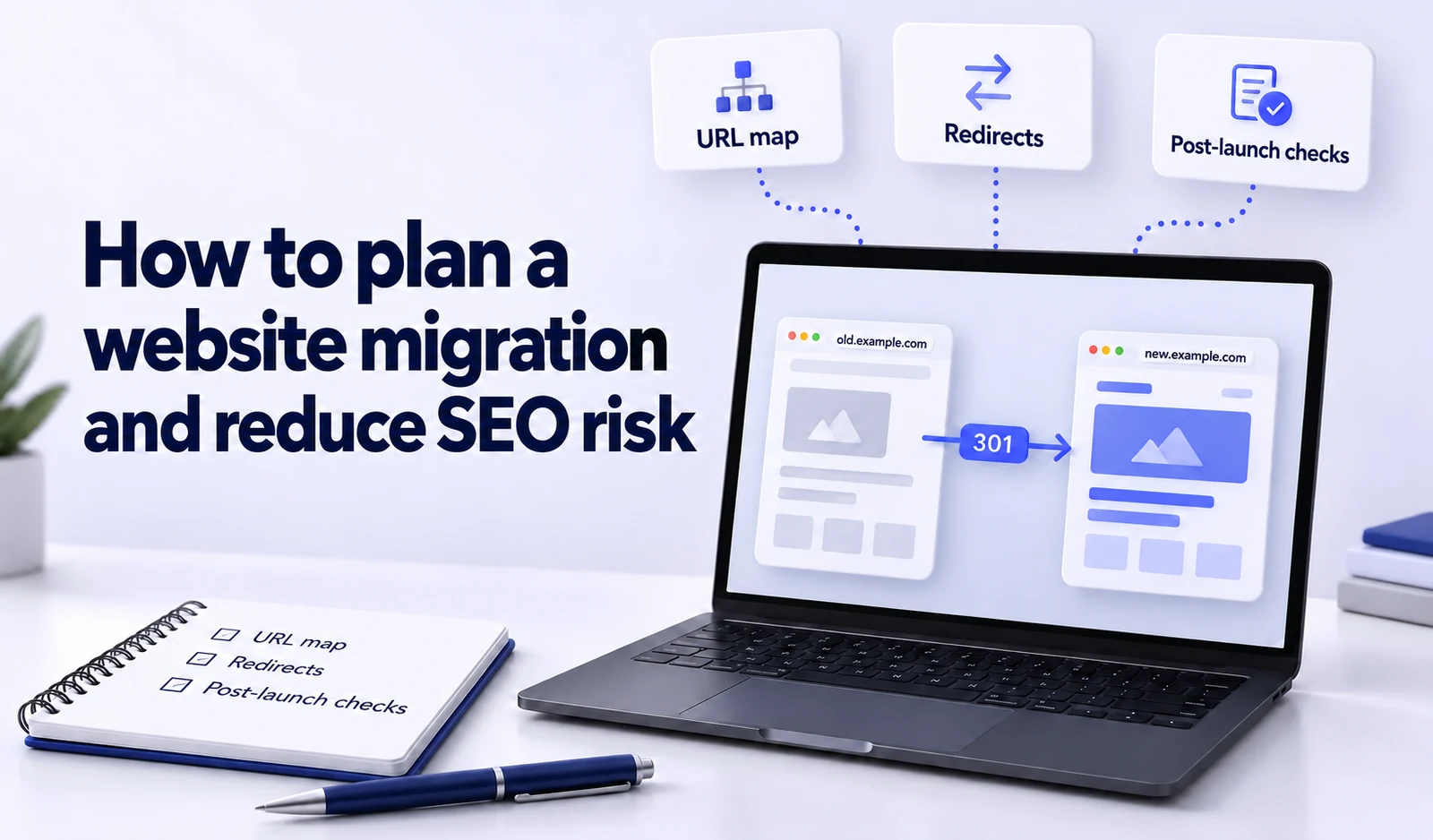
A website migration can involve a change of domain, content management system, design, server or URL structure. The risk comes from lost URLs, incorrect redirects, blocked indexing and untested functionality rather than the act of updating the website itself.
Rankings can fluctuate while search engines recrawl and process the changes. No contractor can reasonably guarantee complete stability, but a good plan reduces preventable errors and makes broken signals easier to identify.
Define exactly what is changing
Before technical work begins, document the scope:
- whether the domain or protocol will change;
- whether the URL structure will change;
- whether the website is moving to a different CMS;
- whether only the design is changing;
- whether content will be shortened, merged or removed;
- whether forms, analytics and integrations will be moved;
- whether the server infrastructure will change.
The more elements you change at once, the harder it becomes to identify the cause of a problem. Google’s site-move guidance recommends separating major changes where possible rather than changing the domain, CMS and design simultaneously.
Record the baseline before migration
You need a baseline to evaluate the outcome. Save:
- a list of all important URLs;
- their HTTP statuses, canonicals, titles and H1s;
- the XML sitemap;
- organic traffic, search queries and positions by URL;
- pages with external links;
- the main conversion paths;
- structured data;
- performance measurements for the main templates.
Build the URL list from several sources: a current crawl, sitemaps, Google Search Console, analytics, server logs and backlink tools. One source rarely captures every historically important page.
Prepare a URL mapping
Assign a future status to each old URL:
- it stays unchanged;
- it moves to an equivalent new URL;
- it is merged into the closest page serving the same purpose;
- it is removed and returns 404 or 410;
- it is temporarily unavailable.
Use a 503 response for a page or site only when the outage is genuinely temporary, such as a short launch window. You can also send a Retry-After header. Do not leave 503 responses indefinitely or use them for permanently removed content; a prolonged outage can eventually be treated as permanent unavailability.
A 301 redirect should lead to the final page with an equivalent purpose. Sending every removed URL to the homepage confuses visitors and can be treated as a soft 404.
Avoid redirect chains: an old URL should not first point to an intermediate URL before reaching its final destination. Internal links, sitemaps and canonical references should use the final URLs immediately after migration.
Protect the staging environment from indexing
A website under development should not appear in search prematurely. Authentication or IP restrictions provide more reliable protection for a staging environment. A robots.txt crawl restriction alone does not always prevent a URL appearing in search if an external link points to it.
Include an explicit launch check to remove staging restrictions from the public site. A common migration mistake is carrying a noindex directive into production or leaving access blocked through robots.txt.
Preserve the purpose of each page
A redesign should preserve the information that made the page useful and discoverable. Compare more than total word count:
- the main heading;
- answers to important queries;
- product or service details;
- internal links;
- author and trust information;
- image alt text;
- structured data.
When merging old pages, the destination should meaningfully cover their most useful information. A redirect to a short, general page does not preserve the value those pages gave readers.
Test analytics and conversions before launch
A migration can work technically while breaking measurement. Test in staging:
- the GA4 and Google Tag Manager implementation;
- consent behaviour;
- successful form-submission events;
- purchase value, currency and transaction ID;
- phone and email clicks;
- preservation of advertising click parameters;
- thank-you pages.
If the domain changes, also review cross-domain measurement where relevant and external systems that still send visitors to the old address.
Launch-day checklist
After launch, check that:
- Important destination URLs return 200.
- Old URLs reach the correct new pages through one 301 redirect.
- There are no unexpected
noindexandrobots.txtrestrictions. - Canonical references use the new final URLs.
- The XML sitemap lists only indexable pages returning 200.
- Internal links do not pass through redirects.
- Forms, search, filters, login and payments work.
- Analytics and conversion tags work.
- The site displays correctly on phones.
- Server logs show no unexpected rise in 4xx or 5xx responses.
For a domain move, verify both properties in Google Search Console. Submit the new sitemap and use the Change of Address tool where applicable.
What to monitor after migration
During the first few days, check availability, 404 errors, server load and conversions. Then monitor the replacement of old URLs with new ones, important queries and whether external links reach suitable content.
Rankings may fluctuate after a major change. Evaluate trends by URL and query rather than reacting to one day’s movement. Google recommends retaining permanent redirects for at least a year; keeping them longer can also help people following old links.
Who is responsible for the migration?
Migration involves development, server administration, SEO, analytics, content and testing. A single coordinator should own the URL mapping and launch sequence and verify that outstanding errors have been fixed.
SEO audit helps check indexing, internal links, canonicals, sitemaps and the condition of organic landing pages before and after migration. Technical implementation—including redirects, server changes, CMS migration and bespoke integrations—must be scoped for the individual website. Our broader bespoke development work is described on the development services page.
Match the checks to the migration type
Not every migration needs the same plan:
| Migration type | Main risk | Additional checks |
|---|---|---|
| Server move with unchanged URLs | 5xx errors, DNS, caching and performance | Lowering DNS TTL before migration where appropriate, SSL, server logs and functional testing |
| CMS or design change | Lost content and internal links | Template parity, schema, forms and mobile layout |
| URL structure change | Incorrect 301 redirects and chains | Complete URL mapping and testing of old URLs |
| Domain changes | Transferring signals and updating external systems | Both GSC properties, Change of Address where applicable and external link updates |
| Merging several websites | Overlapping intent and unsuitable destinations | Review content, GSC data and backlinks before assigning destination URLs |
At SeoRocket, URL mapping is not based on similar addresses alone. We compare page purpose, GSC queries, organic traffic and external links. Where no equivalent new page exists, a 404 or 410 can be more appropriate than a misleading redirect to the homepage.
A monitoring schedule after launch
On day one, test critical URLs, conversions, 4xx/5xx spikes and access restrictions. During the first week, monitor GSC indexing and sitemap changes; over the following weeks, review query–landing-page pairs. Fix the specific cause of a critical error: automatically reversing the entire migration is not always the safest response.
What a controlled migration looks like
A controlled migration starts before redirects are written. It needs an old-URL inventory, a clear mapping, staging, measurement checks and post-launch monitoring. Planning where each important signal should go makes the update manageable instead of leaving the team to investigate losses afterwards.