The two vulnerabilities have CVE identifiers, and public exploit code has been released. The original reporting also discusses a persistent object-cache condition. This article explains the affected versions, the importance of checking installed updates and the limits of temporary protection.
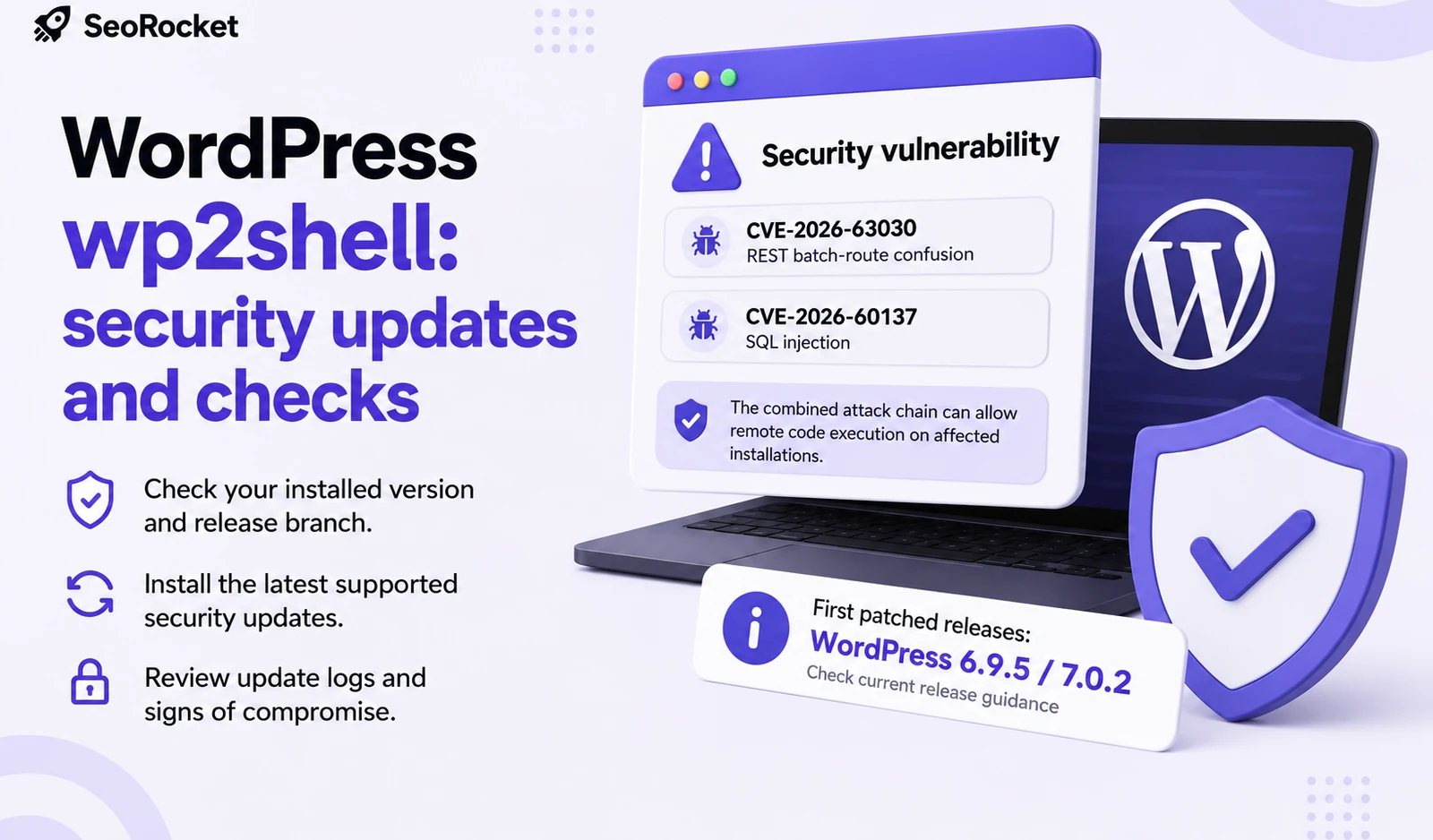
An unauthenticated request can lead to code execution on a WordPress website when the vulnerable WordPress core components and required conditions are present. Plugins are not required for the reported attack chain. WordPress released security fixes on 17 July 2026 in versions 6.9.5 and 7.0.2, with a separate SQL injection fix in 6.8.6. These are the first patched releases for this incident, not a recommendation to remain on an older branch indefinitely.
Wp2shell combines two issues. CVE-2026-63030 concerns REST API batch-route confusion, while CVE-2026-60137 concerns SQL injection in WordPress core. Chaining the issues can turn an unauthenticated request into remote code execution.
Technical details and public proof-of-concept code appeared after disclosure. Website owners should prioritise patch verification rather than run exploit code against production systems.
Adam Kues of Assetnote / Searchlight Cyber discovered and responsibly disclosed the batch-route issue through the WordPress vulnerability reporting process.
The researchers described a pre-authentication attack against a standard installation without additional plugins. TF1T, dtro and haongo separately reported the facilitated SQL injection issue.
Cybersecurity
At disclosure, Searchlight withheld detailed exploitation instructions to give defenders time to update and published a checking service at wp2shell.com. A public patch still allows other researchers to study the changed code, so delaying technical details does not remove the need to update promptly.
The affected versions differ between the two issues. The SQL injection vulnerability starts in WordPress 6.8. The batch-route confusion needed for the reported unauthenticated remote-code-execution chain starts in WordPress 6.9.
Affected release ranges:
- WordPress 6.8.0–6.8.5: affected by the SQL injection issue, fixed in 6.8.6.
- WordPress 6.9.0–6.9.4: affected by the combined remote-code-execution chain, fixed in 6.9.5.
- WordPress 7.0.0–7.0.1: affected by the combined chain, fixed in 7.0.2.
- WordPress 7.1 beta 2 included both fixes. A beta release should not be selected as a production security update simply because it contains a patch.
The documented full remote-code-execution chain does not apply to the 6.8 branch. WordPress 6.8.6 addresses the SQL injection issue affecting that branch.
WordPress enabled forced updates through its automatic update system for affected versions. Do not assume this proves a particular website has updated: check its installed version and update logs, especially where background updates are restricted or have failed.
The total number of WordPress websites is not the number vulnerable to this incident. The full chain concerns affected releases from WordPress 6.9 onwards. A count of installations on the vulnerable versions would be needed to estimate the exposed population. A platform-wide usage estimate cannot provide that count.
The reported chain combines a database-query issue with a request-routing issue. The SQL injection concerns how WP_Query processes its author__not_in parameter. Improper handling of an unexpected input type allows untrusted data to reach a database query.
The REST batch endpoint handles several internal requests within one HTTP request. The route-confusion issue can misalign request information and the handler assigned to it when an internal request fails.
That mismatch can allow a request to reach processing it should not be permitted to use. Combined with the vulnerable query handling, it creates the reported unauthenticated attack path. The existence of the batch API in older releases does not mean every older release is vulnerable to this chain.
Read the advisories for both identifiers rather than treating a single severity label as the whole assessment. The WordPress project classifies the combined route-confusion issue as critical. Advisory scores can change as the impact is reassessed, so an early numeric comparison should not determine whether a site is patched.
The two identifiers describe different parts of the problem. Track both when reviewing scanner results or update evidence. A finding about one component does not establish that the complete attack chain is absent.
The original reporting also describes a configuration-related limit. Cloudflare was cited in the original coverage for an observation that persistent object caching can affect the reported execution path. Treat configuration-dependent observations as limits of a specific technique, not as confirmation that an installation is secure.
Redis or Memcached configuration is not a replacement for installing the security update. It does not remove the underlying SQL injection issue, and relying on an incidental configuration effect leaves the vulnerable code in place.
CVE identifiers help scanners and vulnerability management tools track findings. Keep their checks up to date, but also inspect the installed WordPress version directly. Consult the current CISA Known Exploited Vulnerabilities cataloguefor its present status. An early report that an issue was not listed must not be read as current evidence that exploitation has not occurred.
Large-scale exploitation of WordPress vulnerabilities
Public exploit availability increases the urgency of patching exposed installations. Avoid using unverified counts of compromised websites to estimate your own risk. Review exposure, installed versions and signs of compromise on the systems you operate.
What to do if you cannot update immediately
Searchlight’s temporary mitigations restrict anonymous access to the batch endpoint. They are emergency measures until the update can be installed and can interfere with legitimate integrations.
- At the web application firewall, the published mitigation covers both /wp-json/batch/v1 and the ?rest_route=/batch/v1 query route. Restricting only one form of access can leave the other available. Have the rule checked against your application and legitimate traffic. Cloudflare may provide managed WAF protection, but verify the applicable rule, plan and actual traffic path. A provider’s announcement does not prove that protection is enabled for your website.
- Another temporary option is to restrict anonymous access to the WordPress REST API. This can disrupt public functionality or integrations, so assess its impact and remove unnecessary restrictions after the underlying issue is fixed.
- The original coverage also describes a small mitigation plugin that rejects anonymous batch requests through rest_pre_dispatch. Review any emergency plugin before deployment and do not treat it as a permanent alternative to updating core.
Open-source security fixes create a difficult timing problem: defenders need the patch, while others can inspect it to understand the vulnerability. Withholding a detailed write-up does not prevent that analysis. Public exploit code therefore makes it especially important to verify that updates reached the actual installation.
For website owners, the immediate task is practical: take an appropriate backup, install a supported release containing the fixes, and verify the site and integrations afterwards. WordPress accelerated distribution through its automatic update system, but local verification remains necessary.
Patching closes the vulnerable code path; it does not by itself establish that a previously exposed site was never compromised. If there are suspicious administrator accounts, file changes or requests, investigate them and follow an incident-response process. Continue maintaining WordPress rather than treating one security update as a complete security programme.