A content management system helps an organisation create, maintain and publish digital information. The right choice depends on the content, the people editing it and the channels where it needs to appear.
What does a CMS do?
A CMS provides tools for creating, editing, storing and publishing content. A web content management system focuses on website material such as pages and articles, while other systems manage documents or reusable content for different channels.
Some platforms focus on straightforward website editing; others form part of a broader publishing infrastructure. Multichannel delivery may require APIs and integrations with apps, email systems or other tools rather than being included automatically.
A CMS may be hosted by a provider or operated on infrastructure controlled by the organisation. Typical web systems let editors write and format content, add headings and images, and manage settings related to search engine optimisation (SEO).
When content must appear across several devices and channels, assess the publishing workflow as well as the editor. A platform is useful only if the team can maintain accurate information and deliver a suitable experience.
Types of content management software
Content management is a broad category. The following related systems address different tasks and should not be assumed to have interchangeable features.
Digital asset management (DAM)
A DAM system organises media and other digital assets in a central library. Search, metadata and rights information can help teams find and reuse the correct file.
Web content management (WCM)
A WCM system supports the creation and maintenance of website content. It may include permissions, revisions and editorial workflows for several contributors.
Component content management (CCMS)
A CCMS manages reusable structured units of content, often used in documentation. Instead of maintaining every publication separately, teams can assemble approved components into different outputs.
Enterprise content management (ECM)
ECM covers the management of organisational information and documents, including collaboration, access and retention. Its scope is broader than website publishing alone.
Document management (DMS)
A DMS helps store, organise, retrieve and track documents. Assess version control, permissions and retention requirements against the work the organisation actually performs.
Why use a CMS?
Organisations adopt content management systems for practical operational reasons, not because market size establishes a need for one.
Eleven potential benefits are worth assessing:
1. Easier content editing
An appropriate editor lets trained staff maintain routine content without changing application code each time.
Editors may use visual blocks, structured fields or a text interface. Routine updates often do not require HTML, CSS or JavaScript knowledge, although design and development changes may still need specialist work.
2. Organising content
A CMS can help a team manage a larger collection through a consistent content model and suitable search or filtering tools.
Categories, tags and internal search can make information easier to locate. Define them carefully so the structure remains useful instead of accumulating duplicate labels.
3. Collaboration and workflows
Many platforms support several contributors with different roles. Check how the system handles simultaneous edits and access permissions.
Depending on the product, writers, editors and publishers can have separate responsibilities. Review, approval and scheduled publishing may be built in or require additional configuration.
4. Reusable design and layouts
Many web CMS platforms use themes or templates to control presentation.
Suitable controls can let editors use approved layouts without rebuilding the design. Restricting choices where necessary can preserve consistency and accessibility.
5. Security controls
A maintained CMS can provide access controls and security updates. Automatic updates, hosting protection and backups depend on the platform and service arrangement.
These controls need configuration and monitoring. Installing a CMS does not by itself secure the site or its data.
6. Search-related controls
Many systems provide settings or extensions for managing search-related information.
They may help manage URL structure, metadata and XML sitemaps, and support content optimisation for relevant queries. The availability of a control does not prove it is configured correctly or guarantee rankings.
7. Extensibility
CMS platforms can support projects of different sizes, but their limits and suitability vary.
Extensions and bespoke development can add functionality. Evaluate compatibility, ongoing maintenance and performance before depending on a plugin for a business-critical process.
8. User and permission management
Account controls determine who can access the administration interface and perform particular actions.
Use appropriate roles and least-privilege access. Review permissions when responsibilities change and remove unnecessary accounts.
9. Mobile presentation
A CMS can support responsive templates, but the actual mobile experience depends on their design and implementation.
Test text, images, navigation and forms at relevant screen sizes. A theme labelled responsive does not guarantee that every page or editor-created layout works well.
10. More consistent processes
Some platforms can automate parts of review, approval, translation and publication.
These workflows can reduce repetitive coordination where responsibilities and rules are clear. Test exceptions and failure handling rather than assuming automation removes editorial oversight.
11. Managing operating costs
Routine updates may require less developer time when editors can safely make them. Compare that saving with licensing, hosting, implementation and maintenance costs.
Hosted services may include infrastructure and updates under a subscription. Check plan limits and pricing; cloud hosting does not necessarily mean paying only for precisely measured usage.
How a content management system works
A CMS separates content editing from some aspects of presentation and delivery. This lets contributors focus on the information without handling every part of the technical site structure.
A useful conceptual distinction is between:
- the content management application (CMA);
- the content delivery application (CDA).
These describe editing and delivery responsibilities. Actual software architectures differ, especially in headless or static-site workflows.
Common CMS components
A typical system includes several elements:
A content store
Content may be stored in a database, files or another structured repository. Media files are often stored separately from the text and metadata that reference them.
An editing interface
The interface lets authorised users maintain the content types configured for the website.
Templates or a delivery layer
Templates and frontend code control how content appears. In a headless setup, another application may retrieve and display it.
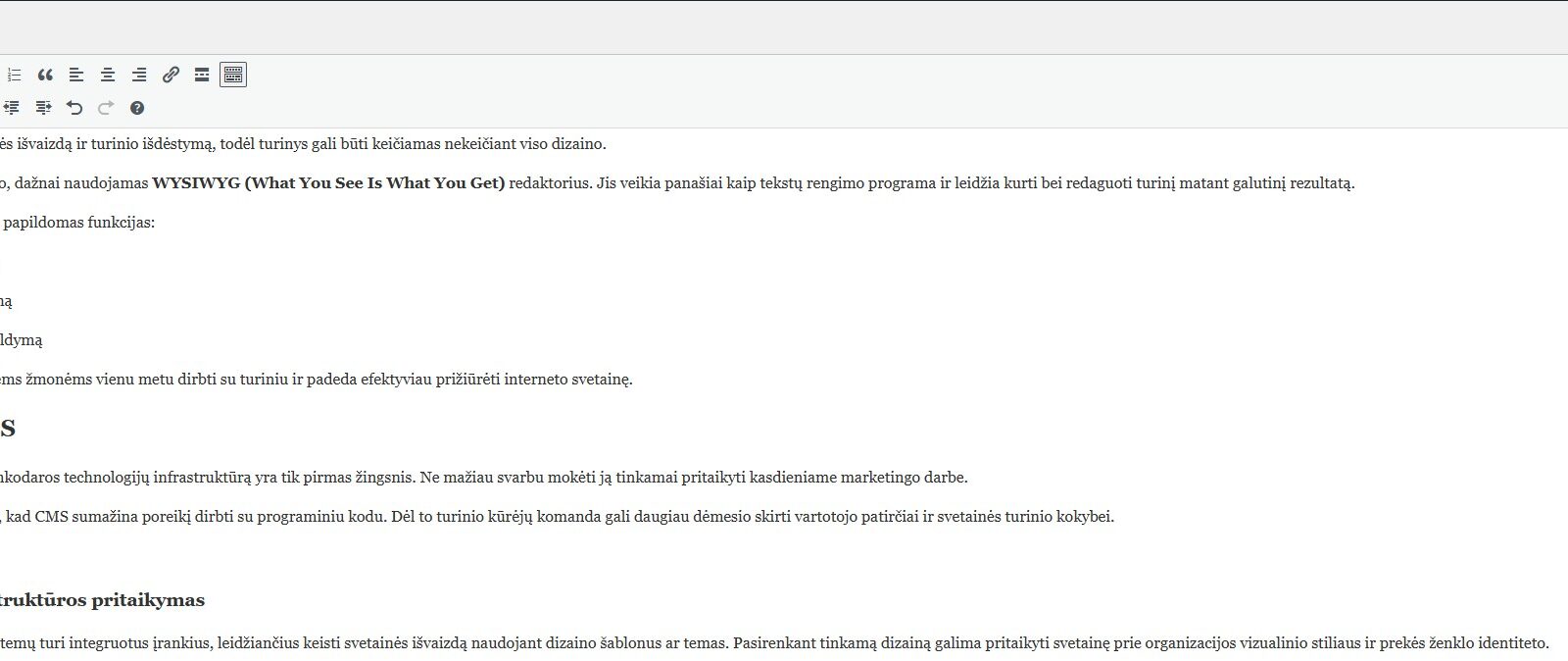
A common editing option is a WYSIWYG (what you see is what you get) editor. It resembles a word processor, although the final page still needs checking in its actual layout.
Other capabilities may include:
- revision history;
- user administration;
- publishing workflows.
Check which capabilities are included, how they behave and whether they support the team’s process.
Using a CMS in practice
Selecting a CMS is only the start. The team also needs a content model, permissions, training and a reliable day-to-day publishing process.
A CMS can reduce the need to edit code for routine changes, allowing contributors to focus on accuracy and usefulness. It does not remove the need to review their output.
Configuring presentation and structure
Choose templates and components that match the organisation’s identity and content needs. Test the real output rather than selecting a design from its demo alone.
Creating and publishing content
An editor may provide structured fields or familiar formatting tools for pages, articles and other content types.
Common editing tasks include:
- formatting text;
- adding images;
- embedding appropriate media.
Use these options to explain the subject clearly, with accessible descriptions and suitable file sizes.
Adding functions through extensions
Where supported, plugins and modules can add capabilities to the platform.
Examples include:
- contact forms;
- social integrations;
- search optimisation controls.
Maintain the core platform and extensions, and test updates against the site’s important workflows.
CMS and WCM: what is the difference?
The terms overlap, but their scope can differ.
The terms content management system (CMS) and web content management (WCM or WCMS) overlap in website publishing. CMS can also refer to content management beyond the web.
The label alone does not reveal what a product can do. Compare its content types, workflows, integrations and delivery capabilities against the requirements.
Capabilities to assess in a CMS or WCM platform
When comparing platforms, assess the following capabilities.
Content management
Test how easily the team can create, edit, find, publish and retire its actual content, including text and relevant media.
Presentation and delivery
Check how content reaches desktop, tablet and mobile layouts, and whether other channels require separate integrations or frontend work.
Integrations
Identify the CRM, ERP, commerce or other systems that must exchange data. Verify available connectors, API access and ongoing ownership.
E-commerce integration
Check how the content management system connects with product data, checkout and other commerce processes. Content editing and transaction handling may use different systems.
Personalisation
Some products can vary content using permitted audience information. Establish a useful purpose, appropriate data controls and a way to assess the result before adding this complexity.
Measurement
Check how publishing outcomes are measured and which analytics integrations are available. Reporting visits or events does not by itself establish return on investment.
Content governance
Define who drafts, reviews, publishes and removes content. Look for revision evidence and a practical process for reviewing outdated material.
Multiple languages and markets
Test translation workflows, localised URLs, language relationships and the handling of content that differs by market. A language switcher alone is not a complete localisation system.
Capacity, flexibility and performance
Assess the expected content volume, traffic and integration load. Consider reliability, monitoring and the work required to expand the system rather than relying on a generic scalability claim.
Training and support
Confirm who provides implementation help, ongoing support and training. A feature-rich interface can still be unsuitable if the team cannot use it reliably.
Examples of content management platforms
Examples of website platforms include Wix , WordPress , Squarespace and Shopify. Other systems, such as Drupal , can support more customised content architectures and may require greater technical involvement. Suitability depends on the project, not a beginner-versus-expert label alone.
1. Wix
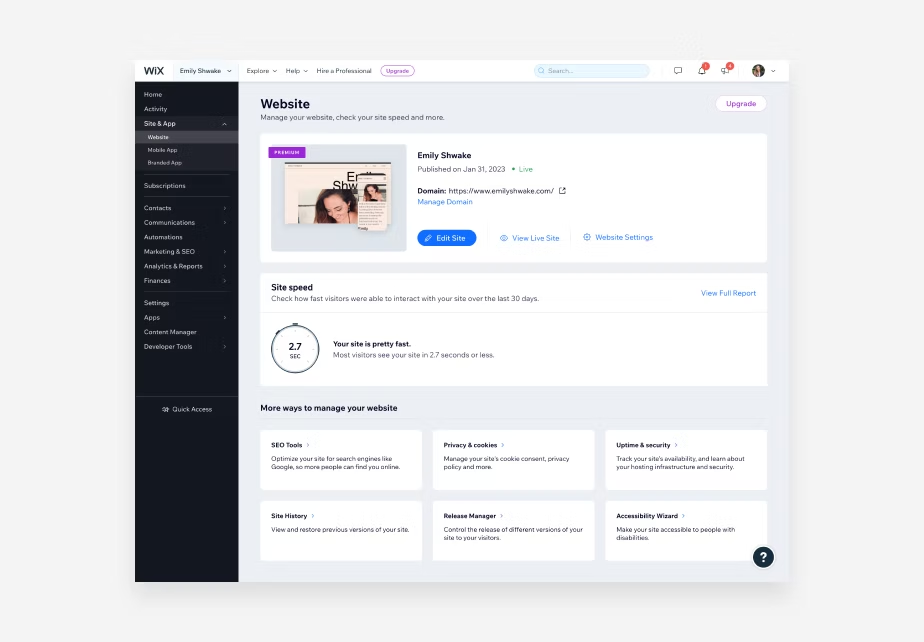
When building with Wix, review the editing workflow, templates and setup guidance against the site you need to maintain.
Alongside the editor, Wix provides templates and integrations. Check the current capabilities, accessibility and plan restrictions for the actual implementation.
Review the provider’s current plans for domain use, storage, publishing, applications and commerce. Free and paid entitlements can change and should be confirmed before choosing a plan.
2. WordPress
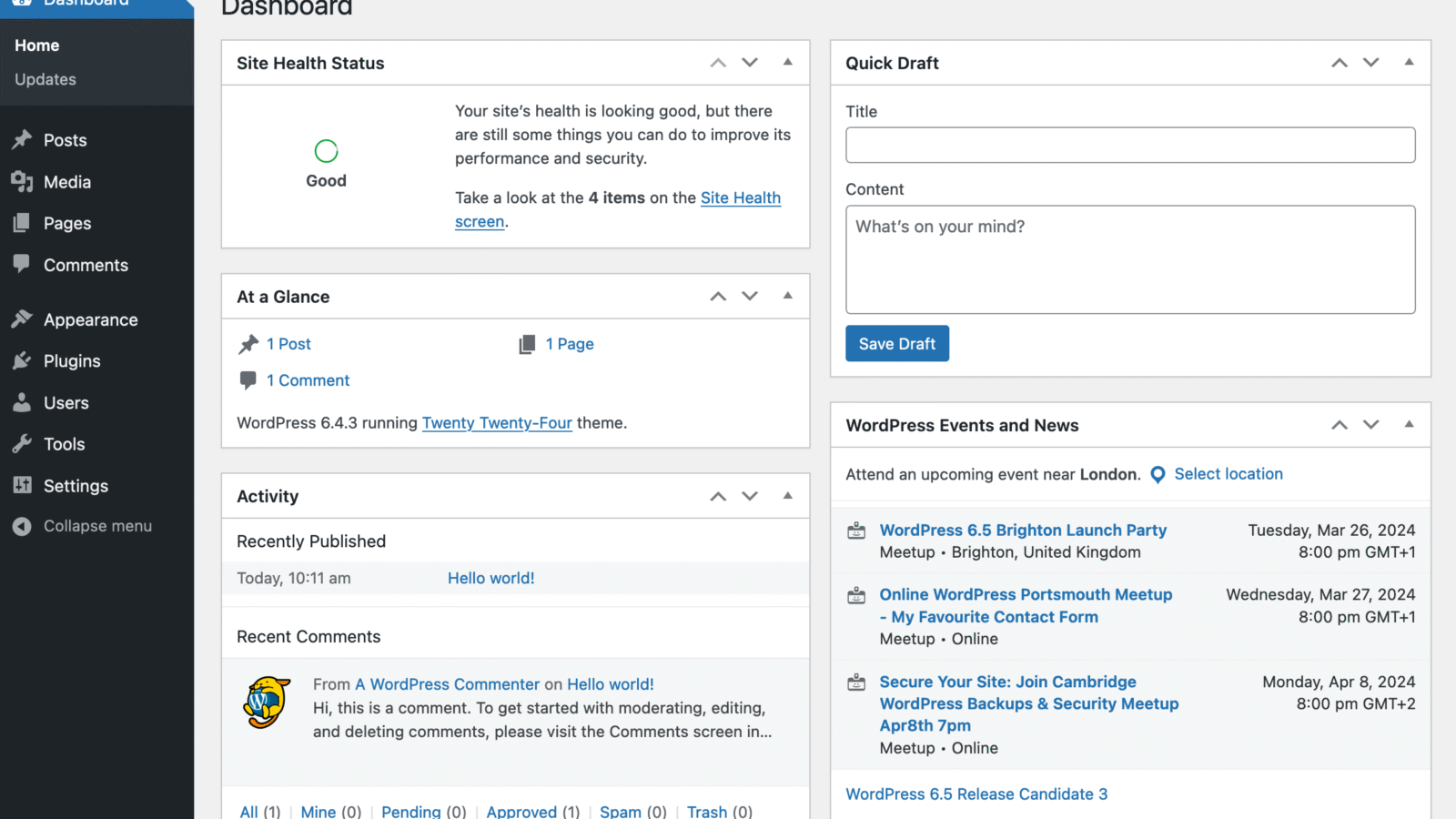
WordPress is a widely used open-source web CMS. It supports pages, posts, media and extensibility, with hosting and maintenance responsibilities depending on the chosen setup.
Themes, plugins and configuration can provide search-related controls. Check compatibility and output rather than assuming an extension automatically improves rankings.
WordPress supports roles such as:
- administrator;
- editor;
- author or contributor.
Review the permissions associated with each role before assigning it.
Distinguish the open-source WordPress software from hosted WordPress.com plans. Hosting, support and commerce entitlements are separate commercial choices; check requirements such as a custom domain, storage and support against the current provider’s terms.
3. Squarespace
Squarespace provides a hosted website-building environment with templates and editing tools. Evaluate the actual layouts, content controls and plan terms for the business rather than choosing it on appearance alone.
4. Shopify
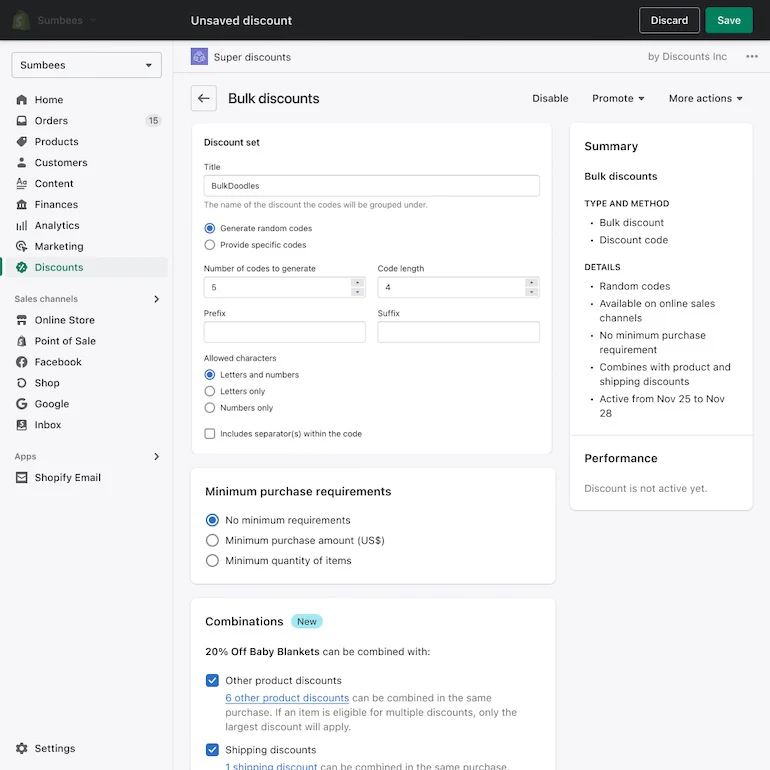
Shopify is primarily an e-commerce platform, with content editing alongside catalogue and sales functions.
Compare product, checkout and editorial requirements, including integrations and ongoing plan or application costs.
5. Joomla
Joomla is an extensible CMS. Test its administration, available extensions and the maintenance skills required for your particular project.