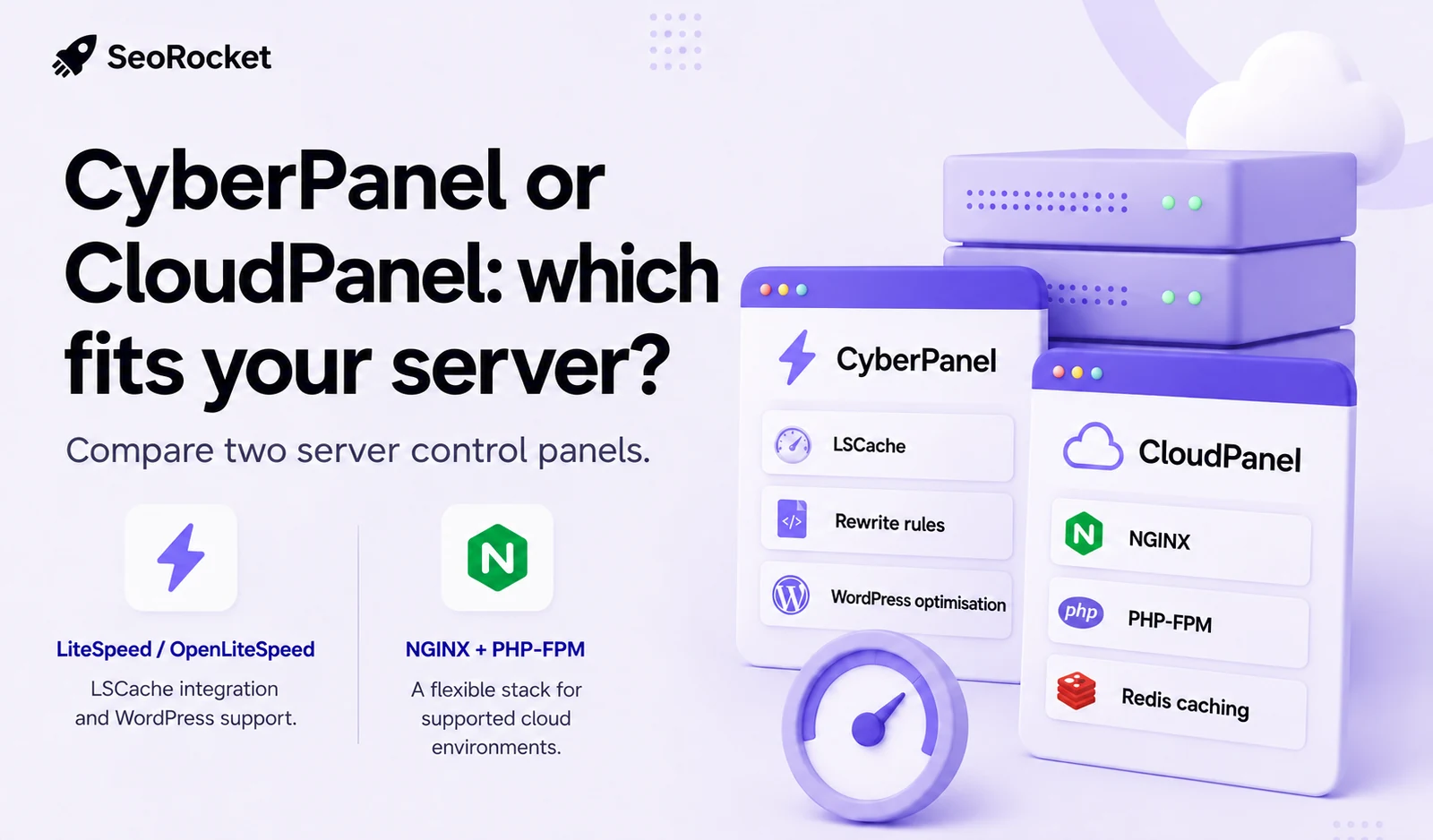
A control panel affects everyday administration, including deployment, diagnostics, updates and access. Its suitability depends on the applications, team and maintenance process, not just the appearance of its interface.
CyberPanel and CloudPanel provide different approaches to managing websites. Both offer software without a basic panel licence charge, while infrastructure, optional services, support and commercial components may still cost money. Evaluate the intended setup for WordPress, WooCommerce or custom web applications.
before choosing a panel. Their architecture and operating scope differ, and the appropriate decision depends on the managed projects, administrative skills and service responsibilities. This comparison does not identify one universally superior product or replace testing on the intended workload.
What is CyberPanel?
CyberPanel is associated with the LiteSpeed server ecosystem, including OpenLiteSpeed and commercial LiteSpeed Web Server options. Confirm the particular panel and server version, licence and supported installation before planning a deployment.
Integration with LiteSpeed caching can be relevant for WordPress sitesusing the LiteSpeed Cache plugin. Correct exclusions and application testing still matter, particularly for logged-in sessions and checkout.
CyberPanel areas to evaluate
- Application installers for supported content management systems platforms, checking current availability rather than assuming every CMS is included
- Integration with the server's caching features where supported and configured
- Management of SSL certificates, subject to correct domain validation and configuration
- Website, DNS, email, file and backup workflows, depending on the installation and enabled components
- Optional container and deployment tools, checking compatibility and requirements separately
- Supported PHP-version management, with updates and application compatibility reviewed
CyberPanel may suit a team that wants several hosting services in one administrative environment. Bundling services also adds responsibilities: mail delivery, DNS, backups and each exposed component need appropriate expertise and maintenance.
What is CloudPanel?
CloudPanel focuses on website and application administration with an NGINX-based stack. PHP, databases and caching are separate parts of that stack; a panel's presence does not establish that every component is configured for an application's needs.
Its documentation covers several cloud providers and supported application types. Check the operating-system and installation requirements for the intended server rather than assuming that every image or provider is supported identically.
CloudPanel areas to evaluate
- NGINX-based hosting and PHP application configuration
- Supported PHP versions and per-site configuration, where available
- Database and cache requirements, distinguishing server services from controls exposed in the panel
- Varnish features and per-site configuration where appropriate to the application
- Panel access controls and the separate server-level firewall configuration
- An interface the team can use reliably for its daily tasks
- A defined update, access and backup process rather than an assumed security advantage
CloudPanel can suit a team familiar with its documented NGINX application workflows. If mail or authoritative DNS are managed elsewhere, assess those services independently rather than expecting the panel to replace the whole hosting environment.
The underlying web servers
The panel manages configuration, while the underlying server and application deliver content. Both matter: a capable server still needs safe administration, correct routing and a maintainable deployment process.
OpenLiteSpeed
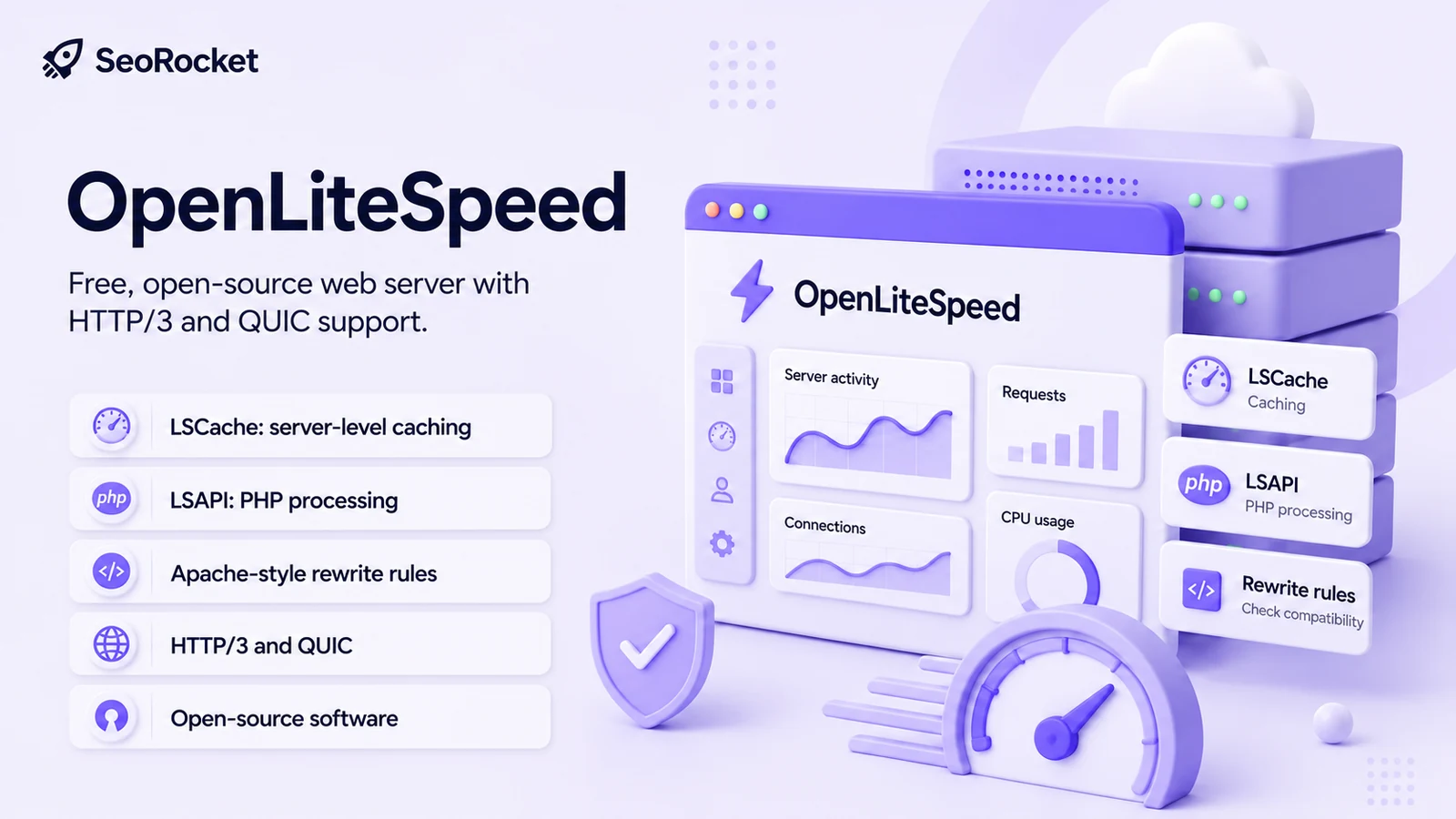
OpenLiteSpeed is an open-source web server with an event-driven design. Check version-specific protocol support and configuration. Its support for Apache-style rewrite rules does not mean that it executes every directive in an Apache .htaccess file.
Some rewrite rules can be reused, but migration still requires testing. Unsupported directives may be ignored, and rule placement or syntax can need adjustment. Do not assume an entire Apache configuration works unchanged.
OpenLiteSpeed considerations
- Server-side caching support through a suitable LiteSpeed Cache setup
- PHP integration through LSAPI, with performance assessed against the actual workload rather than a universal claim of superiority over PHP-FPM
- Support for compatible Apache rewrite rules, with limits and migration checks
- Modern protocol support where the version, certificates and network configuration allow it
- Open-source software without an OpenLiteSpeed licence charge
Where a commercial LiteSpeed option may differ
- Licensing, supported integration and deployment requirements need comparison against the actual edition
- Rewrite and configuration reload behaviour can differ; do not assume that OpenLiteSpeed rereads the whole .htaccess file on every request
- Support arrangements should be checked directly rather than assuming community and commercial assistance are identical
- OpenLiteSpeed has a documented ModSecurity module; it is not correct to say that WAF capability is entirely absent from the free server
Whether a difference matters depends on cacheable traffic, PHP work, databases, storage and operational needs. Test representative requests instead of judging capacity from a feature label alone.
LiteSpeed Enterprise
LiteSpeed Web Server Enterprise is a commercial product with several licence options. Compare the actual worker, memory, domain and support terms. It should not be described as having unlimited workers under every licence.
Commercial-edition factors to compare
- The worker allowance and other limits of the chosen licence, rather than an assumption of unlimited use of all CPU cores
- Required Apache compatibility and configuration behaviour, validated against the application
- Security-module support and the rules that will actually be enabled and maintained
- The available vendor support terms and any separate service agreement
- Compatibility with an existing panel and migration path, tested for the specific setup
A commercial licence may be justified by required integration, support or capacity needs. A busy WooCommerce store does not automatically require one, and paying for a server licence does not replace performance analysis or application maintenance.
NGINX
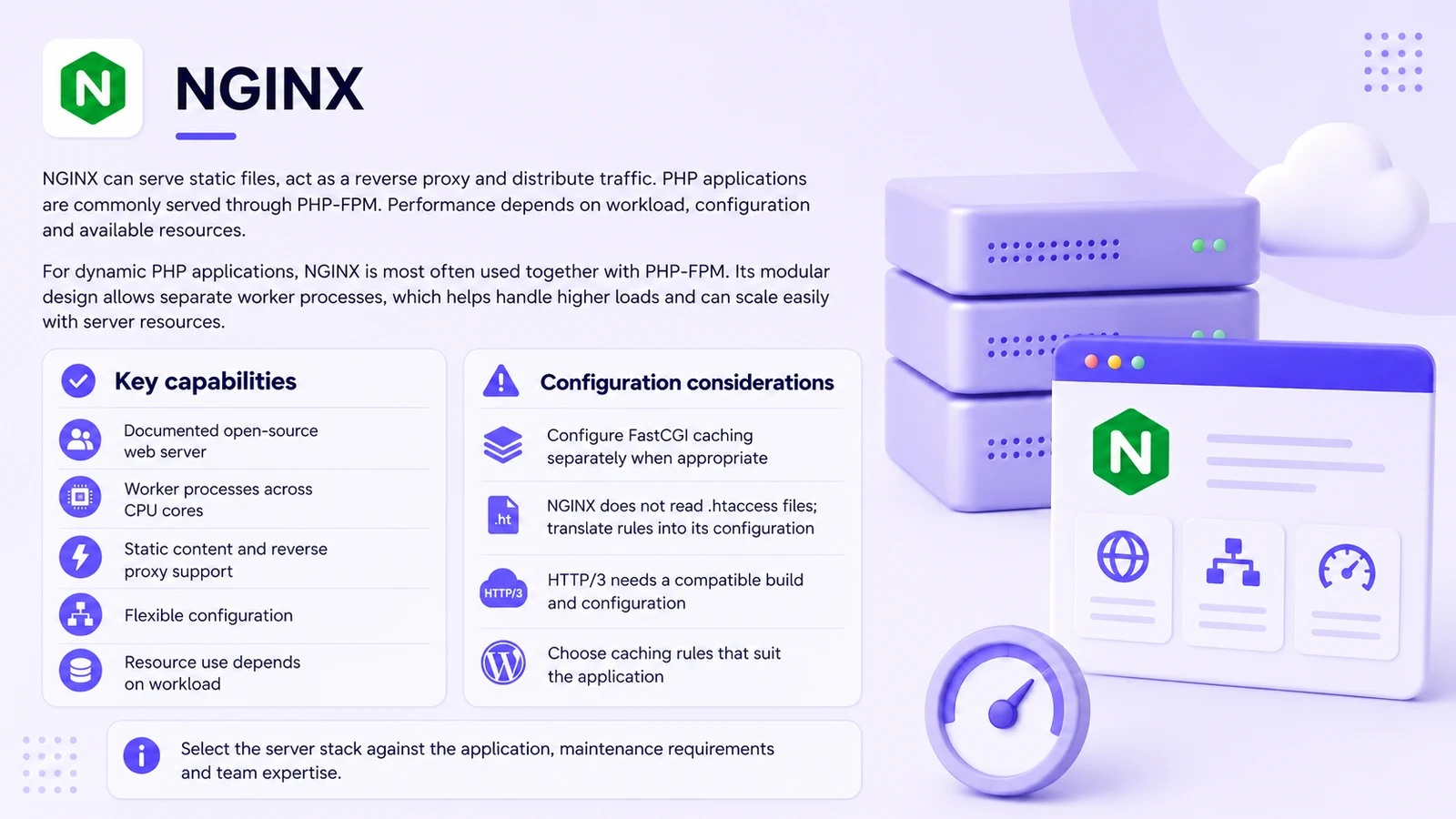
NGINX can serve static files, act as a reverse proxy and distribute requests in suitable configurations. These are capabilities to configure and test, not proof that every NGINX deployment is faster than an alternative.
PHP applications commonly use NGINX with PHP-FPM. Worker settings, available CPU, application code and database behaviour all affect capacity; adding cores alone does not guarantee proportional gains.
NGINX considerations
- Extensive official documentation and a well-established configuration model
- Open-source worker configuration without the same per-worker licence model as commercial LiteSpeed, subject to the chosen product and environment
- Static-file serving and reverse-proxy functionality for suitable workloads
- Flexibility for different applications, with corresponding configuration responsibility
- Resource use that depends on enabled features, connection patterns and the application
Important configuration differences
- FastCGI caching needs suitable rules and exclusions; it is not automatically enabled correctly for every WordPress installation
- NGINX does not use Apache .htaccess configuration; translate the required rules into the appropriate server configuration
- Protocol support depends on the installed version, build and configuration
- WordPress caching may use a server layer, an application plugin or a combination. Define which layer handles each task to avoid inconsistent caching
NGINX can be a suitable option when the team needs flexible routing and can maintain the configuration. Evaluate the entire application stack rather than treating the web-server name as the decision on its own.
Comparing practical use cases
Use the following cases as questions for evaluation, not universal product rankings.
Consider CyberPanel with OpenLiteSpeed when:
- WordPress or WooCommerce caching fits the intended LiteSpeed Cache workflow and the team can test its exclusions.
- An Apache-based migration can reuse compatible rewrite rules, with unsupported directives and reload behaviour checked.
- Supported application installers fit the deployment process. Content management systems and certificates can be managed through supported workflows, with validation and access controls verified.
- Testing on the proposed VPS shows adequate capacity and the team understands the relevant process and resource settings.
- The team prefers the LiteSpeed caching workflow and can maintain it, rather than assuming that caching is entirely automatic.
Consider a commercial LiteSpeed licence when:
- A measured workload or integration requirement justifies the chosen edition and licence. Check actual limits rather than expecting unlimited workers.
- A multi-customer hosting setup needs a supported architecture, clear isolation and capacity planning.
- A defined vendor-support arrangement is needed. Confirm response commitments rather than assuming that every licence includes an SLA.
- The documented migration path fits the existing panel, application and configuration requirements.
Consider CloudPanel with NGINX when:
- Its documented application types fit a mixed environment of PHP, Node.js, static sites or reverse proxies.
- The selected provider and operating system meet the current installation requirements.
- The administrators understand NGINX configuration and can use its documentation for maintenance and diagnosis.
- The team deliberately limits exposed services and maintains them. A smaller feature list is not proof that one panel is inherently more secure.
- The required caching approach can be configured and tested. Do not assume parity with another cache from the product name alone.
Choosing against actual requirements
Choose against specific requirements and the team's ability to operate the result, not a general reputation or a single benchmark.
When WordPress accounts for most of the workload
LiteSpeed Cache may provide a convenient workflow for a compatible server. Evaluate it using actual pages, cache misses, logged-in sessions and checkout, not only a cached homepage score.
WordPress caching needs suitable invalidation and exclusions for personalised sessions and ecommerce. Verify how the chosen plugin, server and application handle those cases after configuration or updates.
NGINX FastCGI caching also needs rules for authenticated users, carts and other dynamic content. A cache that serves the wrong person's information is a correctness and privacy problem, however fast it appears.
Compare the configuration and maintenance time your team would actually need for each setup. There is no universal rule that one always saves time while the other always offers more control.
When several application types share a server
NGINX can route requests to different application processes and serve static content. Define the deployment and process-management requirements for each application rather than assuming the panel handles everything.
CloudPanel documents workflows for several application types alongside WordPress. Confirm which parts it manages and which remain your responsibility.
OpenLiteSpeed can also support applications beyond WordPress. Compare the required integration and documentation for the actual framework instead of relying on a blanket ecosystem-size claim.
When email, DNS and hosting need one administrative workflow
CyberPanel documents email and DNS workflows. CloudPanel's website focus means separate services or integrations may be needed for the intended mail and DNS arrangement. Verify the current features and ownership of each service.
A consolidated panel can reduce handovers, but it also concentrates administration and maintenance responsibilities.
Separate services can suit a team that wants distinct responsibilities, provided access, monitoring and backups remain coordinated.
When planning for more CPU cores or higher load
Do not infer a fixed OpenLiteSpeed worker bottleneck from an unsupported general claim. Measure the workload and check current server configuration and documentation.
Commercial LiteSpeed licences have different worker allowances. NGINX worker configuration also needs to match the environment; neither product automatically uses resources optimally in every deployment.
For a larger installation, benchmark the relevant cached and uncached requests, database work and failure behaviour before choosing the stack.
When the budget is limited
A no-charge panel or open-source server still needs hosting, backups, monitoring and administration. Compare the full cost rather than describing the entire environment as free.
Assess whether the expected benefit of a particular cache, integration or support arrangement justifies its setup and ongoing cost.
Claims that need qualification
Common claims need more context than a product slogan or an isolated score.
“OpenLiteSpeed is much slower than Enterprise”
The difference depends on workload and configuration. There is no verified universal percentage that applies to all sites.
Compare the features, licence terms and support actually required, then test the intended application.
“NGINX is always faster than OpenLiteSpeed”
Cached pages, uncached PHP, static files and reverse-proxy workloads exercise different parts of a system. A result from one test does not determine every other use case.
A correctly configured page cache can avoid some application processing, but cache misses and dynamic pages still need to be tested.
“Production hosting always needs a commercial server licence”
Open-source servers can support production applications. Suitability depends on requirements, maintenance and the available support model rather than payment alone.
Choose a commercial licence when its actual features, permitted capacity or support solve an identified requirement. Do not justify it with a false claim that every edition has unlimited workers or that OpenLiteSpeed cannot use ModSecurity.
“One panel is objectively safer in every deployment”
Review the current versions, update channels and relevant security information before deployment, rather than declaring a permanent winner from old incidents or a feature count.
Maintain the panel, operating system and applications, restrict administration access and verify recovery from backups. Product choice alone does not provide those controls.
Final thoughts
The suitable panel is the one the team can operate reliably for the intended applications and growth plan.
CyberPanel, CloudPanel and their underlying server choices address different requirements. Evaluate the specific setup and version, including services that will be managed separately.
Compare representative configurations fairly. Record hardware, software versions, cache state and workload so a test can inform the decision rather than simply reward the best-tuned demonstration.
A panel is one administrative tool within a larger operating process. Skills, access, updates, monitoring and recovery all contribute to reliability.
If you need help choosing a direction, our team can review the existing workload and implementation requirements. The recommendation should explain the evidence, trade-offs and responsibilities rather than assign a stack solely from the CMS name.