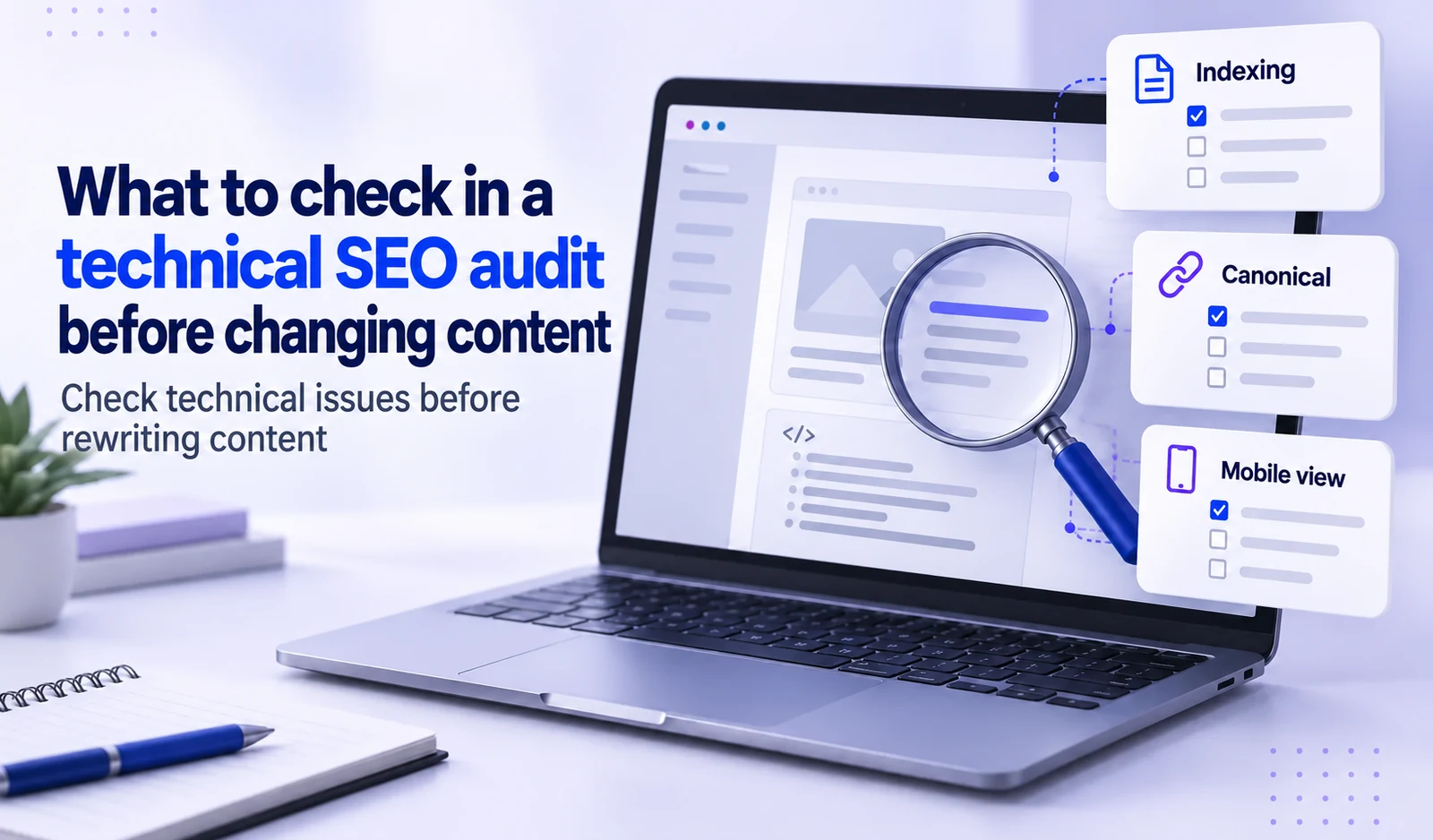
When a page is not growing, it is tempting to rewrite the text or change its heading. But content changes cannot resolve a search engine's inability to reach or index the page, or uncertainty about which URL is canonical. Before substantial content work, consider a technical SEO audit.
This guide treats the audit as diagnosis before rewriting. It asks whether an issue affects one URL or a whole template, whether Google selected another canonical and whether the visibility change coincides with a technical change. The broader technical SEO service is described separately; here the question is whether the text needs changing at all.
A diagnostic decision tree
Start with the URL whose impressions or clicks fell, then follow this sequence:
- Is the URL unavailable or returning a response other than 200? Investigate the status or redirect first. Do not start by rewriting the content.
- The URL is accessible and is not unintentionally blocked by robots.txt.
- Is a different URL indexed? Compare duplicate versions, internal links, canonicals and sitemap signals.
- Is the intended URL indexed but receiving fewer impressions? Then assess query demand, search result types, competitors and content relevance.
- Are impressions stable while clicks fall? Review titles, snippets, search features and how the offer appears, while checking position and query mix.
This order reduces the risk of a mistaken diagnosis. Rewriting a page that signals another canonical may not produce the search effect you expect.
1. Check whether the important URL returns HTTP 200
Start by checking that the intended indexed page works and returns HTTP 200. For a 3xx, 4xx or 5xx response, establish whether it represents a deliberate redirect, removed content or a fault.
Google's technical requirements describe the basic conditions for eligibility: Googlebot must not be blocked, the page must work and its content must be indexable. Meeting them does not guarantee indexing or rankings.
Do not inspect only sitemap URLs. Internal links may still point to old addresses, parameter versions or missing pages. Assess their effect on navigation and unnecessary crawling.
Check the scale. One removed page returning 404 is usually a URL-level matter. Hundreds of products unexpectedly returning 404 may indicate a template, routing or publication problem. Prioritise by affected valuable pages and user tasks, not the number of warnings alone.
2. Compare indexing signals
Important pages should send consistent signals:
- The URL is accessible and is not unintentionally blocked by robots.txt.
- The page has no unintended
noindexdirective. - Its canonical identifies the same URL or a deliberately chosen preferred version.
- The XML sitemap lists the intended final 200-response URL.
- internal links also point to that final version.
If a sitemap lists one address, the canonical points elsewhere and navigation uses a third, the signals are inconsistent. Check for this after a redesign, domain move or URL structure change.
3. Review how pages are reached within the site
Being listed in a sitemap does not mean the site structure is sound. Visitors should reach important pages through navigation, categories, a relevant topic hub or contextual links.
Look for:
- Pages without internal links
- Important pages that are unnecessarily difficult to reach
- Internal links going through 301 redirects
- Ambiguous identical anchor text pointing to different destinations
- Pages receiving many sitewide links but few relevant contextual references
Interpret the technical data alongside page purpose. A contextual link from a closely related article may help users more than another generic footer link.
4. Separate duplication from cannibalisation
Technical duplication means the same or substantially similar content is available at several URLs. Cannibalisation concerns pages competing for the same search need in a way that weakens the intended result. They can overlap but are not the same issue.
Compare more than titles. Review main headings, questions answered, internal anchors and query-page data. Distinct tasks may justify separate pages. Substantially overlapping answers may benefit from consolidation, but assess existing value and redirects before changing URLs.
5. Check mobile presentation and main content
Do not limit the audit to an exported HTML report. Open the page on a phone or mobile emulator and check that:
- The main heading and offer are not separated by excessive empty space.
- Menus, forms and buttons work with touch input.
- Fixed elements do not cover the text.
- Images keep stable dimensions without shifting the content.
- Important information is not trapped in a broken slider or tab.
Core Web Vitals help assess loading, responsiveness and visual stability. They do not tell you whether a visitor understands the offer, so combine measurements with visual and task-based review.
6. Compare structured data with visible content
Schema.org markup can describe a page, organisation, service or author. It must not claim facts that contradict or are absent from the relevant visible content.
Common problems include invented reviews, incorrect service names, duplicate entities or markup left over from an old template. Check both technical validity and consistency with the actual page.
How to set priorities
Group issues by their practical effect:
- Critical: Important pages are unintentionally blocked, return errors, declare the wrong canonical or cannot be indexed as intended.
- High impact: Important orphan pages, unnecessary redirects, substantial intent overlap or broken mobile interactions.
- Improvements: Other image alternatives, heading consistency, excess links or minor markup discrepancies, with priority adjusted to their actual accessibility and business effect.
This prevents weeks being spent on minor warnings while the main service page still has an indexing barrier.
A professional SEO audit should explain the effect, priority, responsible role and verification method, not merely provide an error export. More detailed investigation may require separate technical SEO work.
What an actionable audit task looks like
“Fix canonicals” is not a sufficient task brief. Include at least five fields:
- Evidence: The affected URLs and their current signals
- Likely cause: The template, plugin, editorial setting or migration involved
- Intended outcome: Which URL should be the preferred indexed version
- Effect: The pages, queries or conversion journeys affected
- Verification: How the result will be checked after deployment
For example: “Twelve service URLs declare the homepage as canonical. Update the template to generate self-referencing canonicals, recrawl all twelve after deployment and review Search Console URL Inspection.” This gives the developer a task they can implement and verify, rather than leaving the outcome open to interpretation.
Review the content once the technical route is understood. If Google indexes the intended URL and signals are consistent, assess whether the page answers the query through its heading, depth, evidence and format.
What to do after the audit
Record the baseline before changes: important URL responses, indexing information, search queries and relevant performance measures. Make changes in manageable stages and repeat the same checks afterwards.
Delivering an audit report is different from completing remediation. Verify agreed fixes, check for regressions and record which important pages now send consistent signals and which issues remain.