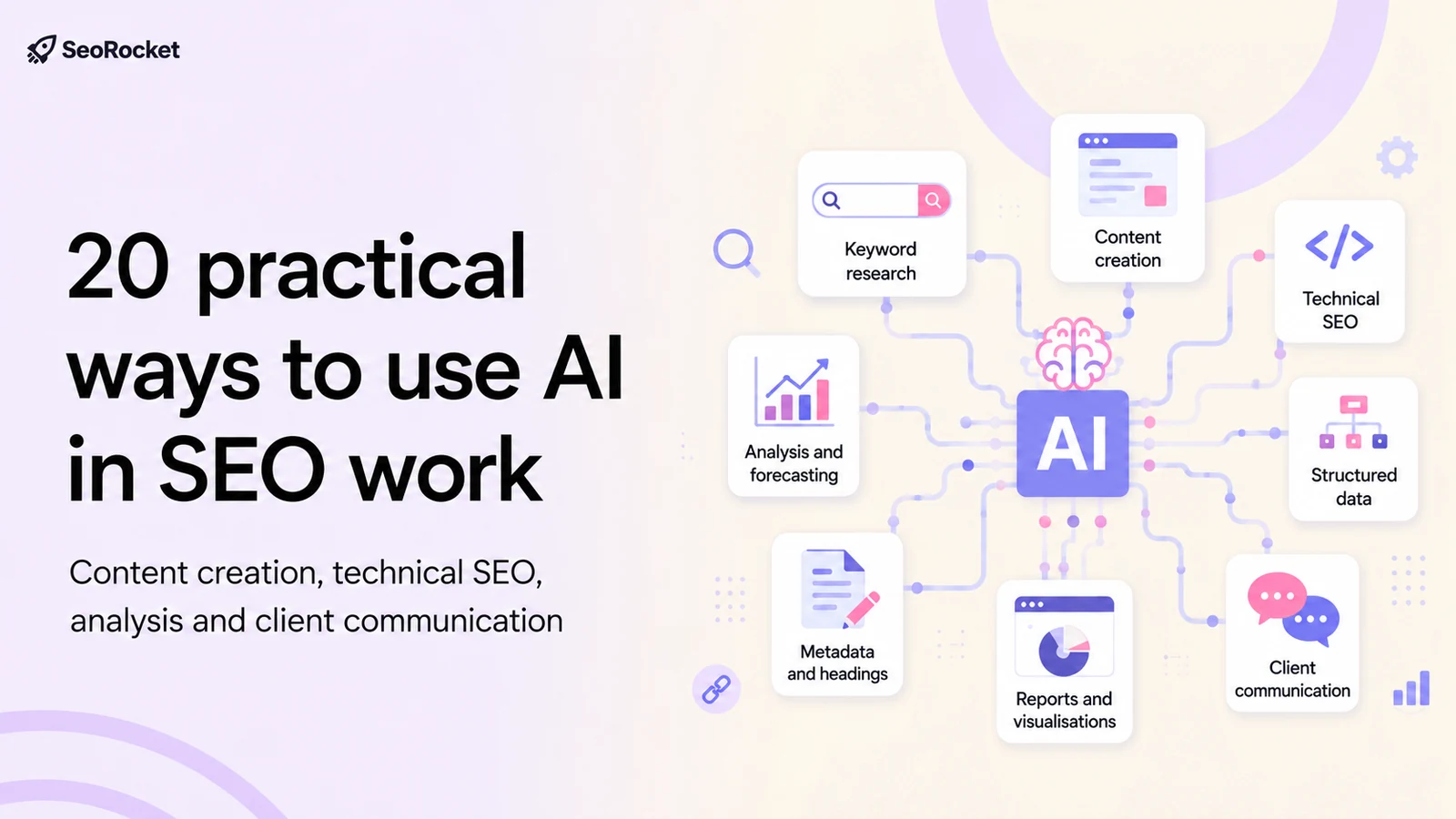
In practical SEO work, AI can help with content, technical tasks and reporting. As an SEO agency, we assess it as support for repetitive work and organising information, with specialists responsible for reviewing the decisions and outputs.
AI can reduce repetitive work and help prepare material more quickly. That does not mean it completes every task, transforms a process overnight or frees a fixed number of hours each week. Useful gains depend on the workflow, the quality of the input and the review required.
Client work still involves deadlines, responsibility and judgement. These twenty examples show how AI can support SEO services and related day-to-day work. Some concern SEO directly; others help with administration and communication. Each needs an appropriate input, verification and clear limits.
1. Prepare a first draft
Use AI to create a starting draft rather than assume the first response is ready for publication.
Give the AI content brief a clear task, target topic, audience and angle. The suggested structure can help you decide how to begin.
Edit the copy in your own voice and add relevant experience, examples and professional judgement that a generic draft cannot supply.
A useful final article needs checked evidence, a clear position and explanations suited to the reader. The specialist remains responsible for that editorial work.
The benefit is having something concrete to evaluate instead of starting from a blank page.
2. Generate title and description options
Provide a tool such as Claude or ChatGPT with the page topic, relevant keyword and intended message. Ask for ten title and description options as a way to explore different wording.

Choose or combine the strongest ideas, checking accuracy, readability and the actual page. On larger websites, this can reduce repetitive drafting, but time savings vary.
Where file tools are available, a CSV can support a larger review. Check every proposed value before implementation and preserve the relationship between each URL and its metadata.
3. Review underperforming content
Provide an existing page that has lost visibility and ask for potential gaps, outdated information or unclear sections. Include relevant search data and the intended audience.
Treat the response as a starting hypothesis. It can offer a fresh perspective but cannot determine the cause of a traffic decline from copy alone.
Explain the context and the problem you are trying to solve. Specific instructions are more useful than uploading an unexplained block of text.
4. Draft useful FAQ questions
Ask for possible questions about a topic, then compare them with actual customer questions, search results and your own research. Generated questions are not proof of search demand.
Use only questions whose answers add value. A FAQ can expose missing explanations, but does not guarantee a special search result; eligibility depends on Google's current rules.
Review the questions and factual answers within the context of the whole page, removing repetitions.
5. Help draft image alternative text
For a large product catalogue, AI can assist with drafting alternative text, provided the actual images and relevant context are available.
Describe what matters in the image for that page. Relevant product terms may fit naturally, but do not force a target keyword into every description.
The aim is an accurate description for people who cannot see the image, not another place to repeat marketing terms.
A crawl export can identify images missing alt text. Filenames alone may be misleading, so do not approve descriptions without reviewing the images. Decorative images may need empty alt text rather than a generated sentence.
Human review remains necessary to check accuracy and purpose.
Technical SEO
6. Explain errors and log extracts
Not every SEO specialist has development or systems experience. AI can help explain technical information when you need to:
- understand an error message in plain language;
- interpret server log entries;
- investigate possible reasons a page is not indexed.
Provide a redacted error or relevant log extract and ask for an explanation and possible checks. Remove credentials, personal information and other sensitive data before sharing it with a tool.
Verify the answer before changing production settings. Technical details can change the diagnosis, and a plausible explanation may still be wrong.
7. Draft structured data
Structured data work can involve repeated syntax and relationships that are useful to draft with assistance.
Explain the visible page content and choose a suitable type, such as Article, LocalBusiness or Product, before asking for JSON-LD. Do not invent reviews, prices or other properties to complete the markup.
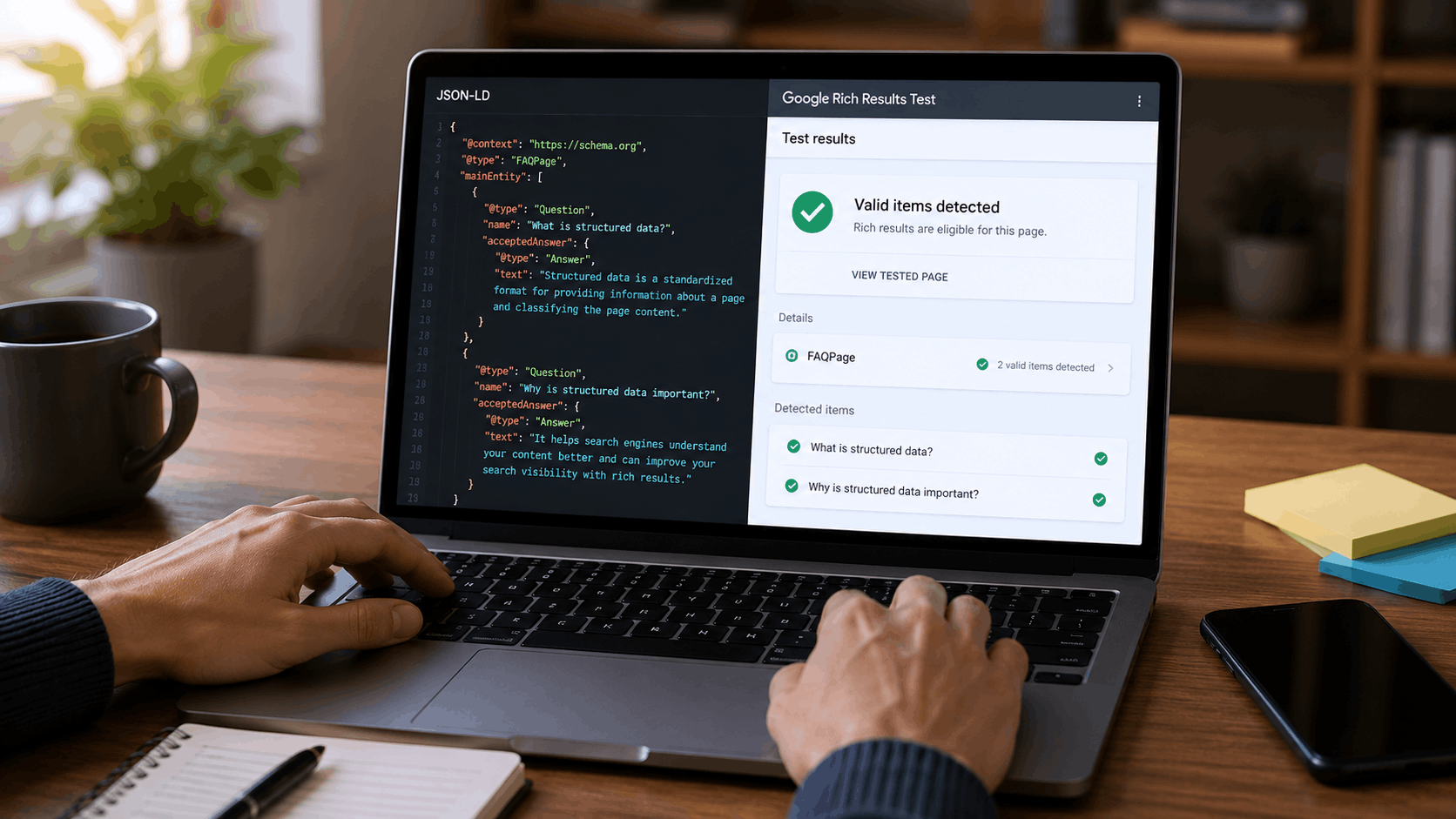
Validate the output with appropriate tools, including Google's Rich Results Test where the type is supported. Check visible-content alignment and eligibility as well as syntax. A valid result does not guarantee enhanced search appearance.
8. Write regular expressions for Search Console filters
If you use regular expressions in Search Console but are not a developer, AI can help draft and explain a pattern.
Describe what to include or exclude, such as all URL addresses in a particular directory or queries containing a term. Include examples that should and should not match.
Test the pattern and request an explanation of its logic. Check syntax compatibility with the tool where it will be used, and confirm that it does not accidentally exclude relevant data.
9. Explore crawl data
Large Screaming Frog or Sitebulb exports can be difficult to prioritise, particularly when several issue types affect different page groups.
Provide suitable aggregate data and explain the website's goals. Ask for patterns and questions to investigate rather than an automatic final priority list.
AI can help organise the information and prepare a review, while a specialist checks affected URLs, scope and business impact.
Reporting and analysis
10. Draft the explanation behind a report
Explaining a set of metrics clearly can take time even after the charts are prepared. AI can help organise the narrative around what changed, possible explanations and next steps.
Provide the metrics with dates, sources and relevant context, such as campaign launches, seasonality or website changes. Ask the tool to distinguish observed changes from hypotheses.
Edit the result with your own findings. Do not accept a confident causal explanation without supporting evidence.
Combining data sources can also help prepare a draft summary. First align definitions, periods and attribution so the apparent comparison is meaningful.
11. Summarise long reports for clients
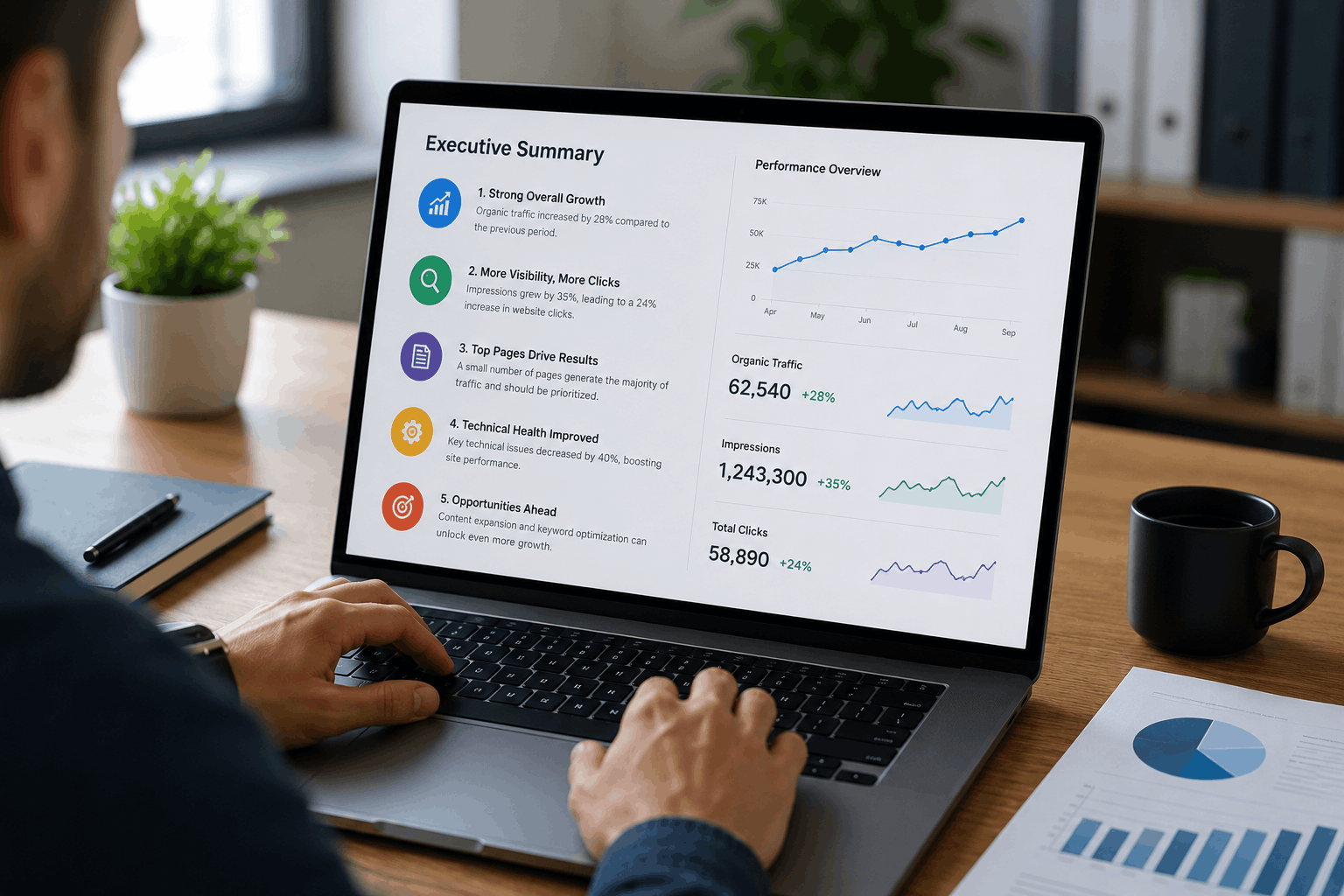
Ask for a five-point executive summary of a longer report, then check that it preserves the main decisions, evidence and limitations.
Readers who need detail can continue through the report, while others can understand the main findings and recommended actions first.
Specify that the reader may not know SEO terminology. Review for clarity without removing necessary technical or measurement qualifications.
12. Flag unusual changes in data
Provide a rankings or traffic dataset and ask for potential outliers: sharp falls, unexpected rises or patterns unlike earlier periods.
Use the output for triage, then verify the calculations, data completeness and possible explanations. An unusual value may reflect tracking changes or missing data rather than business performance.
Research and competitor analysis
13. Explore competitor content gaps
Provide your website and relevant competitors, using actual page material where available. Ask for possible topics missing from your site and why they might matter to the intended audience.
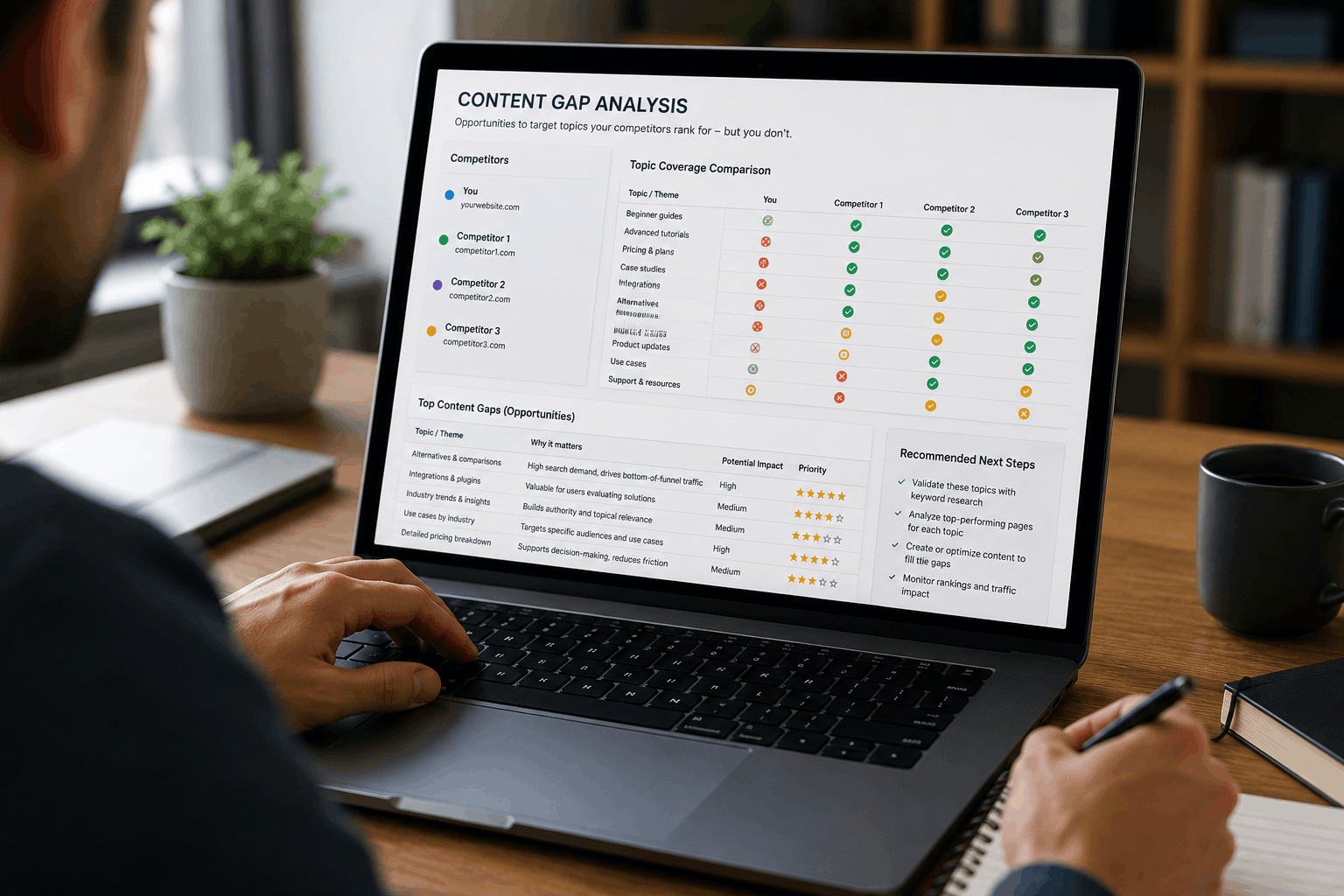
Then verify those hypotheses with real keyword research tools and page inspections.
A model does not automatically have complete, current competitor data. Treat suggestions as research questions until the pages and search demand have been checked.
14. Get oriented in an unfamiliar industry
AI can help prepare an initial overview before a client discussion, making it easier to identify useful questions and unfamiliar terminology.
Ask for an introduction covering:
- key terms and concepts;
- market participants to verify;
- a possible buying journey;
- ways customers may search for solutions;
- common problems and needs to discuss with the client.
Check the information against official sources and the client's expertise. A general briefing does not replace understanding the particular business.
15. Flag potential intent mismatches
Ask AI to classify target queries as informational, navigational, commercial or transactional, then compare the proposed classification with the assigned page types.
Possible mismatches include an explanatory question directed to an unsuitable sales page or a commercial search matched to an overly general article.
This can speed up initial sorting of a large list. Verify intent in actual search results because wording alone can conceal different needs.
Client communication and account management
16. Draft difficult client emails
A message may need to explain a ranking decline, a missed deadline or a required client decision. Those situations need clear, accurate communication.
Provide the facts and what the client needs to understand or do, with sensitive details removed. Ask for a direct, professional draft.
Check the tone, facts and commitments before sending. The tool should not invent an explanation, promise or completed action to make the message sound reassuring.
17. Document procedures and processes
AI can help turn rough operational notes into an initial procedure.
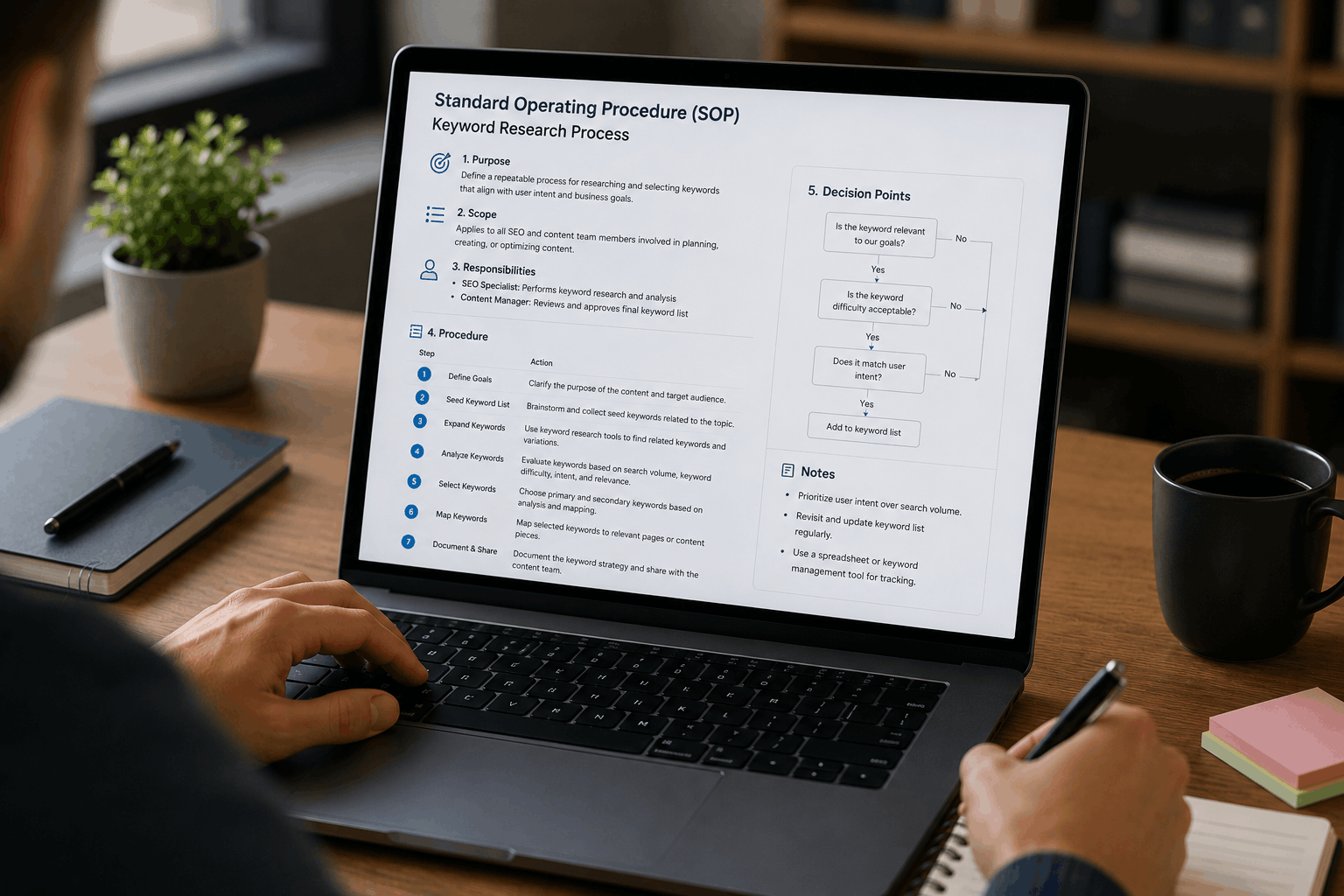
Provide the actual process as notes, a transcript or bullet points. Ask for ordered steps, decision points and checks, identifying missing information rather than filling it with invented actions.
Review the draft with the people who do the work and test it against a real task. A well-formatted procedure is only useful if it reflects the process accurately.
18. Prepare for client meetings
Use relevant report findings, unresolved issues and topics for discussion to prepare a meeting brief, respecting confidentiality and access policies.
Ask for an agenda and potential questions based on the evidence. Check what needs a decision and what can be supplied as background before the meeting.
Productivity and administrative work
19. Organise your thinking
A conversation with an AI tool can help articulate a difficult problem or compare possible approaches.
Explain the decision, constraints and evidence. Ask for questions, alternative interpretations and assumptions you may have missed.
Request critical feedback, but do not confuse disagreement or confidence with accuracy. Verify the reasoning independently.
20. Build reusable prompts
Reusable instructions can make recurring tasks more consistent when they reflect a defined workflow and clear quality checks.
Save prompts that worked, alongside examples, limitations and required review. Update them when the process or tool changes.
A library is most useful when it records why an instruction is used rather than preserve every successful-looking response without evaluation.
Practical tip
Where your tool supports projects or saved instructions, keep task context and rules together. Check which features are available on your plan and avoid storing confidential material without authorisation.
What these AI uses do not replace
None of these uses replaces specialist experience, critical judgement or client relationships. Responsibility for a decision stays with the team making it.
A model does not automatically know the full business, account history, earlier decisions or the client's working preferences.
Its value lies in supporting suitable tasks so specialists can spend more attention on decisions that require expertise.
Review any copy or analysis before sharing it with a client. Check facts, fit and limits rather than accept claims of automatic productivity gains.