
Google's John Mueller answered a question about a WordPress website that disappeared from Google's search index after changing hosting platforms. His answer suggests where to begin investigating.
Lost rankings after migration
In a Google Office Hours podcast, a question described a website disappearing from SEO search results after moving from WordPress to a self-publishing platform, followed by removal from the index.
The wording may refer to a move from managed WordPress.com hosting to another, self-hosted environment.
WordPress website migration to another host involves several relatively straightforward steps, but errors can occur at each stage.
Google's response
Mueller recommended investigating the website, which the question suggests was still accessible online.
The question was:
“After migrating from WordPress to a self-hosted platform, almost all publications disappeared from the index. Search results show zero.”
John Mueller replied:
“If your website dropped out of search results and stopped being indexed just when you migrated it, my guess is the new website is blocking search engines somehow, or at least Google. I would start with Search Console data and investigate from there.”
Search Console can show when pages began leaving the index and reported reasons, such as missing pages returning 404 or crawling blocked by robots.txt. These provide starting points for understanding Google's view.
Checking WordPress indexing
One possible cause is a WordPress setting discouraging search engine indexing, or a robots.txt rule blocking crawling.
Google Search Console reports these issues in its Page indexing report, with relevant reasons under “Why pages aren't indexed”.
You can inspect robots.txt in your domain's root, at /robots.txt, for example example.com/robots.txt.
A migration may leave a setting intended to discourage search indexing enabled on the live website.
In the WordPress administration area, check:
Settings → Reading → Search engine visibility → “Discourage search engines from indexing this site”.
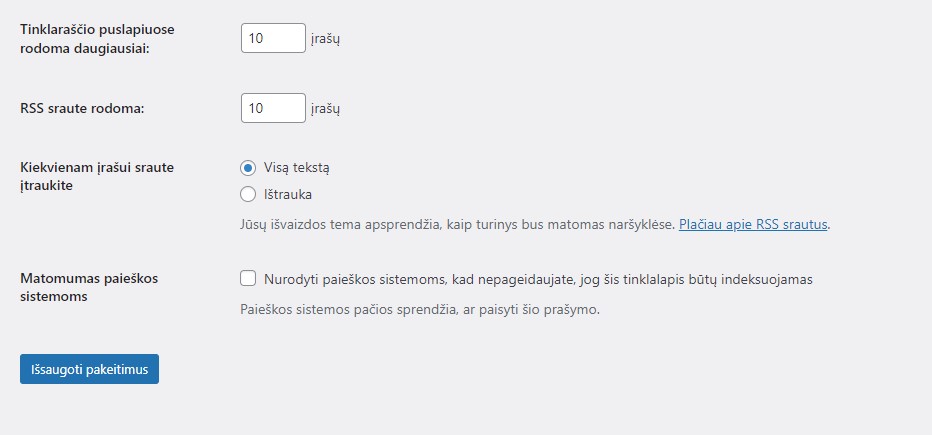
If it is enabled unintentionally, clear the checkbox and verify the resulting directives.
If robots.txt contains a blocking rule while that checkbox is clear, another plugin may be responsible, such as SEO or a migration plugin. A migration provider may also have added the rule. Review the file, correct unintended restrictions and upload the updated version.
Other causes include DNS records not pointing to the new host or hosting-side problems. Search Console is a useful starting point for the investigation.